
Users Are Already Asking AI. What Does It Say About Your Brand?
An explainer on why zero-click AI answers are intercepting the path to purchase, how LLM visibility tools track brand mentions, citations, sentiment, and competitor share across answer engines, plus a six-point tool selection guide and a four-week plan for starting AEO tracking.
Last week I had dinner with a friend who runs a SaaS company. He told me about something that had been bugging him.
His company's SEO is in decent shape — keyword rankings, organic traffic, all fine. But I asked him: when customers go ask AI things — like "which tool would suit a 50-person team managing projects" — does ChatGPT ever bring you up?
He said: I don't know.
He genuinely didn't. Nobody does.
That's the new bind marketers face today. The old traffic business was cash on delivery: a user searched you, clicked you, landed on your site, and your analytics showed it all, crystal clear. Now users ask AI directly. AI answers, the user is satisfied, the user leaves.
The click in the middle? Gone.
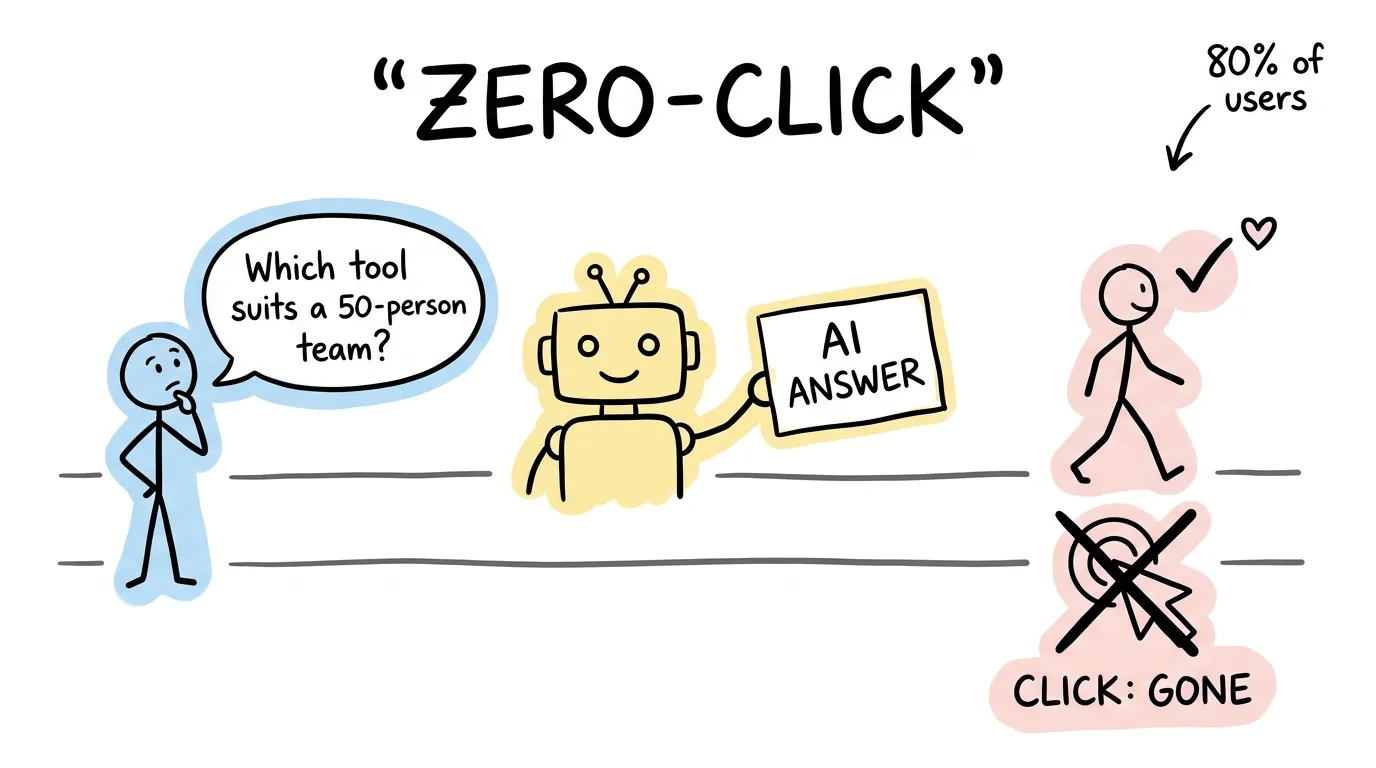
What AI intercepts isn't traffic — it's the gateway to the purchase decision.
What Counts as Zero-Click?
Zero-click is when the user's question gets settled right on the search results page or inside an AI-generated answer, and they never click through to any website.
Digitaloft ran the numbers on this: 80% of users search this way at least 40% of the time.
What does that number mean? It means your on-site signals — clicks, scroll depth, time on page — are vanishing piece by piece. It's not that users stopped loving your content; it's that they no longer need to come to your house at all. AI intercepts the question at the door.
The traffic is still there. It just doesn't flow into your backyard anymore.
So What Do You Do About It?
And so a new class of tools has appeared, called LLM visibility tools. The playbook also goes by another name: AEO — Answer Engine Optimization.
What is an LLM visibility tool, in plain terms? A scout who goes and asks AI on your behalf, every single day.
If you manually ask ChatGPT once, "which brands are good in category X," you get one answer. But one ask is luck; asking every day reveals a trend. The same question can get a different answer today than tomorrow — and asking in ChatGPT isn't the same as asking in Perplexity.
So here's the job these tools do: they take a batch of preset questions and ask them over and over, on a schedule, across multiple answer engines, and then record a few things:
- Whether your brand gets mentioned or cited;
- How AI describes you — the good, the bad, or the meh;
- Under the same questions, how often your competitors show up;
- How these answers change over time.
Being Mentioned and Being Cited Are Two Different Things
Here's a detail a lot of people get wrong.
Say you ask ChatGPT "recommend a few CRMs." It may rattle off five brands in one breath without handing you a single link. That's a mention. Your name showed up, but the user can't click through.
In Google AI Overviews, by contrast, the answer usually carries source cards underneath, and clicking them takes you somewhere. That's a citation. A citation means AI vouched for you — and conveniently paved the road right up to your door.
A mention without a link still builds visibility; a citation with a link brings traffic too. These tools all keep the two accounts separately.
Picking a Tool: Six Places to Look
There are plenty of tools out there, from free diagnostics to enterprise platforms. How to pick? Walk through six places, one by one:
First, which engines are covered. Some watch only the big three — ChatGPT, Gemini, Perplexity — while others can chase nine or ten. Note that coverage is often tied to the pricing plan; the entry tier and the flagship tier are not the same number.
Second, how prompts are managed. Does the tool recommend which prompts you should watch, or do you add everything by hand? Good tools use your company profile, your industry context, even real customer data from your CRM to make suggestions.
Third, how deep the citation analysis goes. Can you see which domains, which pages, which types of content are being used by AI as sources? This directly determines how you patch your content later.
Fourth, competitor comparison. On the same questions, can you pull up your share of visibility and sentiment against your rivals and go head to head?
Fifth, whether the data can get out. Teams that feed BI or internal dashboards should first confirm that the tier they're buying includes export and API access.
Sixth, whether you can keep going after a gap is found. Some tools only report "what happened"; others follow up with recommendations and optimization workflows.
Eight Tools, Each with Its Own Temperament
Let's go through them one by one. Prices are each vendor's published starting price, subject to plan changes — for reference only.
HubSpot AEO. HubSpot's own answer engine visibility product. The standalone version runs 25 prompts every day across the three engines — ChatGPT, Gemini, Perplexity — recording visibility, sentiment, competitor share, and citations, at $50 a month, $45 billed annually, with a 28-day trial up front. Teams on Marketing Hub Professional and Enterprise get it built in, and it can let the real customer data in the CRM feed the prompt suggestions. I think this is the most valuable part: the prompts being watched come from real buyers, not guesswork. On top of that, HubSpot has a free AI Search Grader that, in one shot, scores how ChatGPT, Gemini, and Perplexity describe your brand across five dimensions: sentiment, content quality, brand recognition, share of voice, and competitive positioning. It's snapshot-style, no continuous tracking — but as a first-look diagnosis, it's enough.
Semrush One. The old-guard SEO vendor's route: put AI visibility and traditional search into the same workspace. The Starter tier tracks 50 prompts daily across ChatGPT, Perplexity, Gemini, Google AI Overviews, Google AI Mode, and more. Starts at $199 a month, $165.17 billed annually. A fit for teams already using Semrush — saves you from bouncing back and forth between two systems.
Profound. The enterprise-grade player. The entry tier watches only ChatGPT, the Growth tier covers three engines, and Enterprise can extend to nine, with multi-company, multi-region tracking and API support. It has one thing not quite like the others, called Prompt Volumes: it doesn't just tell you brand visibility, it also tells you what people are asking on AI platforms — you look at demand and visibility together. From $99 a month, billed annually.
Peec AI. A focused, single-purpose product for AI search analytics. Models are yours to pick: three on self-serve plans, thirteen on Enterprise; prompt counts scale from 50 to 150 to 350 and up, starting at $95 a month. It has an Actions workflow that turns visibility and source gaps directly into a sorted, ranked to-do list. Teams who don't want to buy an entire SEO suite for the sake of one job — this is the one to look at.
Tracksuit. The most unusual of the bunch: it doesn't watch AI at all. It's an always-on consumer brand tracking platform that measures what real people actually think — awareness, consideration, usage, preference — benchmarked side by side against competitors. From $19,500 a year for one brand. So why is it on this list? Because what AI says and what consumers think are worth viewing against each other. Whether the way AI positions you in its answers lines up with how real people perceive you — or doesn't — is information in itself.
Rankshift AI. Known for broad coverage and generous limits. ChatGPT, Gemini, Claude, Perplexity, Mistral, Llama — pretty much all the mainstream engines, and every tier gets the full lineup, not locking engine count behind the flagship plan. The Starter tier starts with 150 prompts a day, $82 a month billed annually, with unlimited projects and seats.
ZipTie. The pay-for-what-you-use route. Seven engines; prompt counts and refresh frequency (daily, weekly, monthly) are yours to configure, and you pay for exactly what you configure, with the Starter preset from $35.63 a month. It has an AI Success Score that rolls mention rate, sentiment, and citation rate into one number for reading trends. Teams that want precise control over exactly why they're paying — this is the one to look at.
Gumshoe. The sharpest point of entry: it slices by persona. Eight buyer personas, 10 prompts each, run on six models in a monthly Visibility Audit, plus a weekly snapshot checkup, from $99 a month. The Pro tier and up add dedicated audits of citations, sentiment, and content. The question it wants to answer: when different people ask AI, do the answers come out skewed? For teams with many product lines and mixed audiences, this angle is exactly right.
Picking one of the eight isn't hard. Want all-in-one, look at Semrush. Want enterprise coverage, look at Profound. Want lightweight and focused, look at Peec. Want persona slicing, look at Gumshoe. As for getting started — run the free AI Search Grader first and see.
Thirty Days, Starting from Zero
Don't start by trying to watch every prompt on every platform at once. The usual result of doing that: a pile of data nobody reads.
Walk it by the week, four weeks.
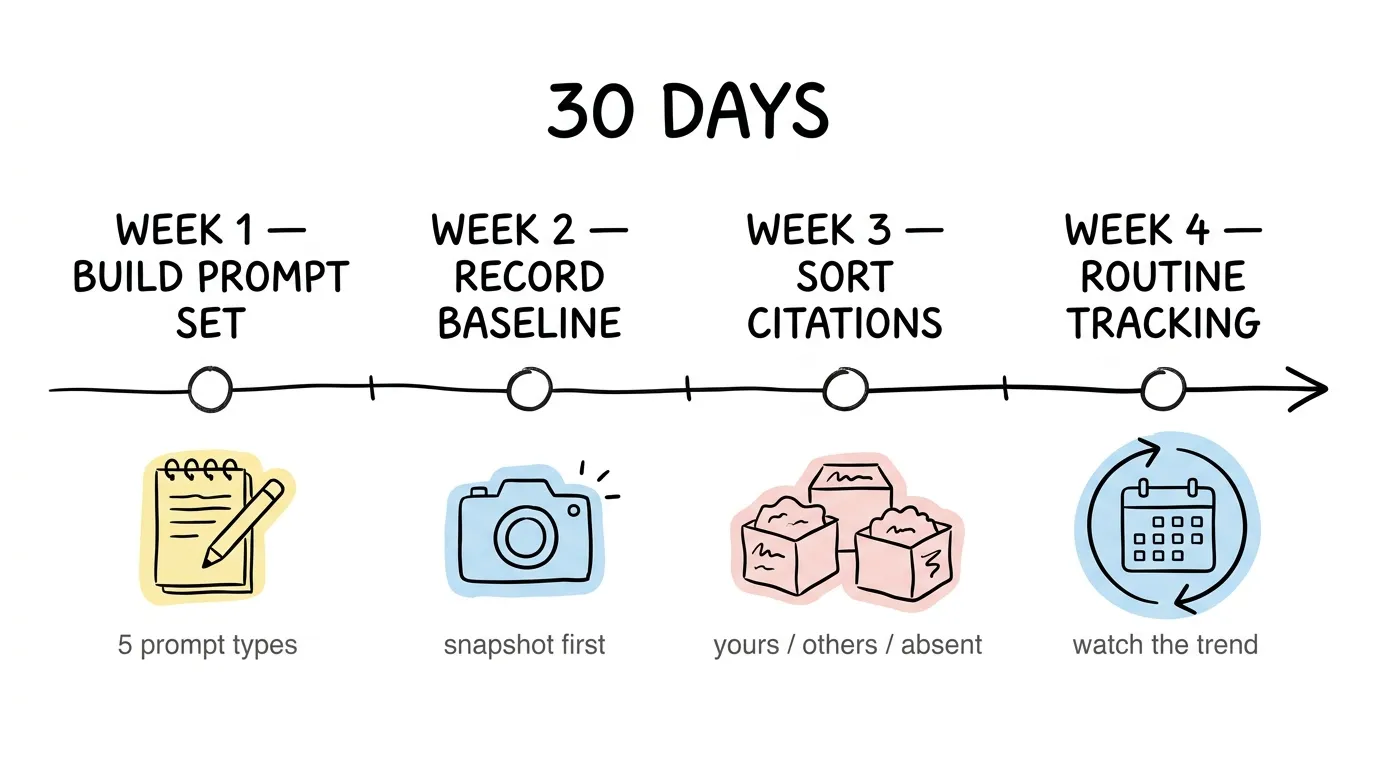
Week one: build your prompt set.
Note — you're building real prompts, not padding a count. Where do prompts come from? Sales call recordings, support tickets, search term reports, users' own words in communities. How buyers actually ask is what your prompt set should look like.
And the types should be spread out — at least five:
- Category discovery. "What software can help role X do task Y" — when the buyer hasn't locked onto anyone yet, are you there?
- Solution comparison. "What are the best tools in category X" — how you perform when sharing the stage with competitors.
- Direct brand queries. "Is brand X right for scenario Y" — how AI introduces you.
- Competitor anchoring. "What are alternatives to X" — whether you're on someone else's list.
- Problem-entry. "How do I fix problem X" — whether you show up when the category hasn't even been named.
Week two: record the baseline.
Before you change anything, photograph the status quo first. The free AI Search Grader can be run once as a snapshot, but a snapshot can't serve as a ruler. After you've picked your tracking platform, formally run the batch of prompts you'll be watching long-term, and write down the first results. Every rise and fall from now on gets measured against this line.
Week three: dig into citations, set priorities.
Pull out the citations you've tracked and sort them into three piles: your own domains; other people's domains; and the questions where you didn't appear at all.
Your own pile: see which pages and content formats AI favors, and double down. Others' pile: see whether it's media, review sites, or comparison pages — do the PR where PR is due, do the partnerships where partnerships are due. The absent pile: that's your content gap.
How to rank priorities? Three rulers: how much it matters to the business, how big the gap is, and how fast your team can move. Fix the facts you control, watch the key third-party sources, fill your own content — one item at a time.
Week four: settle into routine tracking.
A one-time checkup shows no trend. The reason these tools ask over and over, day after day and week after week, is that AI's answers can change on every run. Don't panic over a small dip today; don't gloat over a small rise tomorrow. Look at the direction across many days and weeks before drawing conclusions.
There's also a background board you can use: HubSpot's AI Search Sensor. It's free, and it looks at visibility and volatility for entire industries in AI answers. It doesn't report on any specific brand, but if your numbers suddenly jump one day, you can first go see whether it's your own problem or the whole industry wobbling.
A Few Common Questions, While We're at It
Which engines should you watch first? Watch the ones your buyers actually use, and the ones your tool can track. ChatGPT, Gemini, Perplexity, Google AI Overviews, and Google AI Mode are the common baseline; adjust afterward based on your own referral traffic data. One reminder: analytics tools can see the visits coming over from AI platforms, but the people who read an AI answer and left without clicking any link — nowhere in any tool will you find them. That's exactly why you watch visibility.
How many prompts make the set accurate? No magic number. Accuracy depends on whether your prompt set covers the buyers, products, scenarios, competitors, and markets in your real business. Start with the amount before you hit your plan's cap. Every time you add one, ask yourself: is this answering a new business question, or just padding the count?
Can it track multiple brands and multiple countries? Yes, but it depends on the plan. Some self-serve tiers come with multi-project and multi-region; others lock multi-brand and multi-geo behind higher or custom plans. Before you buy, nail down the project count, regions, languages, model count, and prompt quota.
How do you tie it back to revenue in the CRM? Use the sessions, conversions, and lead-source data referred in by AI, and read them against your visibility trends. What this path is building is the measurement pipeline from your AEO efforts to leads and revenue — don't start out by claiming every zero-click impression is one sale of yours. Zero-click impact was never going to add up to a clean total; being able to see the trend is enough.
Finally
As the meal was wrapping up, I told that friend: how about this — go back and run the free checkup first, and see how AI is introducing your company right now. Come find me after you've looked.
The next day he actually finished running it. When it was done, he sent back a two-word verdict: kind of dicey.
Kind of dicey — and that's exactly right. Once you know where it's dicey, you've got work to do.
Being seen in AI's answers is the new being seen.
Here's wishing your brand gets introduced — gently and accurately — every single time AI opens its mouth.
Continue reading
Related articles
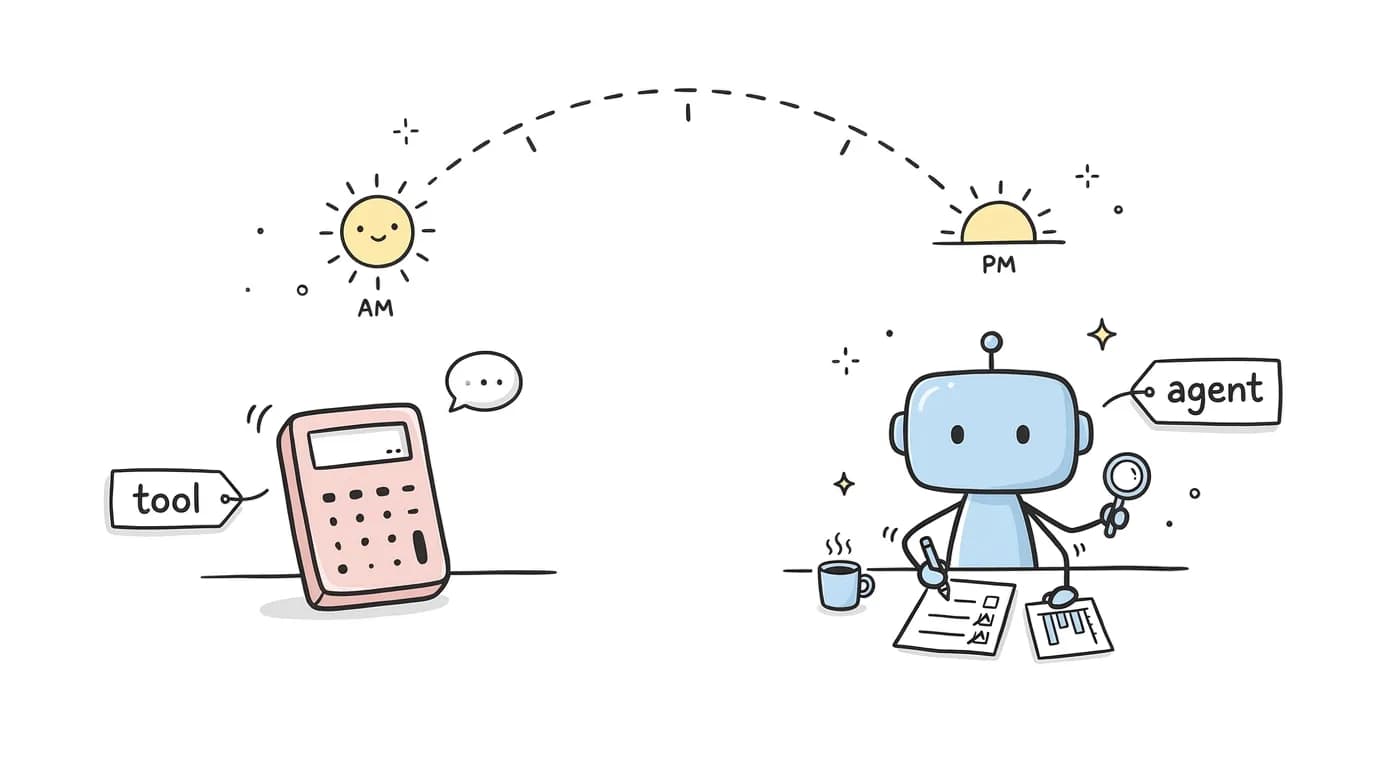
It's 2026: Stop "Buying" AI Tools for Your Marketing Team — Start "Hiring" AI Agents
This learn article explains how AI agents differ from standalone AI tools in marketing, outlines three agent categories — build-your-own platforms, CRM-native agents, and vertical tools — and covers use cases across SEO, social media, advertising, and reporting, plus criteria for choosing one.
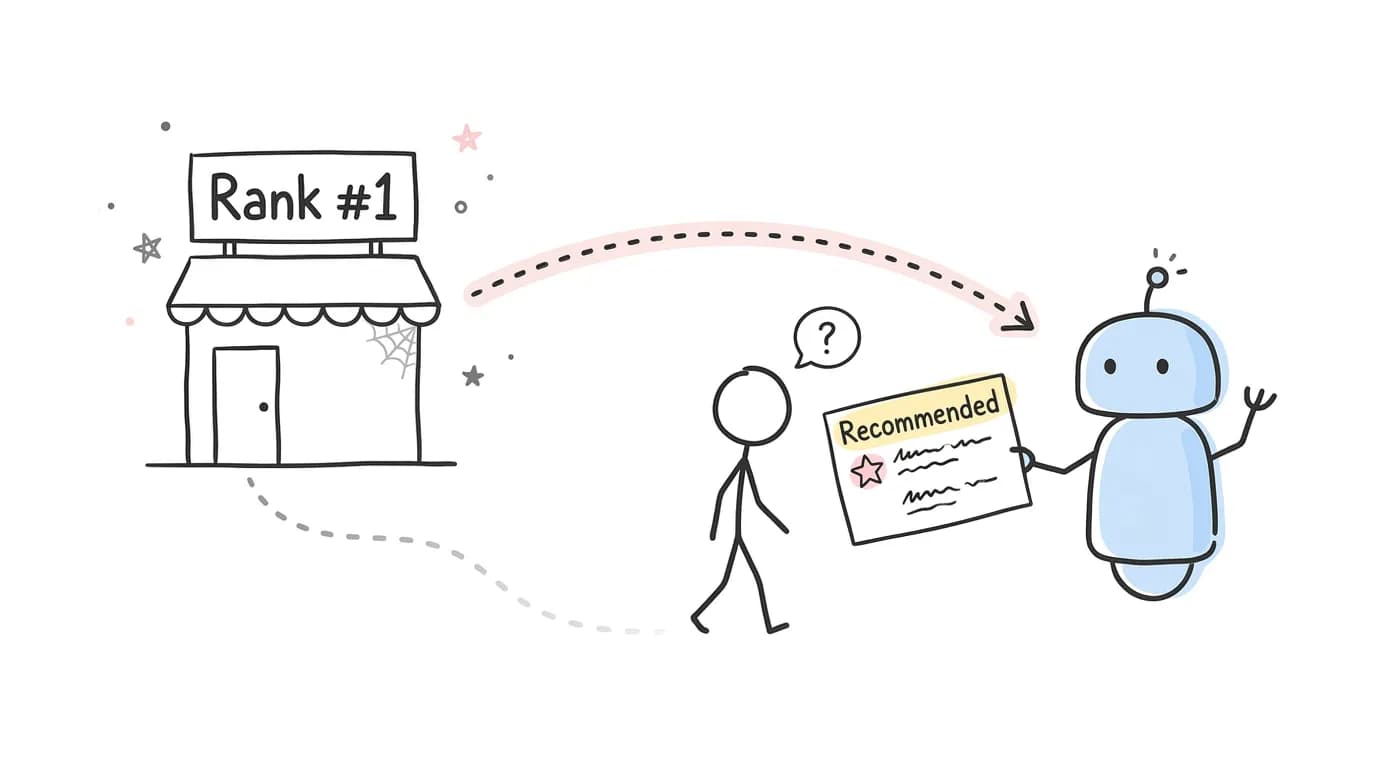
What Is GEO? How Your Brand Gets "Mentioned" in the Age of AI Search
An explainer on GEO (Generative Engine Optimization) for e-commerce and DTC brands: how it differs from SEO and AEO, why AI answers shape brand visibility, and eight practices covering question-focused content, consistent brand messaging, structured pages, external evidence, comparisons, and AI mention tracking.
AI Is Already Making Decisions for Your Customers. Are You on the List?
A learn article explains GEO (Generative Engine Optimization): why AI-generated answers now shape which brands customers see, and how SEO fundamentals, entity clarity, citable evidence, and monthly measurement affect visibility in AI answers.