
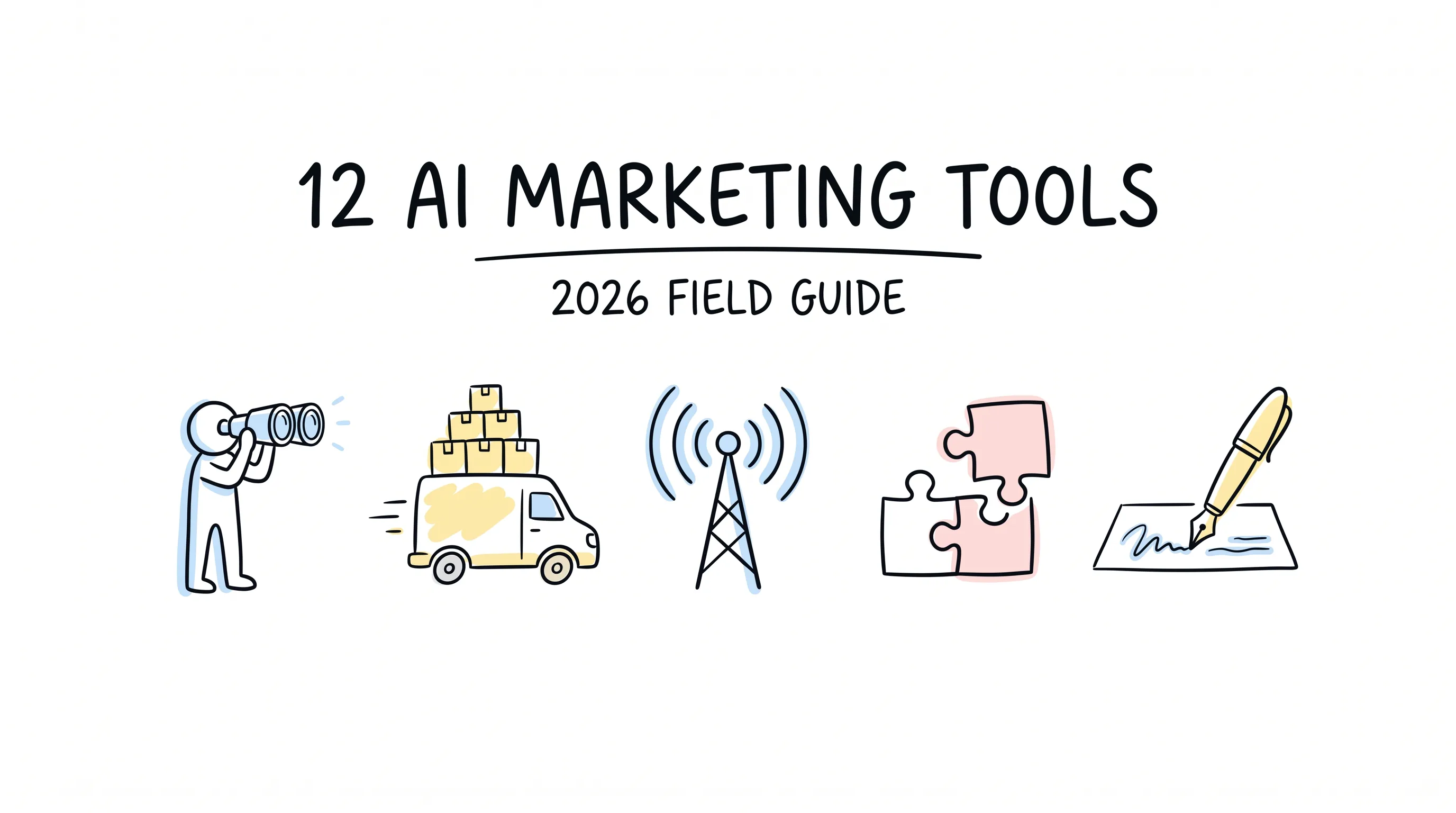
It's 2026, and I've Done the Legwork on 12 Mainstream AI Marketing Tools for You
A learn article reviews 12 mainstream AI marketing tools, grouping them into five roles from intent-data scouts to writing assistants, and outlines selection criteria covering data quality, integrations, staffing, and total cost.
A few days ago, an old friend who runs B2B marketing invited me out for tea. He looked exhausted.
"We've bought three lists and deployed four systems. Tens of thousands of customer signals pour in every day, and we're still guessing: guessing who wants to buy, who's comparison shopping, who's quietly checking out the competition."
I told him: you're not short on data. What you're missing is the step that turns data into action.
And that is exactly what today's AI marketing tools are built to solve.
What Exactly Is an AI Marketing Tool?
Don't jump straight to having AI write your weekly report. That's a toy. This is business.
So what is an AI marketing tool? It's a class of platform that builds machine learning, predictive analytics, and automation directly into the marketing workflow. Day in and day out, it watches buyer behavior, engagement data, and account activity — faster than any human could — then tells you outright: here's your next move.
Put plainly, it's a researcher who never sleeps, plus a copilot riding shotgun.
The researcher keeps watch: Which company is going through your product materials right now? Which one is searching for competitor comparisons? Did the person in charge of procurement just change?
The copilot takes action: the list is sorted, the email drafts are written, and what time to send, who to send to, and which version to send are all arranged for you.
Data isn't worth much. Action is.
Does This Actually Work? Let Me Run the Numbers
There's a company that does enterprise live streaming, called Brandlive. They used ZoomInfo's intent data and automated workflows to lock onto high-priority buyers, routed leads automatically, and kept sales and marketing on the same channel.
The result? In six months: more than 18,000 leads and $1.05 million in revenue credited directly to this toolset — plus big clients like Chanel and Condé Nast willing to sit down and hear demos.
My first reaction was: $1.05 million? You can attribute it that precisely?
But note — this isn't a story of "buy the software and coast to victory." The real logic is: AI connected the signal of "who is moving" to the action of "someone follows up immediately." The time gap between signal and action was compressed from a few days to a few minutes.
Why does that matter? Think about it: the buyer's window for making a decision is only a few days wide. Whoever shows up in front of him first has the better odds.
In the end, competition comes down to reaction speed.
Okay, that's the reasoning. Now for the main event.
12 Mainstream Tools, Sorted into 5 Categories by "Unit Type"
Most rankings on the market line the 12 tools up in a single file and count from 1 to 12. But that way you can't see at all who's allied with whom, and you get no way to pick by need.
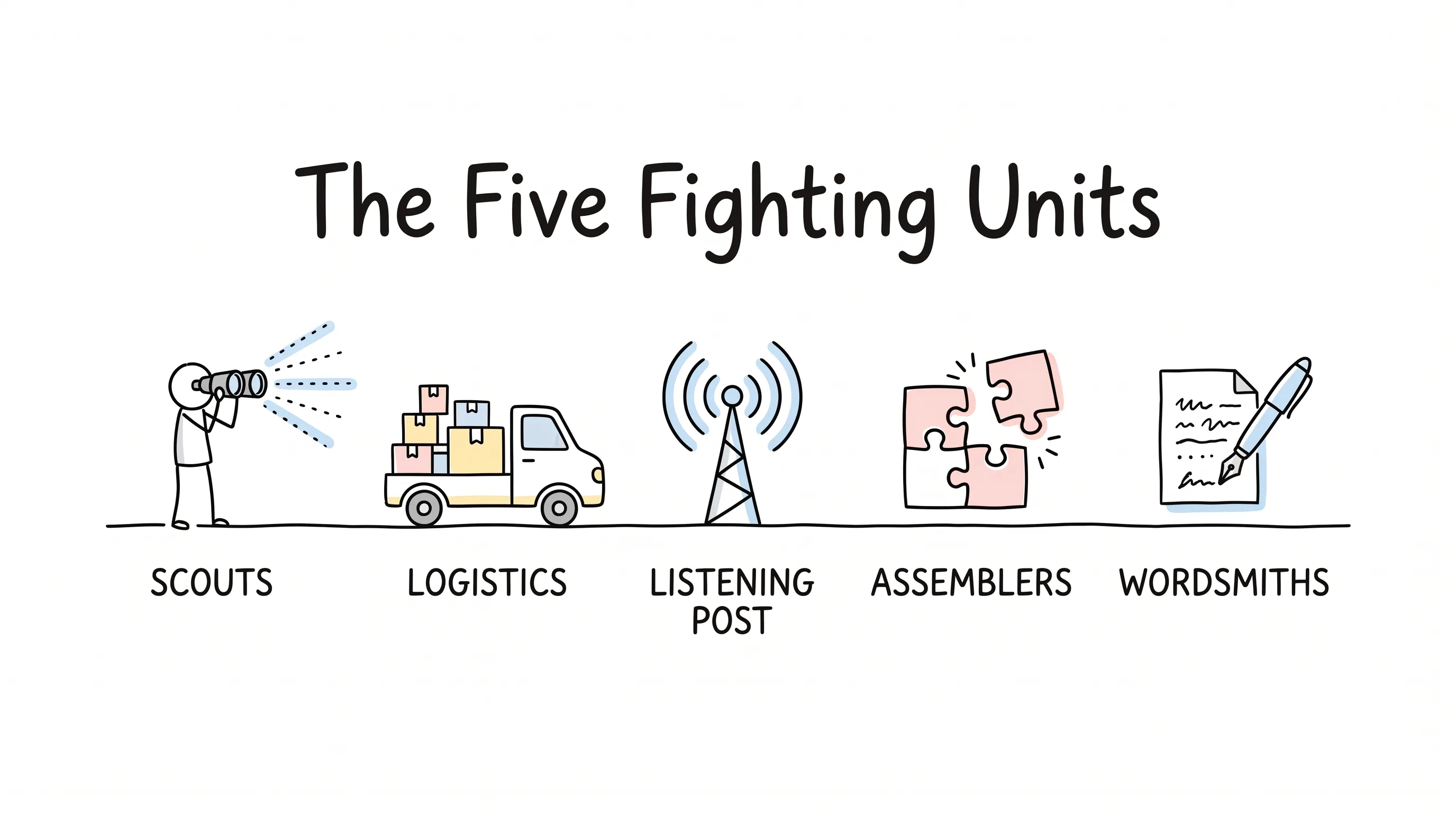
My way of sorting is different. When a marketing team goes to battle, it needs five kinds of fighting units.
The First Type: The Scouts. In charge of finding signals.
ZoomInfo. It plays in the "most complete data" tier: more than 500 million contacts, 100 million companies, and over a billion buying signals processed. In 2024 it launched a feature called Copilot, and in October 2025 it rolled out GTM Workspace — handing account research, follow-up email drafting, and next-step prompting entirely to AI, so sales just goes out and meets people. It connects natively with systems like Salesforce, HubSpot, and Outreach, and the advertised email deliverability is above 95%. Feedback from customers using its Copilot shows pipeline generally grew by about a quarter, and every week they save real, tangible time. Reviews on G2 cluster around three points: clean data, accurate intent signals, and solid integration with CRM. And the compliance box is fully checked — SOC 2, GDPR, CCPA.
6sense. Its most interesting trick is watching the "dark funnel." What's the dark funnel? It means that before buyers ever contact you, they've already been researching on their own for half a year or more, and no one can see that behavior. 6sense's job is to surface those anonymous research traces and tell you which companies have already reached the buying stage and which are worth chasing; its predictive model also scores and ranks accounts. It even comes with built-in ad placement — target-account lists can be activated directly across display, social, and search channels.
Demandbase. It's in the same category as 6sense; the difference is that it lets AI agents run specific tasks for you: researching accounts, personalizing, orchestrating campaigns — no manual hand-holding required. It also has a rather clever metric called "engagement minutes," which quantifies how active a target account is in units of time. It can run display, video, and social ads across all three lanes, then close the loop afterward with intent monitoring and engagement tracking. The whole ABM (account-based marketing) playbook is complete.
The Second Type: The Logistics Corps. In charge of the process.
HubSpot Marketing Hub. The friendliest option of the bunch for small and mid-size teams. The AI content assistant helps you write blogs, emails, and social media copy; predictive scoring ranks leads automatically; it comes with its own CRM, connecting marketing, sales, and customer service in one suite. Pricing is tiered, covering everything from small teams of a few people to mid-size companies of several hundred.
Salesforce Marketing Cloud. The enterprise heavy armor. At its core is the Einstein AI suite: it calculates when each contact is most likely to open an email, predicts who's more likely to click which type of content, and automatically picks the optimal asset version for each recipient. Cross-channel journey orchestration runs on Journey Builder; building audience segments can be done by drag-and-drop or by writing SQL directly; email, SMS, push, and ads are connected end to end.
Adobe Marketo Engage. The veteran enterprise automation platform, and its strength is the word "complex": custom lead lifecycles, multiple scoring models, complicated routing rules — it can absorb them all. Two-way sync with Salesforce is a native capability; Smart Campaigns trigger nurture sequences automatically based on behavior; revenue cycle analysis and multi-touch attribution come in full. When the team gets big and the processes turn into a root tangle, that's when it starts showing its value.
The Third Type: The Listening Post. In charge of hearing the truth.
Gong. It doesn't find customers; it listens to them. Sales calls are recorded and transcribed in real time, then the AI analyzes: which questions did the winning conversations ask, and which traps did the losing ones fall into? Deal health gets scored, and once it spots red flags like "a senior executive never showed up" or "sudden long silence," it raises the alarm. Forecasting comes along for free: based on historical deal patterns and current engagement, it calls which deals are likely to land. The most practical use is sales coaching — training people on real conversations beats memorizing a script book by miles.
The Fourth Type: The Assemblers. In charge of piecing data together.
Clay. It's like a spreadsheet that fills itself in. It hooks into more than 150 data vendors, pooling their company information, contacts, and intent data into one table; the AI researcher can also go dig for material on its own — corporate websites, news coverage, social profiles. You write formulas in the grid, set filters, and build custom scoring, operating it just like Excel. Its positioning is very clear: the orchestration layer standing between data sources and execution tools, washing the lists clean and assembling them neatly, then pushing them to your CRM or outbound platform.
The Fifth Type: The Wordsmiths. In charge of writing and refining.
Jasper. Enterprise-grade generative writing. Its real selling point is "writes like you": brand voice, style rules, and glossaries are all locked in advance and strictly enforced at generation time, with approval flows and permission management as a backstop. One brief can simultaneously produce several versions for blogs, ads, and social media. But having said that, it only accelerates the first draft. Fact-checking and strategic messaging still need human gatekeeping — and it doesn't pretend otherwise.
Semrush. The SEO veteran. Keyword research, search volume and difficulty analysis, competitor rank tracking, backlink analysis, technical audits — the whole kit is there. Its AI muscle is mostly spent before the work starts: based on the top-ranking pages, it generates topic clusters and content briefs for you, telling you what to write and how to write it.
Surfer. If Semrush is the one studying the exam questions, Surfer is the one proctoring the exam room. It takes the top-ranking pages apart and looks at them: how many words, how the headings are structured, how the keywords are used, and which semantically related words should also appear. Then it hands you a real-time scoring editor where the score lights up as you write, usable directly in Google Docs and WordPress. Old articles can also be run through audits to find quick-win optimization points.
Grammarly Business. It looks the simplest, but it's actually an enterprise must-have. Across every writing scenario it fixes errors, sharpens clarity, and corrects tone in real time — with explanations. Once the brand voice profile is set, it will flag writing that drifts off-key. At the team-management level, it can spot everyone's common writing weaknesses and measure how much different tones affect engagement. Google Docs, Office, Slack — it embeds into all of them.
You've Met All 12. Now How Do You Choose?
Bottom line first: don't choose by feature list; choose by your own work.
Which workflows eat up the most of your team's hours every day? List those stages, then match the tools to them. Whether you need a Scout depends on whether your leads are "fresh" enough; whether you need a Wordsmith depends on whether content is your bottleneck. Buying everything is the most expensive way to choose.
Then ask yourself five concrete questions.
One: Is the data fresh? An AI tool's output ceiling is the quality of its data. Ask exactly how big the contact database is, how often it refreshes, what the email deliverability rate is, and whether it's GDPR and SOC 2 compliant. If the data is dirty, everything downstream is worthless.
Two: Does it fit into your existing systems? For sync between CRM and marketing automation platforms, insist on native and two-way as much as possible. Whether a tool embeds into the daily workflow matters far more than how many features it has; switch back and forth all day and you'll abandon it sooner or later.
Three: Does the AI truly save time, or just add noise? Skip the demos; take the trial. Some platforms have genuinely built analysis into the interface, while others have just pasted the word "AI" onto the same old buttons. You'll only know once you get your hands on it.
Four: Do you have someone to run it? Enterprise-grade platforms need dedicated people for configuration and optimization, which small and mid-size teams can't always afford. If you can't afford it, pick the ones that get started fast and show results fast.
Five: How does the total bill add up? Look beyond the price list: implementation fees, training fees, contract terms, renewal price hikes. For the price itself, here's a reference: lightweight tools start at $12–25 per user per month, mid-tier ones run $50–200, and enterprise-grade platforms range from $15,000 to $100,000+ a year. Negotiate a trial first if you can, and only sign a long-term contract after the ROI is verified.
Set your expectations for time to results as well: most teams first feel the time savings within 30 to 60 days, while changes at the pipeline level generally take 90 to 180 days to become visible.
Oh, and you might also want to know: do you need technical skills to use these tools? Basically not. Today's platforms all come with the models pre-configured and usable right in the interface — no need to hire your own data scientists. Small teams run them just fine; both HubSpot and Clay have entry points designed specifically for lean crews.
A Closing Thought
Back to my tea-drinking friend. He didn't rush out to buy new tools; he first overhauled the data in his own CRM, then brought in intent data, swapping "guessing" for "reading signals."
Last month he told me the biggest change in the team wasn't how many more leads they got — it was that everyone finally stopped arguing about "who to follow up with." The list sits right there, ranked by AI, and people just work it.
However many good points a tool has, in the end it comes down to one thing: whether it has liberated your team from the guessing game.
Tools exist to save the team time. Don't let it go the other way and have your team babysit the tool.
Here's wishing you fewer tools you buy but never use, more time left over, and the peace of mind to finish that cup of tea.
Continue reading
Related articles
It's 2026: Stop "Buying" AI Tools for Your Marketing Team — Start "Hiring" AI Agents
This learn article explains how AI agents differ from standalone AI tools in marketing, outlines three agent categories — build-your-own platforms, CRM-native agents, and vertical tools — and covers use cases across SEO, social media, advertising, and reporting, plus criteria for choosing one.
What Is GEO? How Your Brand Gets "Mentioned" in the Age of AI Search
An explainer on GEO (Generative Engine Optimization) for e-commerce and DTC brands: how it differs from SEO and AEO, why AI answers shape brand visibility, and eight practices covering question-focused content, consistent brand messaging, structured pages, external evidence, comparisons, and AI mention tracking.
AI Is Already Making Decisions for Your Customers. Are You on the List?
A learn article explains GEO (Generative Engine Optimization): why AI-generated answers now shape which brands customers see, and how SEO fundamentals, entity clarity, citable evidence, and monthly measurement affect visibility in AI answers.