
How to Use AI to Write a Blog Post That Isn't Slop
A learn guide on using AI to write blog posts without producing low-quality 'AI slop', covering a five-step workflow: writing a brief, requesting specific outlines, drafting section by section, human editing and fact-checking, and optimizing for search and AI answers, plus copy-ready prompts.
A few days ago, I came across a post on Instagram.
A designer had put her hand-drawn event poster side by side with an AI-generated one. She broke down a whole list of details: typography, white space, information hierarchy, emotional pull. The post had 955 comments and nearly 20,000 likes.
The comments were full of praise. Some people came to the AI poster's defense: fast, good, and cheap — what more do you want?
I stared at my screen for a long time.
Then it suddenly hit me: AI-written content is becoming the next slop.
What Is AI Slop?
Start with a fact.
80% of marketers are already using AI to create content. Think about what that number means: AI writing content is no longer trendy — it's routine.
But here's the problem.
62.7% of marketers admit that brands now need more unique, human-centered content just to survive the competition. And HubSpot found it even earlier in its 2026 State of Marketing Report: more than half of marketers believe AI has made content creation so easy that they're now stuck in an extremely saturated market, struggling to stand out.
In plain terms: AI dropped the barrier to content production to the floor, and everyone rushed in. The result? Output exploded, quality collapsed.
This low-quality, mass-produced, barely-thought-through AI content has a name:
AI slop.
The word slop literally means pig feed — leftover food. Readers fed a steady diet of AI-generated text and images have learned to dismiss this kind of content as low-effort, unoriginal, and obviously fake at a glance. On social media, any post you throw out could be taken for slop.
But AI Is Just an Intern?
Let me give you an analogy.
AI is like a brand-new intern. It's fast, tireless, and does whatever you ask. But it has one fatal flaw: it doesn't have your experience. It doesn't know who your customers are, what your data looks like, or what your standards are.
So you hand it all your work. Then what?
Yep. It will describe your brand as "a dynamic, innovation-driven company with influence in the industry landscape."
Yikes.
Think about how you'd write it. You'd write: "Last October, we did X, and our churn rate dropped 3 percentage points."
So: AI is a collaborator. It handles speed; you handle judgment. Speed plus judgment is what makes an article worth publishing.
Karla Hesterberg, former managing editor of the HubSpot blog, put it bluntly: "The only truly effortless AI process is the one that produces slop."
But there's another way around this effortless route. It's a five-step process. Each step has: what you give AI, the choices you make, what you get, and a moment where a human steps in. Let me break it down.
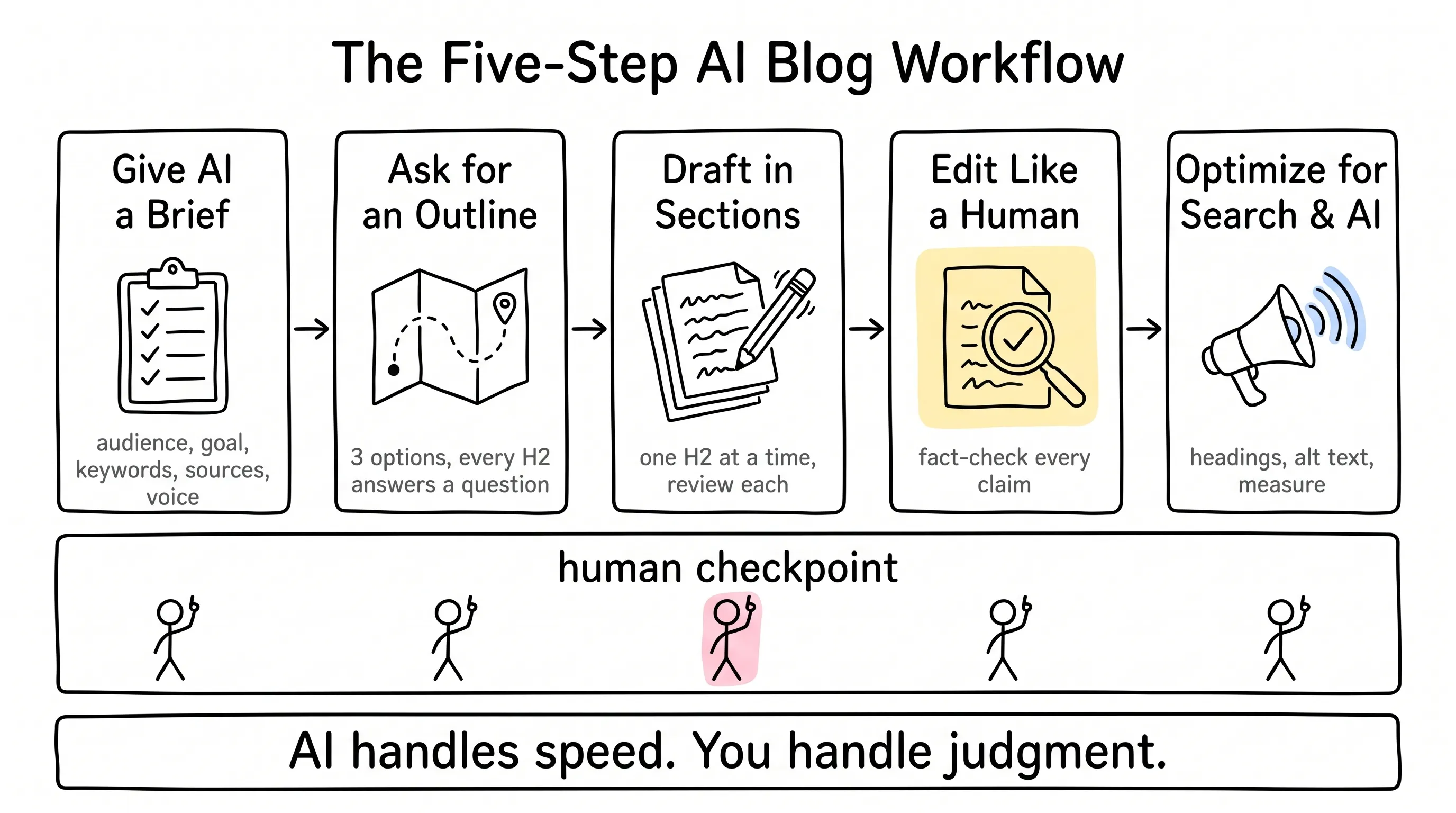
Step 1: Give AI a Brief
Eighty percent of how well AI writes depends on what you give it.
What's a brief? It's everything you figure out before you start: audience, goal, keywords, angle, approved sources, voice samples, format, opinions, claims you can back up, data privacy, and a banned list.
These 11 items are your brief.
Why give AI so much? Because with no brief, you're letting an intern who doesn't understand your business run your business. That "dynamic company" from earlier? That's exactly how it happens.
Two of these deserve special attention.
The first is your audience. HubSpot's 2026 State of Marketing Report says only 65% of marketers confirm they have high-quality audience data. That means more than a third of marketers can't even say who they're writing for. If you're one of that 35%, don't panic — HubSpot's free tool Make My Persona can sketch a reader profile for you in minutes.
The other is data privacy. NIST — the National Institute of Standards and Technology — lists data privacy as one of the 12 risks of generative AI. The risks include leaks of personal or sensitive data. So don't paste customer data, internal financials, or unreleased product plans into tools your company hasn't approved. Check company policy first.
Step 2: Ask for an Outline First — and Make It Specific
Next, ask AI for an outline.
The outline is the path AI will walk. Give it no outline and it wanders; give it one and it marches to the map.
The key here is how you ask.
Here's an example.
The vague ask: "Write an outline about email marketing."
The specific ask: "Write 3 outlines for a 1,500-word article for small business owners who are new to the field, on the topic of email marketing. Each H2 must answer a real question, every paragraph needs a source, and the opening must give the answer directly."
See the difference?
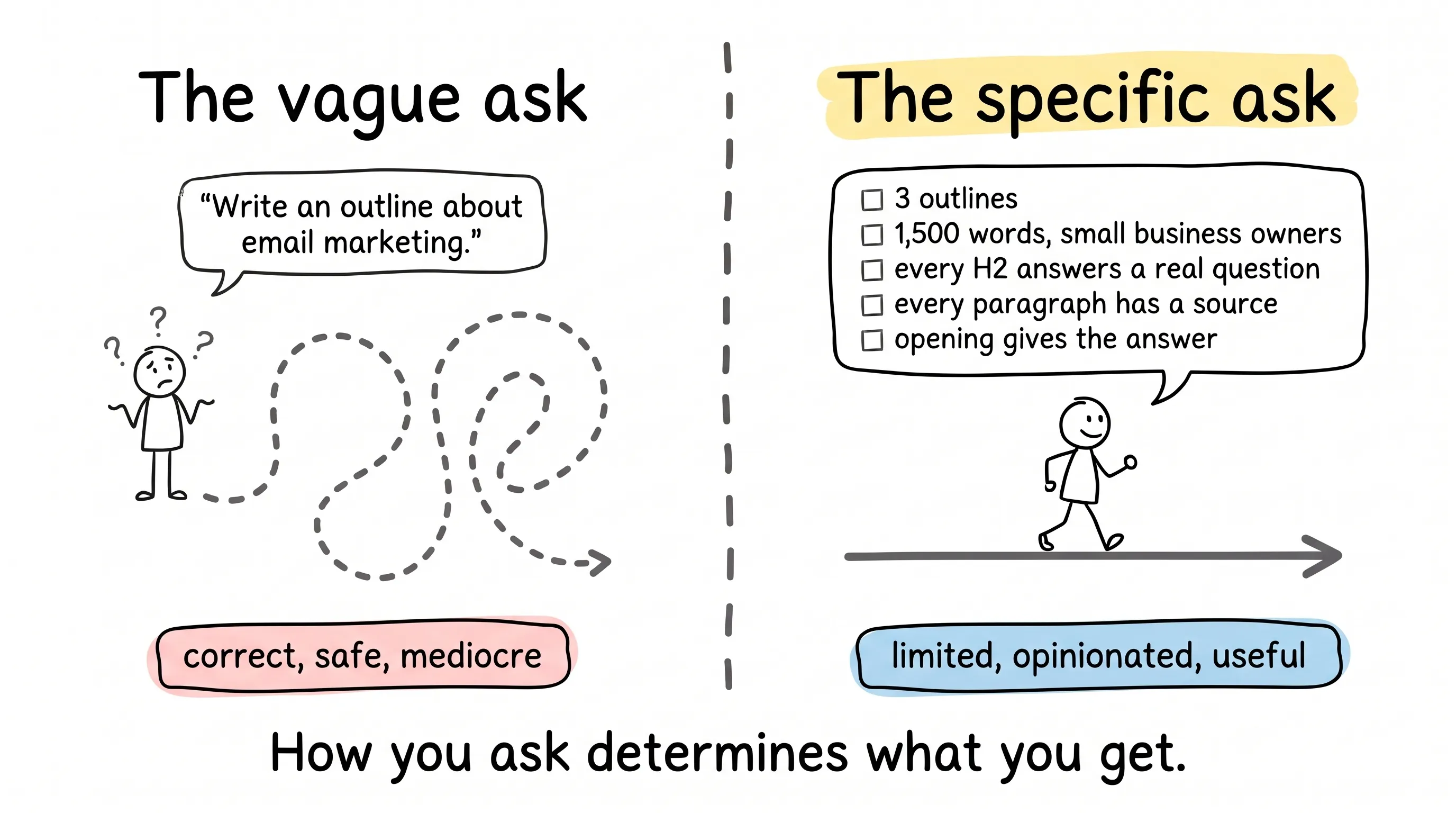
With the vague ask, AI gives you a correct, safe, mediocre outline — it has no specific direction. With the specific ask, AI gives you a limited, opinionated, useful outline — because it knows what you want.
So how you ask AI determines what you get.
How do you ask, exactly?
Break it down and it's 4 things:
- Ask for 3 options.
- Require every H2 to answer a real question.
- Give every paragraph a source.
- Lead with the answer.
Why 3 options? If you only ask AI for 1, you have to accept it; with 3, you get to choose. Why must every H2 answer a real question? Because readers arrive with questions and leave with questions. Google's advice: use conversational language, answer the user's question directly, structure it for scannability. So the first two sentences of every paragraph must give the answer, then expand.
Step 3: Draft in Sections
So now you have an outline.
The next step is drafting in sections.
You wouldn't let an intern finish the entire project in one go before you check it. You'd have them submit work in chunks, review each one, and only move on when it passes.
Same with AI.
Here's how: paste in your approved brief and outline first, and have AI work from them. Then draft the intro, then write one H2 at a time, giving each section only the sources for that section. After each section, review it once — fix voice, fix facts, fix flow — and only then move on.
Why sections? Because reviewing each section as it's finished produces far better quality than reviewing the whole thing at the end. A 150-word section you can edit word by word; a 3,000-word article you can only skim. And small problems are easy to fix — big problems are a nightmare to fix.
Step 4: Edit Like a Human
AI writes, you review.
This step is the line between AI slop and publishable content.
Why? Because AI has a flaw: it's supremely confident, even when it's wrong.
ChatGPT's interface even has a small line of text: "It can make mistakes."
See that?
Why does AI get things wrong?
Google's explanation: generative models work by predicting a likely sequence of words, not by retrieving facts. So it isn't "looking things up" — it's guessing the next word. Guess wrong, and you get a "hallucination."
NIST has a name for this: confabulation — making things up. It lists confabulation and data privacy together among the 12 risks of generative AI.
So you must do a human fact-check before publishing.
How exactly?
Here's a process: Step 1, mark every claim in the draft — facts, data, names, dates, quotes, product features. Step 2, match each claim to a primary source — the original research, the official page, or the company itself. Step 3, open the links yourself and check the information is actually there. Step 4, check dates and prefer sources from the last two years. Step 5, delete everything you can't verify.
For highly sensitive topics — law, medicine, finance — add a second reviewer.
One more thing, and it's especially important.
In January 2025, the U.S. Copyright Office said AI-generated content is only copyrightable when the human author contributed "enough expressive elements." Writing a prompt doesn't count; creative arrangement and editing do. So the human touch you add isn't just for quality — it's for copyright.
So how do you add the human touch?
Add your own data. Add your company's internal case studies. Add the experts you interview. Add your own screenshots. Add your own stories.
For example, AI can turn your data into charts, but never let AI make up numbers. Build charts from data you can verify, and put the source in the caption. AI-generated images need accurate alt text — and check the tool's terms of use.
Step 5: Optimize for Search and AI Answers
AI has written, you've reviewed — one final step remains: optimization.
Optimize for whom? For search engines and for AI answers.
Here's the good news: AI search and traditional search use the same core ranking system. So you don't need to write a separate set of content for AI — you just need to write one article that is clear, useful, and well organized.
What counts as clear, useful, and well organized?
- Give the answer up front.
- Clear headings.
- Short paragraphs, two or three sentences each.
- Lists and tables.
- Images.
These are for humans. They're also for machines.
AI-generated images need accurate alt text. AI can also handle small jobs, like "Write 5 meta descriptions of about 150 characters, using the title 'XX', only promising what the article will deliver."
For example, after publishing you need to measure. HubSpot's 2026 State of Marketing Report says 33% of marketers call "measuring ROI" their biggest challenge. So don't get greedy — pick 3 numbers: search visibility (Google Search Console impressions and clicks, including performance in AI features), engagement (time on page, scroll depth), and conversion (CTA clicks, leads coming in).
Last, before publishing: disclosure.
Should you disclose AI assistance? Google says sharing "how the content was created" gives readers useful context. For example, add a line like "We used AI to help draft this, and an editor reviewed it and fact-checked it."
There are legal changes too. Article 50 of the EU AI Act — the transparency rules — takes effect on August 2, 2026, covering "AI-generated text involving matters of public interest." But there's an exception: text reviewed or controlled by a human editor and attributed to a person or organization can be exempt. Does that apply to you? Ask your legal team.
Finally, a Few Prompts You Can Copy Directly
After all this, you might be asking: is there anything I can copy directly?
Yes.
But remember: templates are dead, your content is alive. Every prompt needs to be filled in with your audience, your goal, your approved sources, and your voice profile.
- Brief creation: Using the information above, write a one-page brief for "XX". Include: the reader's question, the angle, a two-sentence direct answer, the H2/H3 outline, and a source for each paragraph. Flag anything the sources don't support.
- Outline: Give me 3 outlines for readers "XX" on the topic "XX". Each H2 answers a real question, the opening gives the answer directly, and nothing unsupported by the sources gets added.
- Section drafting: Write the "XX" section in 150-250 words, short sentences, using only approved sources. Mark any claim that needs verification with [CHECK].
- Voice rewrite: Rewrite this passage in my voice profile. Keep all facts, add no new claims, and cut filler words and clichés.
- Fact-check plan: List every factual claim in the draft — data, names, dates, quotes, product features. For each, tell me what type of primary source could confirm it. Don't verify them yourself.
- Meta description: Write 5 meta descriptions of about 150 characters for "XX", using the title keyword "XX" once, and only promise what the article will deliver.
- Internal links: Here's my draft and a list of related articles. Suggest at most 5 internal links, each with the sentence, the article, and descriptive anchor text. Only suggest links that genuinely help readers.
FAQ
Will Google punish AI-written articles?
Google doesn't say it punishes AI content. But its quality standards and spam policies target "mass-produced, low-value" pages, regardless of how they were generated. Using AI to mass-produce low-value pages is an example Google has explicitly called out. So as long as you publish "helpful, accurate, edited" articles, you're fine.
What must humans review?
Everything. But be extra careful with these:
- Facts and data: trace them to primary sources.
- Quotes and names: confirm who said what and what their title is.
- Products and pricing: check against official pages.
- Voice and tone: does it sound like you?
- Data privacy: any customer or confidential information?
- Metadata: title, meta description, structured data, alt text.
- Final approval: a named person signs off.
Can AI make images and charts?
Yes. AI can generate images, suggest layouts, and turn your data into charts. But there's one red line: never let AI make up numbers. Build charts from data you can verify, and put the source in the caption. AI-generated images need accurate alt text — and check the tool's terms of use.
Back to That Post
The designer didn't put her hand-drawn poster next to the AI one to mock AI. She was saying: what AI generates is a commodity; what she makes is a work.
Writing is the same.
AI can do the monotonous things: the research, the structure, the first drafts, the repetitive small jobs. But the things that matter most — unique expertise, lived experience, human judgment — AI can't do them, and can't fake them.
So AI is a tool. And tools need someone to wield them.
A hammer can't build a house. AI can't write your article for you.
May every article you write be anything but slop.
Continue reading
Related articles
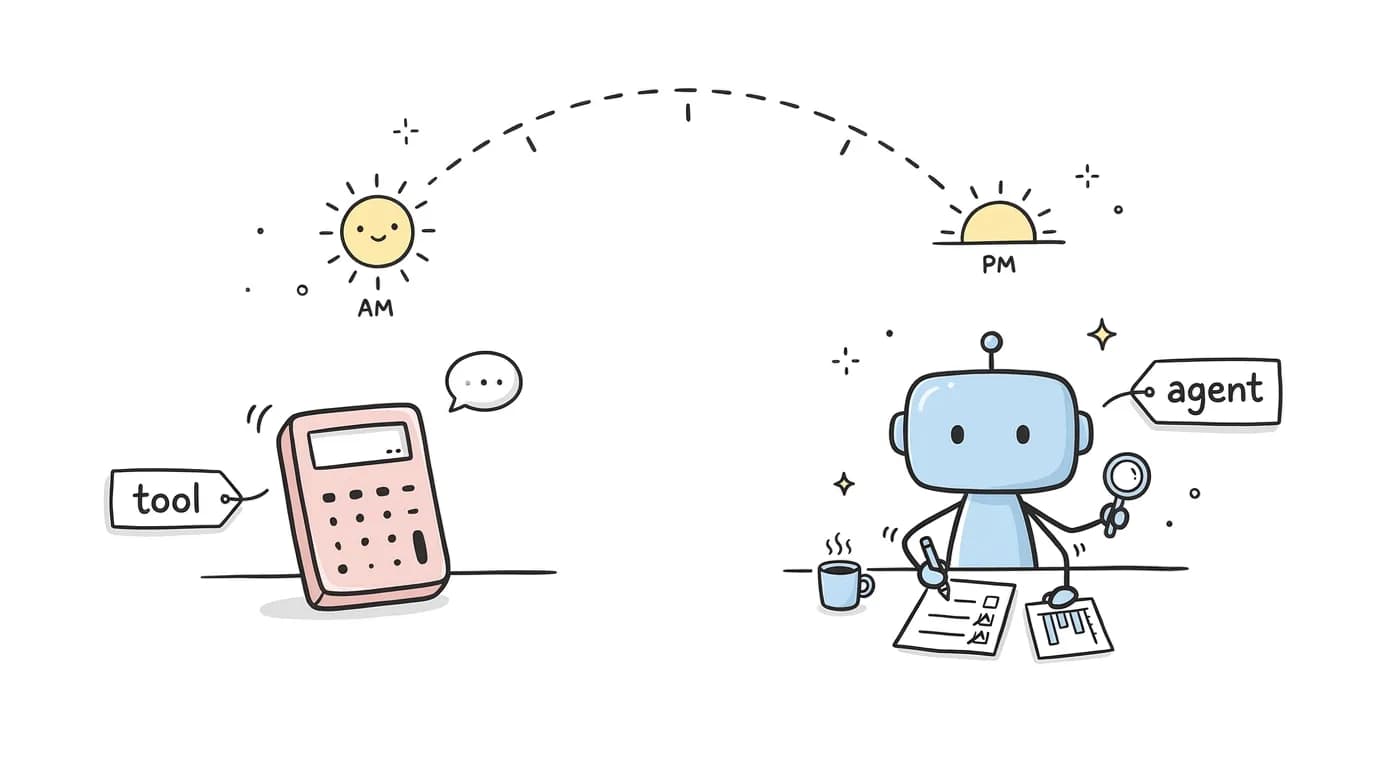
It's 2026: Stop "Buying" AI Tools for Your Marketing Team — Start "Hiring" AI Agents
This learn article explains how AI agents differ from standalone AI tools in marketing, outlines three agent categories — build-your-own platforms, CRM-native agents, and vertical tools — and covers use cases across SEO, social media, advertising, and reporting, plus criteria for choosing one.
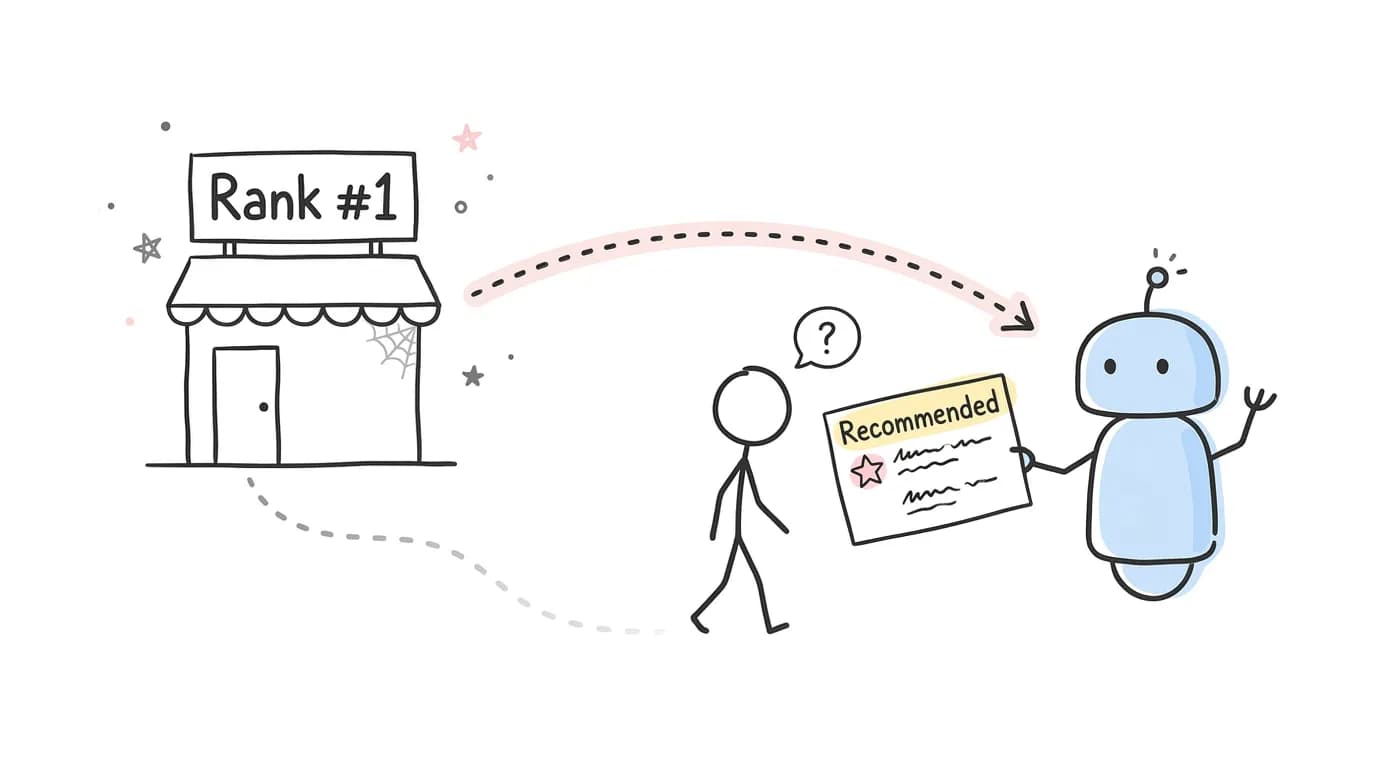
What Is GEO? How Your Brand Gets "Mentioned" in the Age of AI Search
An explainer on GEO (Generative Engine Optimization) for e-commerce and DTC brands: how it differs from SEO and AEO, why AI answers shape brand visibility, and eight practices covering question-focused content, consistent brand messaging, structured pages, external evidence, comparisons, and AI mention tracking.
AI Is Already Making Decisions for Your Customers. Are You on the List?
A learn article explains GEO (Generative Engine Optimization): why AI-generated answers now shape which brands customers see, and how SEO fundamentals, entity clarity, citable evidence, and monthly measurement affect visibility in AI answers.