
AI Tools Are Everywhere — So Which Ones Does Your Content Marketing Actually Need?
This learn article explains how to choose AI tools for content marketing, comparing general assistants, writing platforms, SEO, image, and video tools, and outlining a nine-step workflow with fact-checking, disclosure, data, and copyright considerations.
A few days ago, an old friend who runs a company took me out to dinner. The moment he sat down, he started venting: what I have plenty of is AI tools; what's giving me a headache is having too many of them.
Writing tools, research tools, image generators, video editors, rank trackers — he bought them all. Over a year, the subscription fees came to nearly 100,000 yuan (about $14,000). Content output did go up. And the inquiries? Not a flicker.
I asked him: what logic did you use when you bought these tools?
He froze.
That freeze is a classic. In 2026, AI can lend a hand at nearly every step of content marketing: research, outlines, first drafts, revisions, images, video, distribution, analytics. Finding tools stopped being the hard part a long time ago. The real problem has become a multiple-choice question: how do you pick out the few that are right, and make sure what they produce is something readers trust and search engines recognize?
Today I'm going to take that multiple-choice question apart for you, piece by piece.
First, Get the Workflow Straight
What is content marketing? Don't overcomplicate it. Break it down and it's an assembly line: research first, then build the skeleton, then write, then revise, add images, cut video, split it into emails and posts, and finally check the data.
For every step on that line there's a matching AI tool. But how much of your job each step's tool can take over is completely different.
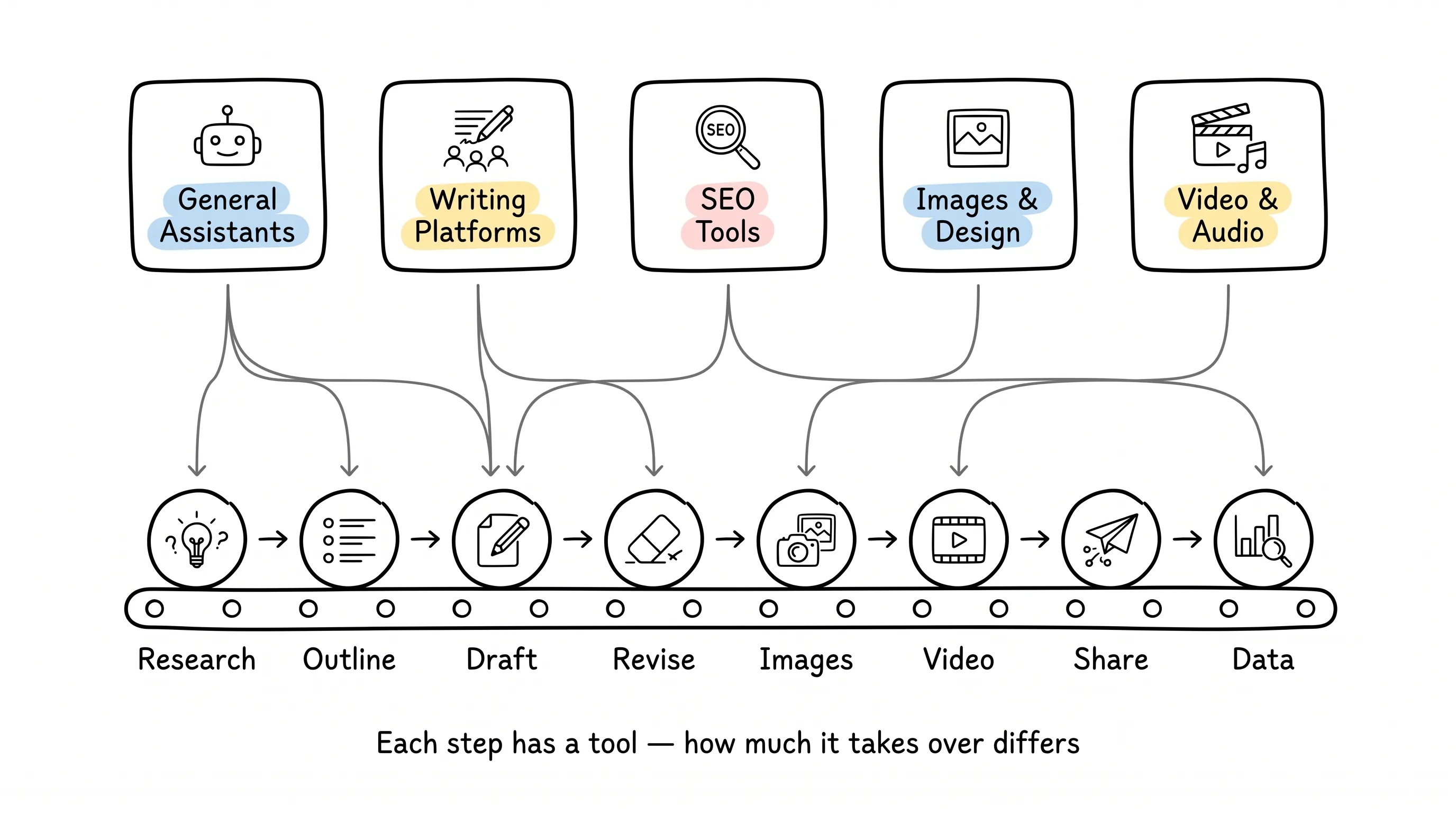
Let's go through them one at a time.
Tool One: General Assistants — a Lightning-Fast Junior Colleague
ChatGPT, Gemini, Claude, Microsoft's Copilot — these general-purpose assistants are the most versatile thing in the whole toolbox.
Think about what they can do: help you brainstorm story angles, boil a pile of material down to one page, build an article outline, rewrite the same draft into versions for different readers, and produce a first draft in minutes.
Impressive!
But you've heard the shortcomings too. Three of them.
First, they will fabricate facts with a perfectly straight face. Numbers, quotes, sources — delivered with total conviction; check, and they don't exist.
Second, the default tone is "generic for everyone," so what comes out is smooth and even, fine for anyone to read — which means it moves no one.
Third, they don't know your customers, don't know your product, and know even less about which of your case studies last year actually moved people — unless you tell them yourself.
So get the positioning right: it's a lightning-fast junior colleague. You give it context, let it produce a few more options, and then — every single fact — you verify with your own hands.
It supplies the speed. You supply the accuracy.
Tool Two: Marketing Writing Platforms — Managing "a Hundred People, One Voice"
What's the difference between platforms like Jasper, Copy.ai, and Writer and a general assistant?
They put the language model inside the team's workflow: feed in your brand materials, set up templates, and add collaboration and approval steps. Jasper leads with marketing agents and brand governance, Copy.ai leans toward workflow automation, and Writer takes the enterprise route.
These tools solve a very specific problem: twenty people in the company are all writing copy, and every one of them comes out sounding different.
So the test is remarkably plain: does your team have a lot of people producing copy? Have you already argued about "the tone isn't consistent"?
If both answers are yes, it's worth it. If the entire content job is done by you alone, hold off — a general assistant is enough.
Tool Three: SEO Tools — a Map, Not a Scoreboard
Surfer, Clearscope, MarketMuse, Frase — these tools work like this: they analyze the pages ranking at the top of search results, then tell you what content topics like yours usually need to cover, which questions to answer, what the structure looks like. Plenty of them now come with AI drafting built in too.
Sounds great, right?
But there's a pitfall here I have to warn you about: it's a map, not a scoreboard.
What does that mean? You follow the map so you don't miss the important places. But some people treat it as a scoreboard, grinding that optimization score as high as it will go. To pad coverage, they stuff articles with paragraphs readers never needed.
The result: a high score, a terrible article.
What search engines actually reward are pages that answer the searcher's question clearly, carry real experience, and stay continuously fresh. Another new development worth keeping in mind: AI-generated answers have started appearing in search results, and whether you get cited by those answers has become the new visibility question. But so far, no writing format or optimization score can promise "follow me and you will definitely get cited."
Whoever guarantees you that — take it with an extra grain of salt.
Tool Four: Images and Design — a Real Time-Saver, with Three Hard Lines
Adobe's Firefly generates images built to give commercial users peace of mind; Canva has tucked AI image-making into the design tool many teams were already using; Midjourney and Ideogram are especially strong at stylized visuals — and at the "text inside the image" trick.
Concept art, backgrounds, product scenes, social graphics — one every few seconds. The efficiency is real.
But before you publish, three hard lines, and you cross none of them.
First, check the tool's commercial-use terms. Not every image from every tool is something you may use for business.
Second, don't use real people's likenesses, and don't paint in brand logos that don't belong to you.
Third, if your industry or the platform you publish on requires labeling "AI-generated," label it honestly. Don't gamble.
Tool Five: Video and Audio — Where You Save the Most Time
Across the entire toolbox, the biggest time lever is in video.
Descript's trick is delightful: it turns the video into a transcript; you edit the transcript, and the video edits along with it. Slip-ups and filler words, deleted in one click — and it cleans up the audio while it's at it.
CapCut and Opus Clip do a different job: they cut one long video automatically into captioned vertical shorts, just right for short-video platforms.
Synthesia and HeyGen go further: give them a script and they generate a digital presenter who speaks to the camera. For training videos and product walkthroughs, they work well.
On the audio side, Adobe Podcast cleans up recordings, and ElevenLabs can do voiceover and speech.
But one category of video deserves a warning: brand stories, customer interviews, hands-on product demos — the core of this content is "real." If a real person should be on camera, put a real person on camera; if you should get authorization, go get it. A digital presenter walking through product specs is fine; a digital presenter telling a customer's own story for them — that's another matter.
A Workflow That Actually Runs
Tools done; now process. Tools without process are exactly my friend's situation: output doubled, inquiries unmoved.
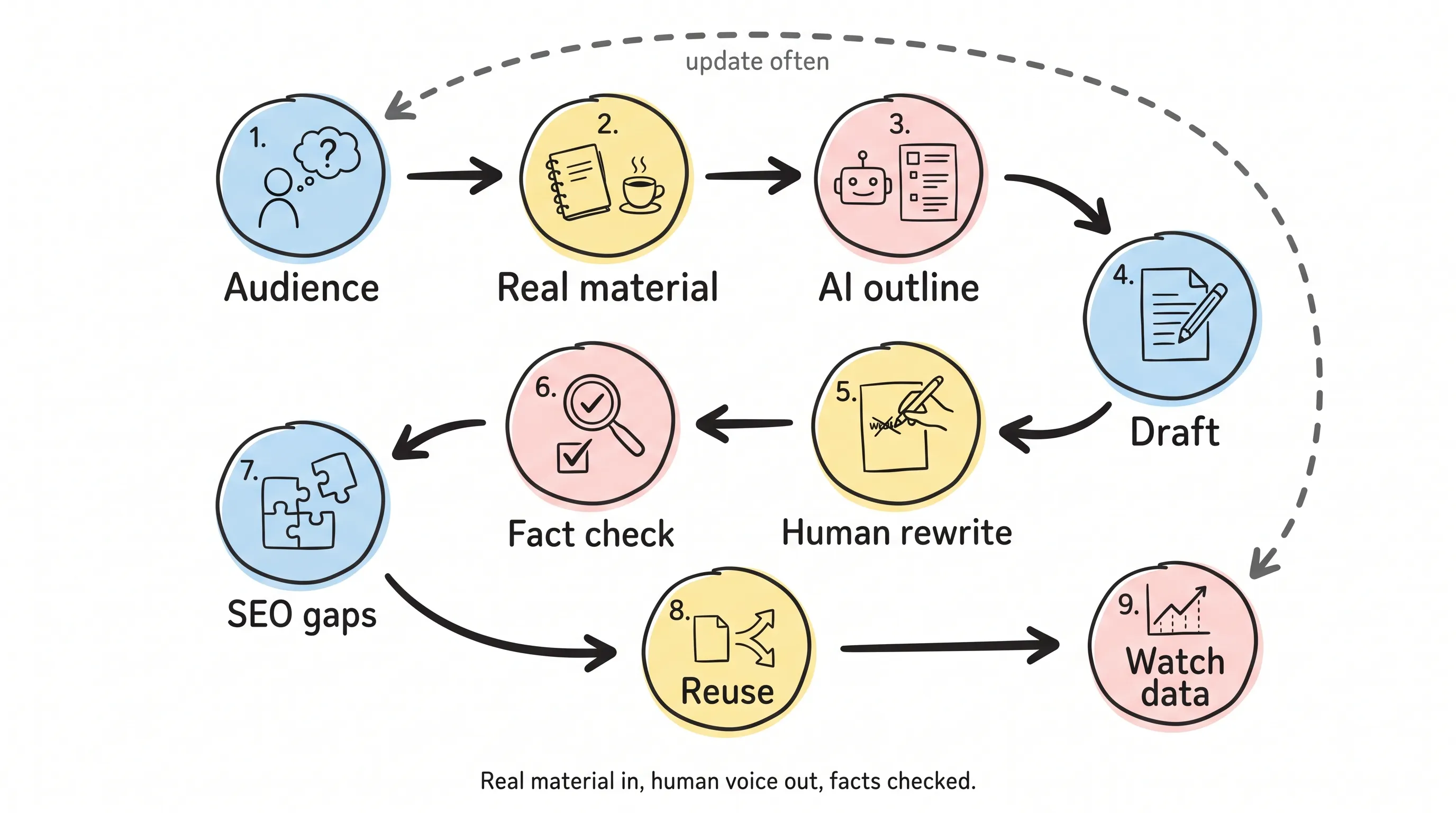
I've compressed the process that actually runs into nine steps.
- First define the audience and the question. Who is this piece for, and what question did they come in with? The strategic calls are grounded in your business goals and users' real feedback — not in a tool.
- Gather real material. Your own data, the questions customers keep asking, the exact words your sales reps wrote down from calls, expert interviews, real cases. The article's originality rests entirely on this step.
- Let AI produce the outline, then revise it with your own hands. Cut the paragraphs that could run anywhere, add the things only you know.
- Draft section by section. Don't let it write the whole piece in one breath; feed the material in one section at a time: what the sources for this section are, what tone to follow.
- Rewrite it in human language. Delete the filler words, add concrete examples, details, and your own judgment.
- Check item by item. Every fact, number, name, and date gets verified against a reliable source before publishing.
- Run it through an SEO tool to catch gaps and fill them — but don't pile up keywords.
- Reuse. Split one article into emails, posts, and short videos, and let AI do the hauling.
- Watch the data, update often. When rankings drop or traffic slides, go back and refresh the content.
Nine steps looks like a lot, but it's really one sentence: real material in, human voice out, facts checked at every layer.
Six Checkpoints Before Publishing
One more pass over the checks that are easiest to miss, gate by gate.
Accuracy — AI fabricates facts, statistics, and quotes; verify all content.
Originality — run important drafts through a plagiarism check; AI may carry phrasing out of its training data verbatim.
Experience — add the things a model could never know: your firsthand details, real cases, experts' words.
Tone — strip out every piece of machine-speak readers recognize at a glance.
Compliance — health, legal, and financial content must pass expert review and follow the industry's advertising rules.
Disclosure — some platforms and industries require declaring AI-generated media, especially photorealistic images and video.
"Will Google Punish Me?"
This is the question I'm asked most. The answer is clear: what Google punishes is not tools, but content.
Its official position has always been this: helpful, reliable content gets rewarded no matter how it was produced, while automation done mainly to manipulate rankings runs into its spam policies.
In plain language: an AI-assisted article that was carefully verified and genuinely solves the reader's problem can rank. A thin page spit out by an assembly line in bulk is the real landmine.
Two Easily Overlooked Things: Data and Law
The first is data. Don't feed clients' confidential material, personal information, or unpublished plans into consumer-grade tools that might retain them or train on them. Many tools' enterprise editions have a switch to exclude your data from training. This is no small matter — one real incident, and the subscription money you saved is lost to it entirely.
The second is copyright. Rules in several countries point to the same reality: purely AI-generated works get very limited copyright protection. If you want to keep ownership of a piece, there must be substantial human creative input in it. Also, each tool's rules on "who owns the output and whether it can be used commercially" differ — flip through the terms before you use it.
And one more clumsy-but-effective move: write a one-page internal AI policy for the team. Which tools are approved, what data may go in, who reviews, whether to disclose. One page is enough.
Running the Numbers: How Many Tools Does a Small Team Actually Buy?
Let's do the math.
Most tools on the market charge per person per month, tiered by usage and team features, and many have free versions.
A pragmatic small-team configuration: four items.
One general assistant — buy the business edition. If search traffic matters to you, add one SEO tool. Add a grammar-and-tone editor — Grammarly or Hemingway, and the editing features built into Google Docs and Word count too. Finally, match one design tool or video tool to the format you publish in most.
When does a marketing writing platform get added? When several people on the team are writing and the brand voice starts slipping out of control — buy it then. Don't buy ahead of need.
One last habit: audit the subscriptions every quarter. Overbought, overlapping AI tools are one of the fastest-growing software expenses for marketing teams. Four cleanups a year, and what you save is pure profit.
The Clumsy Way to Choose — Also the Only Way That Works
How to pick? My advice is plain to the point of absurdity.
First, list the content you must produce each month and mark where the time sink sits in the workflow. Then buy one tool per role, and talk about a second only after the first runs smoothly. When testing, test with your real content, not the demo prompts on the tool's website — the demos are all carefully picked. Before signing, check three things: how your data is handled, where the training switch is, whether commercial use is allowed. Then confirm whether it connects with your content management system, design tools, and analytics tools. Set the review steps, and finally look at results: how much time saved, whether rankings moved, whether traffic rose, whether leads came in.
And while I'm at it, the five most common mistakes — see if any of them is you:
Publishing AI drafts without review. Mass-producing thin pages to chase keywords. Buying three tools with identical features. Feeding confidential data to consumer editions. Letting AI set the topics instead of your audience and business goals.
Hit any one of them — stop first.
Setups by Team Size
Working alone: one general assistant, one grammar editor, plus one design or video tool for the format you use most.
Small team: upgrade the general assistant to the business edition, add an SEO tool, pick a design tool with a brand kit that can be shared, and add one video-reuse tool.
Large team or agency: the full set above, plus a marketing writing platform to manage brand voice and approvals, plus that one-page AI policy. At this scale, the policy is no longer optional.
A Few Closing Words
Back to my friend. Later I went through the subscription list with him; he canceled three with overlapping features and kept the four-piece set described earlier. The subscription bill was cut by nearly half, and the content kept coming out as usual.
AI has made the business of "getting the words written down" cheaper than ever before.
But strategy hasn't gotten cheaper, and neither has expertise — and judgment least of all.
Tools can replace your hands; they cannot replace your head. Start from your audience and your real accumulated material, verify every fact with your own hands, revise every draft in a human voice, and then see how many customers it actually brought in.
Do those things, and which tools to buy is, in the end, a small matter.
Continue reading
Related articles
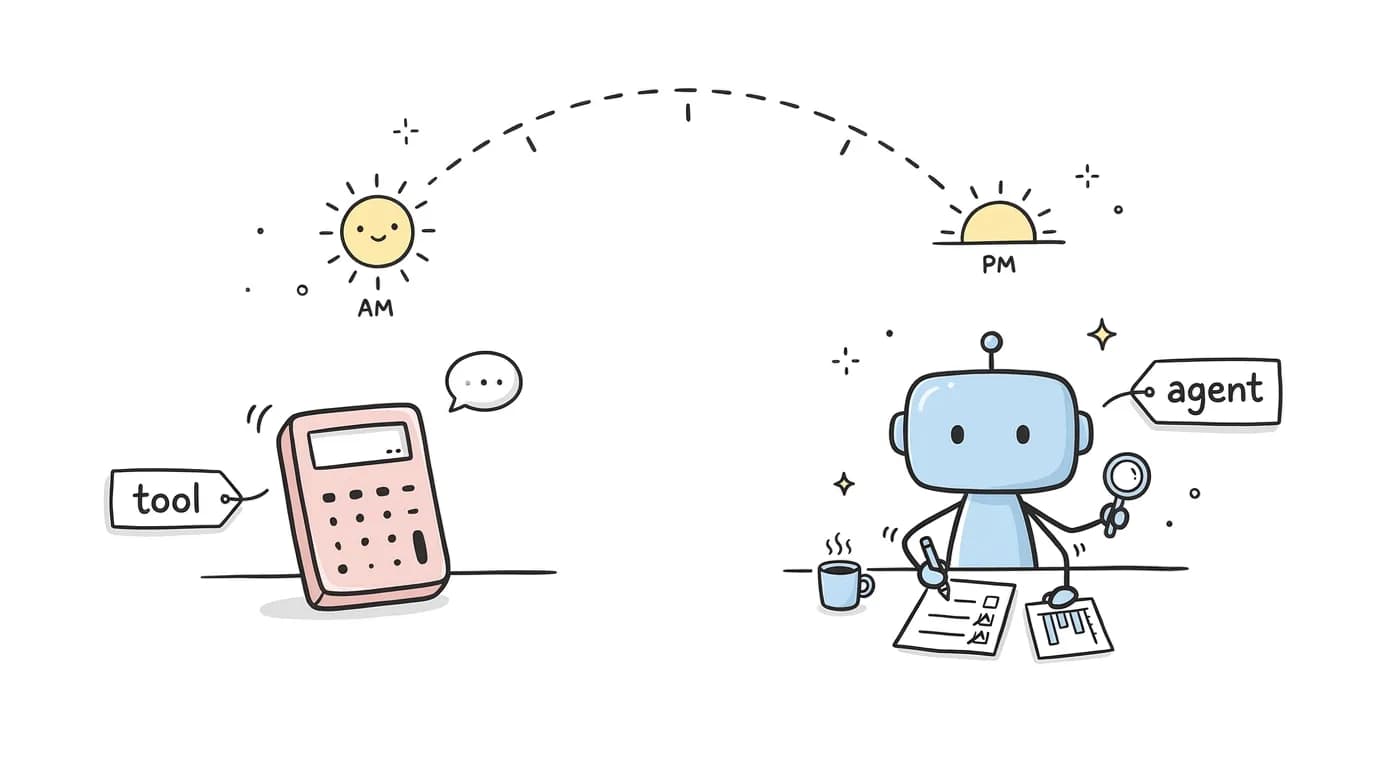
It's 2026: Stop "Buying" AI Tools for Your Marketing Team — Start "Hiring" AI Agents
This learn article explains how AI agents differ from standalone AI tools in marketing, outlines three agent categories — build-your-own platforms, CRM-native agents, and vertical tools — and covers use cases across SEO, social media, advertising, and reporting, plus criteria for choosing one.
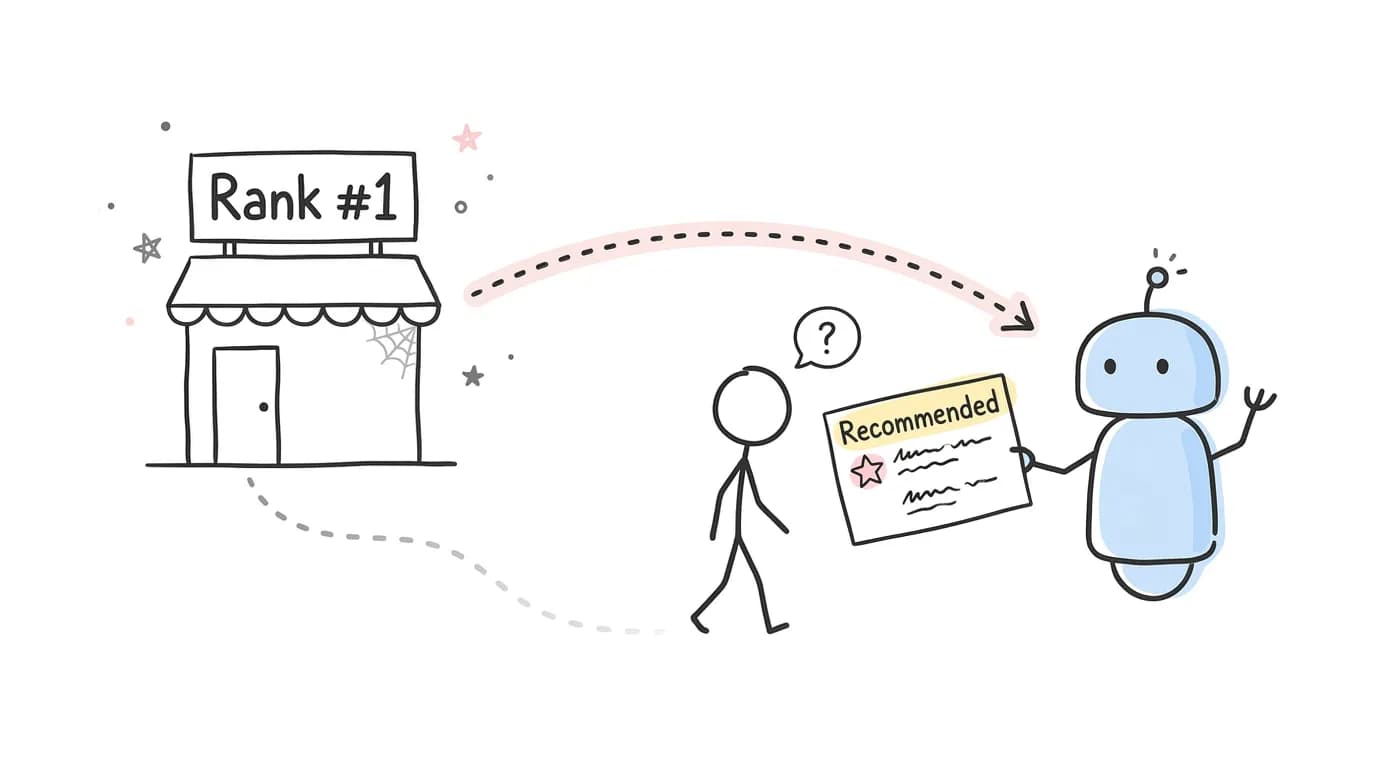
What Is GEO? How Your Brand Gets "Mentioned" in the Age of AI Search
An explainer on GEO (Generative Engine Optimization) for e-commerce and DTC brands: how it differs from SEO and AEO, why AI answers shape brand visibility, and eight practices covering question-focused content, consistent brand messaging, structured pages, external evidence, comparisons, and AI mention tracking.
AI Is Already Making Decisions for Your Customers. Are You on the List?
A learn article explains GEO (Generative Engine Optimization): why AI-generated answers now shape which brands customers see, and how SEO fundamentals, entity clarity, citable evidence, and monthly measurement affect visibility in AI answers.