
31 AI Marketing Tools, Reviewed One by One: How Exactly Should You Spend the Money?
A review of 31 AI marketing tools grouped into eight categories, covering data, content, email, video, ads, SEO, social, and free options, with guidance on choosing one strong tool for your most frequent task and testing free tiers first.
A few days ago, an old friend of mine who runs a cross-border e-commerce business invited me to dinner. Halfway through the meal, he pulled out his phone and showed me a tool list: 31 AI marketing tools, from data analysis to copywriting, from image generation to ad buying, every one of them with a price tag.
He asked me: with this many, which one should I buy?
I said: don't rush to buy anything. You've got this question backwards.
So what exactly is an AI marketing tool?
Put simply, it's a machine doing the "follows-a-playbook" parts of marketing for you: drafting copy, making images, cutting video, adjusting ad bids, segmenting customers, reading reports. Note the phrase: "follows-a-playbook." Setting goals, judging what's good or bad, deciding where the money goes — those are still your job.
Most people use AI for exactly one thing: writing content. Supermetrics published a 2026 marketing data report; 50% of the marketers surveyed are using AI to write content and copy. That number surprises nobody. What's surprising is that many people buy a pile of tools and never stop to think about how the tools should work together.
The right way to buy: for the task you do most often, buy one great tool; for everything else, start free wherever free is available.
Below, I've sorted these 31 tools by the job they do into eight piles, and I'll walk through them one by one.
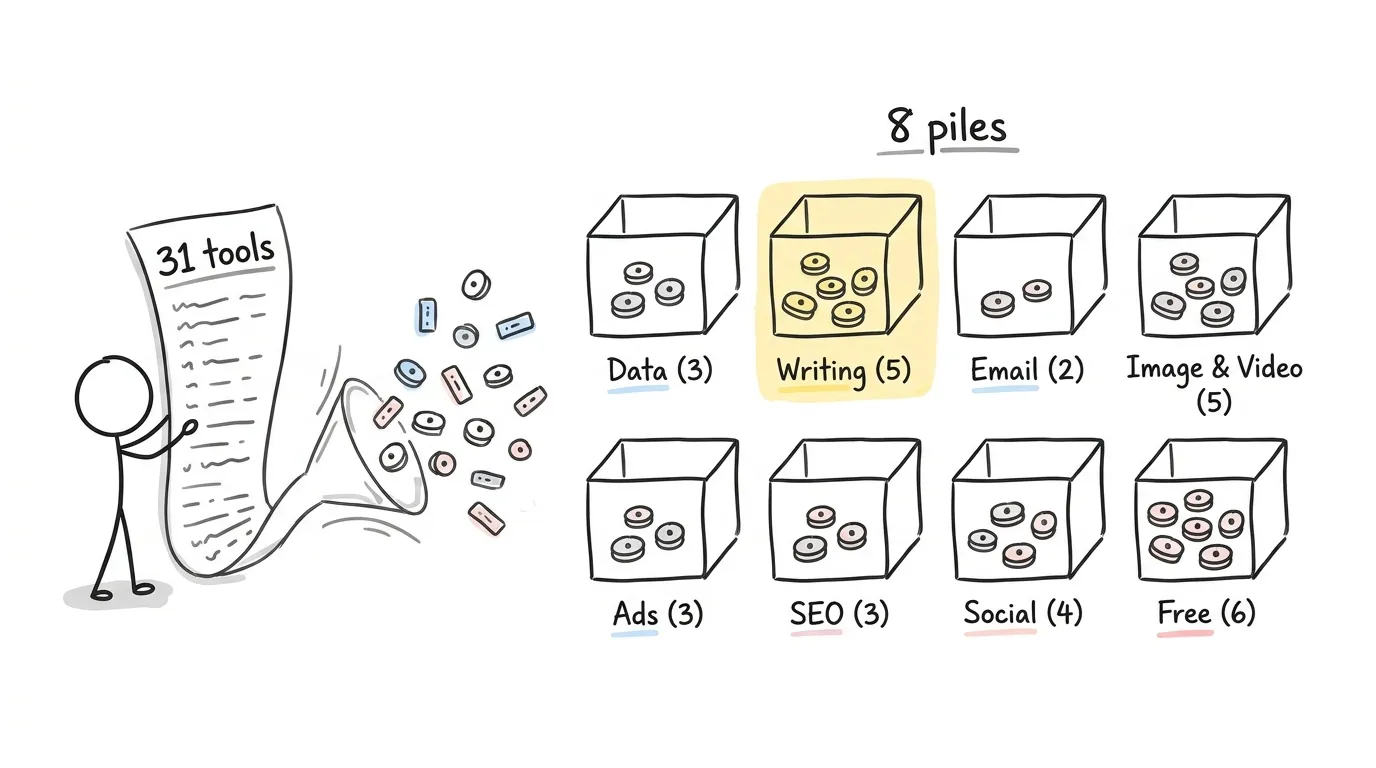
Pile One: Tools for Reading Your Data (3)
Why start with data?
Because every "smart" tool you buy afterward needs to be fed first. And its food is data.
Marketing data is scattered by nature. Ad data lives in Google Ads and Meta Ads, customer data lives in HubSpot, and website data lives in yet another backend. Want to ask "was this month's spend worth it?" You'll be comparing numbers across five open windows.
What Supermetrics does is pipe 170-plus data sources into one place, then feed it all to your spreadsheets, reporting tools, and AI assistants. Ask a question in ChatGPT and you get real data, not something made up on the spot. It also has an AI Readiness Quiz — test your own data foundation before you buy any tools. I quite like that approach.
Pricing: the Starter plan starts at $39/month billed annually. But there's a catch: Starter gives you only 1 destination, 2 data sources, and 1 user; to connect a data warehouse, you'll need Enterprise.
Data Studio (formerly Looker Studio — Google reverted the name in April 2026) is the free reporting tool that turns data into shareable dashboards. Mind you, it only "draws" data, it doesn't "collect" it. Non-Google data sources have to come in through connectors like Supermetrics. To use that Gemini-powered natural-language calculated-fields feature, you'll need Pro, at $9 per user per project per month.
Tableau Pulse is for the boss. You don't have to study dashboards; it proactively pushes changes in the metrics you care about into Slack, Teams, and your inbox. The catch: your company already has to be on Tableau Cloud, with Viewer licenses starting at $15 per user per month.
The one-line rule for this pile: the smarter the tool, the cleaner the data you feed it.
Pile Two: Tools for Writing Content (5)
Jasper leads with "brand voice." Feed it your style guides and product materials, and what it writes reads like it came from your own team. It fits teams that produce a lot of content but dread drifting off-brand. Pro is $59 per person per month (billed annually), but that's 1 seat and 2 brand voices; to touch the API, you'll need Business.
ChatGPT is the Swiss Army knife. Brainstorming, reading documents, pulling data into charts — it does everything. It's not a specialist at any one task; it's the assistant you keep within arm's reach. The free tier is enough for most people to start. Teams that need admin controls should move up to Business or Enterprise.
Copy.ai — I have to warn you about one thing: their pricing tiers are steep. The chat plan is $29/month, but the Growth plan that unlocks automated workflows runs $1,000/month, $12,000 paid in one lump sum annually. It suits teams where sales and marketing run workflows together, storing brand messaging in Infobase so the AI keeps a consistent line. If you just want it to keep you company in a chat, don't buy it.
Grammarly edits as you write, checking grammar and tone against your team's style guide. A bit of trivia: it now belongs to Superhuman. The free tier gives 100 AI prompts a month; Pro is $12 per person per month (billed annually) with 2,000 prompts a month.
Perplexity is for research. It attaches source links to every answer, which makes it handy for competitive analysis and market scouting. But don't get lazy: click the citations and check whether the original actually supports the claim. AI giving you a source doesn't mean the source holds up.
Pile Three: Tools for Sending Email (2)
Klaviyo is the pick for e-commerce brands. It folds customers' browsing, purchase, and post-sale behavior into one system with email and SMS marketing, so segmentation and automated journeys are all grounded in real shopping behavior. The free tier caps out at 250 active profiles and 500 emails a month. One heads-up: paid plans bill by profile count and send volume — the longer your list, the fatter the bill.
ActiveCampaign is for smaller teams building automated journeys. It starts at $15/month (billed annually, 1,000 contacts) and sequences follow-ups based on customer behavior. For lead scoring, you'll need to add on Pipelines.
Pile Four: Tools for Images and Video (5)
Canva is the all-rounder. Templates, brand assets, AI generation — all inside one editor, and the moment a design is done, it's already ad-ready creative, no shuffling files back and forth. Pro is $144 a year. But AI features come as monthly credits, and when they're gone, you wait for next month.
Runway is high-end AI video. Use it to test scenes or bring still images to life — a cheap way to fail before the real shoot. One warning: a single shot often takes several generations before it satisfies you, and Standard and Pro credits don't reset at month's end, so plan your usage around that. Starts at $12/month (billed annually).
OpusClip chops long videos into shorts. Got a stockpile of webinars, interviews, or podcast episodes? It picks the clips, adds captions, and reformats to vertical. The free tier adds a watermark.
HeyGen makes avatar videos. When one piece of content needs ten language versions, you skip re-recording ten times. Its Video Agent turns a one-line prompt into a script plus a production plan, and only generates after you confirm. That design earns my approval — you're not rolling the dice blind.
Synthesia leans corporate training. It turns documents and scripts into avatar course videos; change the script and the video regenerates, no need to organize another shoot. The free tier gives 10 minutes a month, and videos can't be downloaded.
Pile Five: Tools for Buying Traffic (3)
Google Performance Max, strictly speaking, isn't a piece of software — it's an ad campaign type inside Google Ads. You give it goals and assets, it adjusts bids and picks placements on its own, and runs across every Google channel at once. There's no extra software fee, only ad spend. But think it through: how well it optimizes depends entirely on how accurate your conversion data is. If the data is wrong, it will sprint confidently in the wrong direction.
Cometly is an attribution tool for B2B SaaS teams, connecting ad spend to closed revenue, and it also passes conversion signals back to the ad platforms. But it doesn't publish pricing, offers no free trial, and quotes by usage. Before you use it, reconcile its attribution results against your CRM and finance data, then decide whether to shift budget.
Smartly is for big-budget players. Paid social, video, and CTV ads, with creative mass-production and placement management in one platform. Likewise no published pricing; quotes are custom. Small budgets, single-channel teams: don't touch it.
Pile Six: Tools for SEO (3)
Surfer SEO is the one you use while writing. It compares your draft against top-ranking competitor pages, tells you which topics and keywords you're missing, and groups keywords by intent so your own articles don't cannibalize each other. Discovery starts at $49/month billed annually. Remember one thing: its content score is an editing reference, not a ranking promise.
Semrush is the full suite. Keywords, backlinks, site audits, all under one account. Its Semrush One puts traditional SEO data alongside monitoring of your brand's mentions and citations across the major large language models. $139/month (monthly) or $117.33/month (annual). Note that SEO features and AI-visibility features are packaged separately — check against your requirements list before buying.
Clearscope specializes in content optimization and also watches your published pages for "content decay," nudging you when it's time to update. Starts at $129/month. Same as above: it guarantees neither rankings nor AI citations.
Pile Seven: Tools for Social Media (4)
Lately turns long content into social posts. You've got blogs, podcasts, webinars — it keeps producing posts based on your brand-voice model. Starts at $14/month billed annually. One reminder: posts cut from the same source material need you to work in some variation, or your feed becomes a machine on repeat.
Coso.ai is for small companies with no social media person. It learns your brand, schedules a week's worth of posts every week, and you just nod and it goes out. Core is $149/month. For dedicated service and video editing, there's Managed at $699/month.
Sprout Social is built for teams. Multiple people managing multiple accounts, unified inbox, approval flows, reporting. Starts at $79 per person per month (billed annually). Social listening is a paid add-on.
Brand24 listens to the conversation. Who's mentioning your brand, competitors, or campaign topics, whether sentiment is positive or negative, and it alerts you when mention volume suddenly spikes. Starts at $199/month billed annually. But a spike in mentions doesn't mean the campaign succeeded — reconcile the timeline against other evidence.
Pile Eight: The Free Tools (6)
Claude, Anthropic's AI assistant, reads long documents, writes, and organizes material; the free tier even includes web search and Artifacts. Fine for everyday use; if you keep getting cut off by usage limits mid-task, then consider Pro, at $17/month billed annually.
Photoroom retouches product photos and removes backgrounds on your phone. But read carefully: the free tier is personal, non-commercial use only. If product images are going on your storefront, you need the paid plan.
Kling AI is text-to-video, handy for testing ad creative for free. Same rule: the free tier is non-commercial and watermarked. Test the concept, then go paid when it's time to actually run ads.
Zapier strings tools together without code. Someone fills out a form, sales gets notified automatically; content approval passes, it flows into the publishing tool automatically. The free tier gives 100 tasks a month with unlimited two-step workflows, but no premium apps and no webhooks. Professional starts at $19.99/month billed annually.
Mailchimp is free email for beginners. 250 contacts, 500 emails a month, 250 a day at most — enough for a small team to practice on. But generative AI, scheduled sends, and A/B testing are all absent from the free tier. If you want AI-written emails, you're paying from day one.
Contentsquare (formerly Hotjar) shows you where users get stuck on your site. Session replays, heatmaps, plus Sense AI to summarize the friction points for you. The free tier covers 200,000 sessions a month, with replays at 5% and a 10,000-replay cap. New users should sign up with Contentsquare directly — don't go looking for a standalone Hotjar plan anymore.
So How Exactly Should You Spend This Money?
Back to my friend's question. My answer, in five steps, in order:
- First, pick the task you do most often, and buy the best tool for it.
- Use the free tier or trial, and test output quality on your own real content.
- Do the full math. What's the full math? Subscription fees, seats, usage allowances — plus your own time spent reviewing what it produces. Add it all up.
- Check data privacy. Where is your data stored, how long is it kept, will it be used to train models.
- Look at time-to-value. If it takes forever to show results, every extra feature is just a liability.
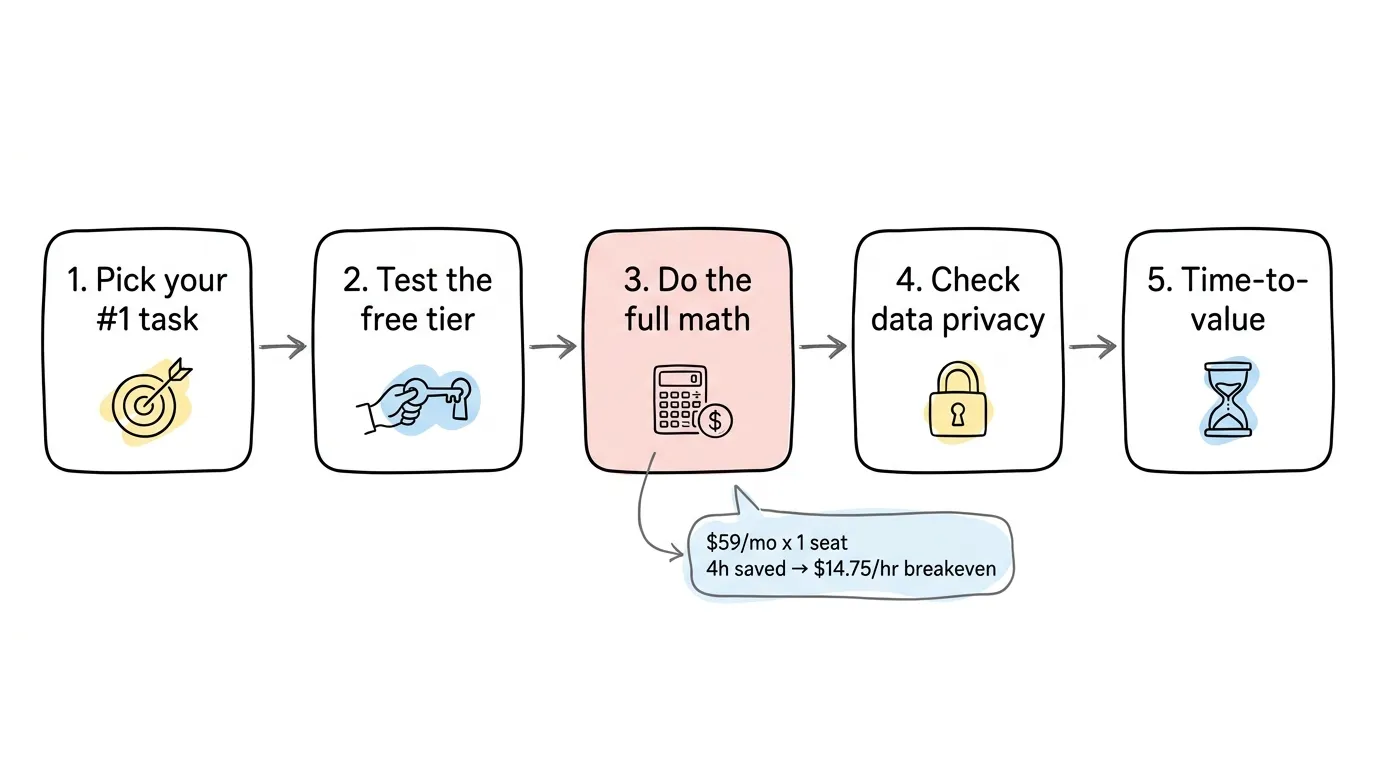
I've already done the Jasper math for you. One seat, $59/month billed annually, $708 paid in one lump sum for the year. If one writer saves you 4 hours a month, your fully loaded labor cost has to be under $14.75 per hour for it to just barely break even. And that's before counting your own time reviewing its output.
Free allowances deserve the same scrutiny. Free almost never means free-and-clear. Photoroom's and Kling AI's free tiers can't be used commercially, and Mailchimp's free tier has no AI at all. The money free tools save you doesn't vanish — it comes back in another form.
And one more thing that matters more than which tool you pick: get your data clean first. Channel names that don't match, spend figures defined differently on each platform, conversion events defined by everyone however they like — AI will hand you a perfectly fluent analysis, fluently explaining a pile of numbers that don't line up. Get the numbers on the same page first; then let AI talk.
Final Words
At the end of that dinner, I told him: you don't need to buy all 31 tools. Pick the three tasks that wear you down the most, put one tool on each, get the workflow running smoothly first — then talk about scaling up.
Tools are there to do the work for you, not to think for you. You set the goals, you judge what's good, you make the call on money.
May your budget go to the one tool that genuinely saves you time.
Continue reading
Related articles
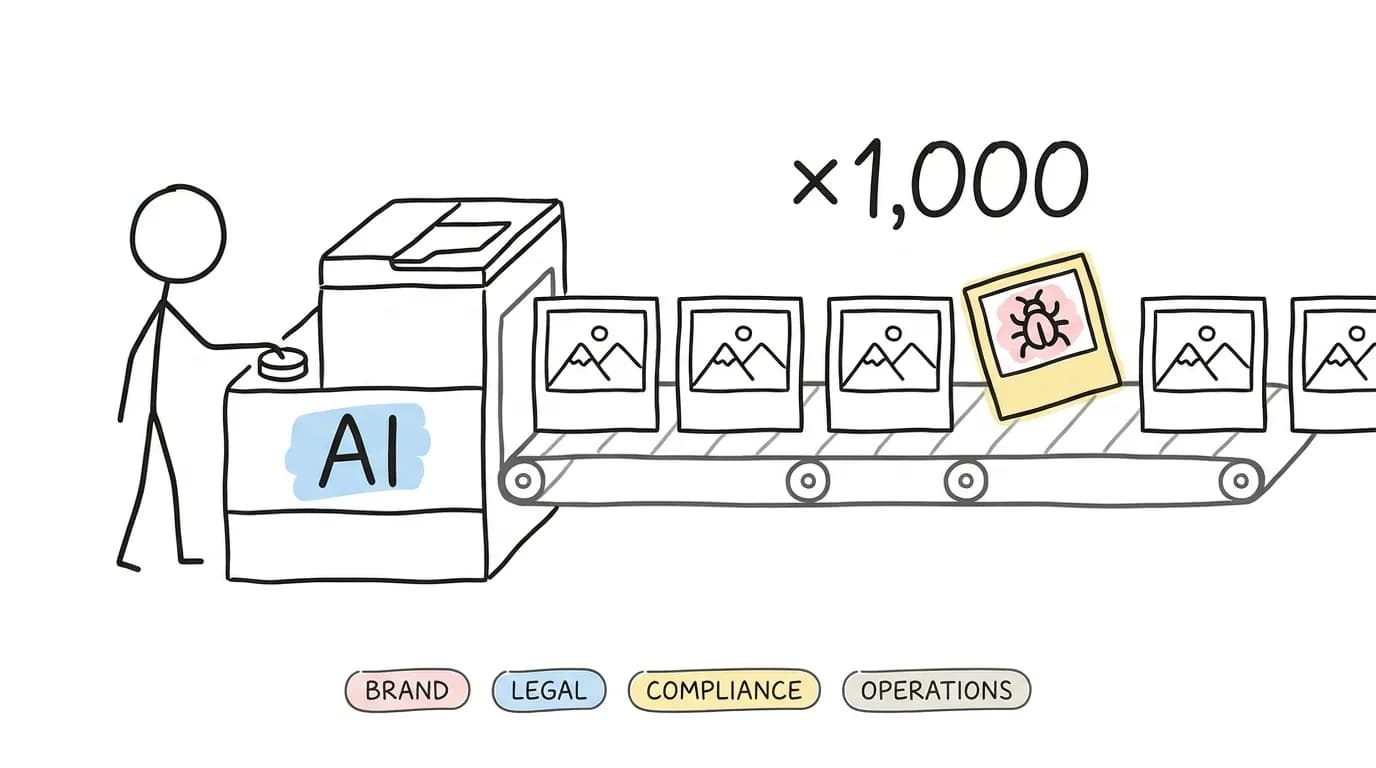
When AI Does the Creative, Mistakes Come in Batches Too
A learn article on the risks of using generative AI for marketing creative across brand, legal, compliance, and operational layers, with case examples and seven practices for review, rights clearance, documentation, and vendor governance.
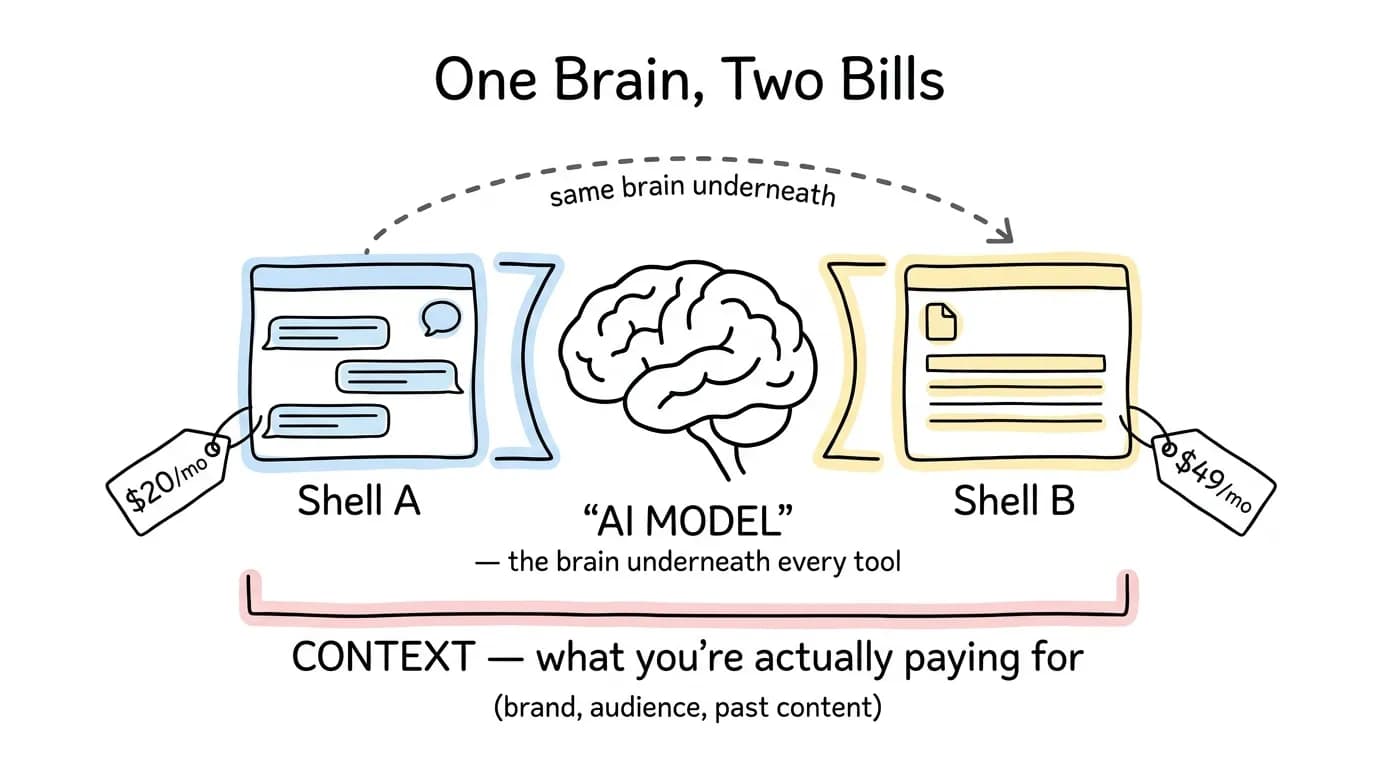
Which AI Should Your Startup Actually Use for Marketing?
A startup marketing guide explaining the difference between AI models and tools, sorting tools by job (writing, research, design, leads, email, video ads), and outlining a 30-day test plan for choosing them. It also covers generative engine optimization and budget trade-offs.
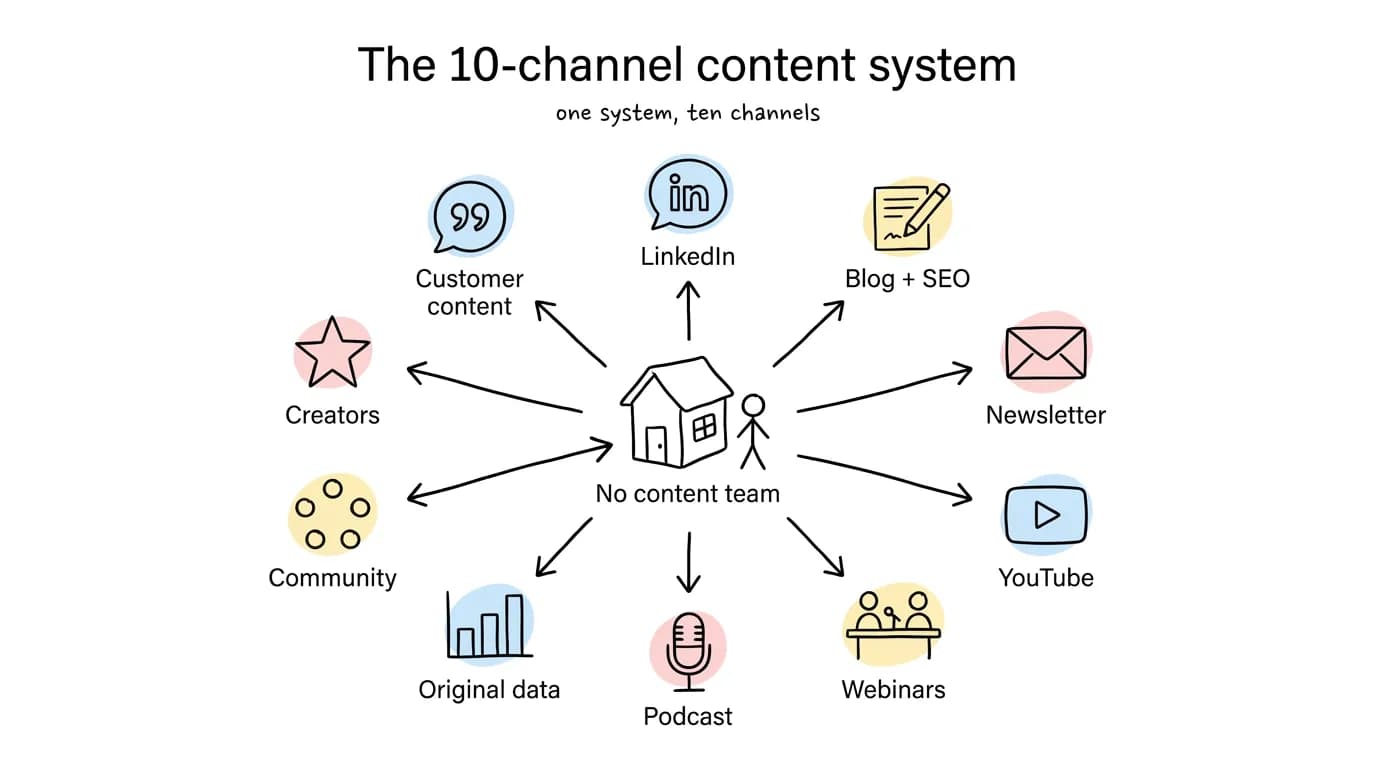
How a Company With No Content Team Grew Its Website From Zero to 4,000 Monthly Visitors in a Year: A Breakdown of Postbeam's 10 Content Channels
An article breaking down the ten content channels Postbeam used to grow its website without a content team, covering LinkedIn, blog and SEO, newsletters, YouTube, webinars, podcasts, original data, community, creators, and customer content, plus AI-assisted workflows and visibility in AI answers.