
What Is Google Ads Automation? Machines Handle the Repetition, You Keep the Judgment
A while back, I had dinner with a friend who does paid advertising.
A while back, I had dinner with a friend who does paid advertising.
The dishes had barely hit the table when his phone rang. A client asking: did you clean up this week's search terms? He flipped the phone face-down on the table and sighed: every Friday afternoon, two or three hours, pulling the search terms report, going through it line by line, finding the search terms that spent money without converting, manually adding negatives. Three years, every single week.
I asked: can't you hand that job to a machine?
He waved me off: would it dare touch my account?
I didn't have a comeback on the spot. But once I got back, I worked through the whole question of Google Ads automation from top to bottom. Today, I'm laying out what I found.
What Is Google Ads Automation?
First, let's be clear: this is not "set it and forget it," with AI running your ads for you.
It means letting software take over the repetitive, rule-bound, reversible work. Finding waste, watching budgets, reviewing search terms, producing reports — that kind of thing. Whether the money gets spent, which selling point to lead with, which direction the account should go — those calls stay firmly in your hands.
By the way, old-timers in this business still call it AdWords automation. Same thing, just a new name.
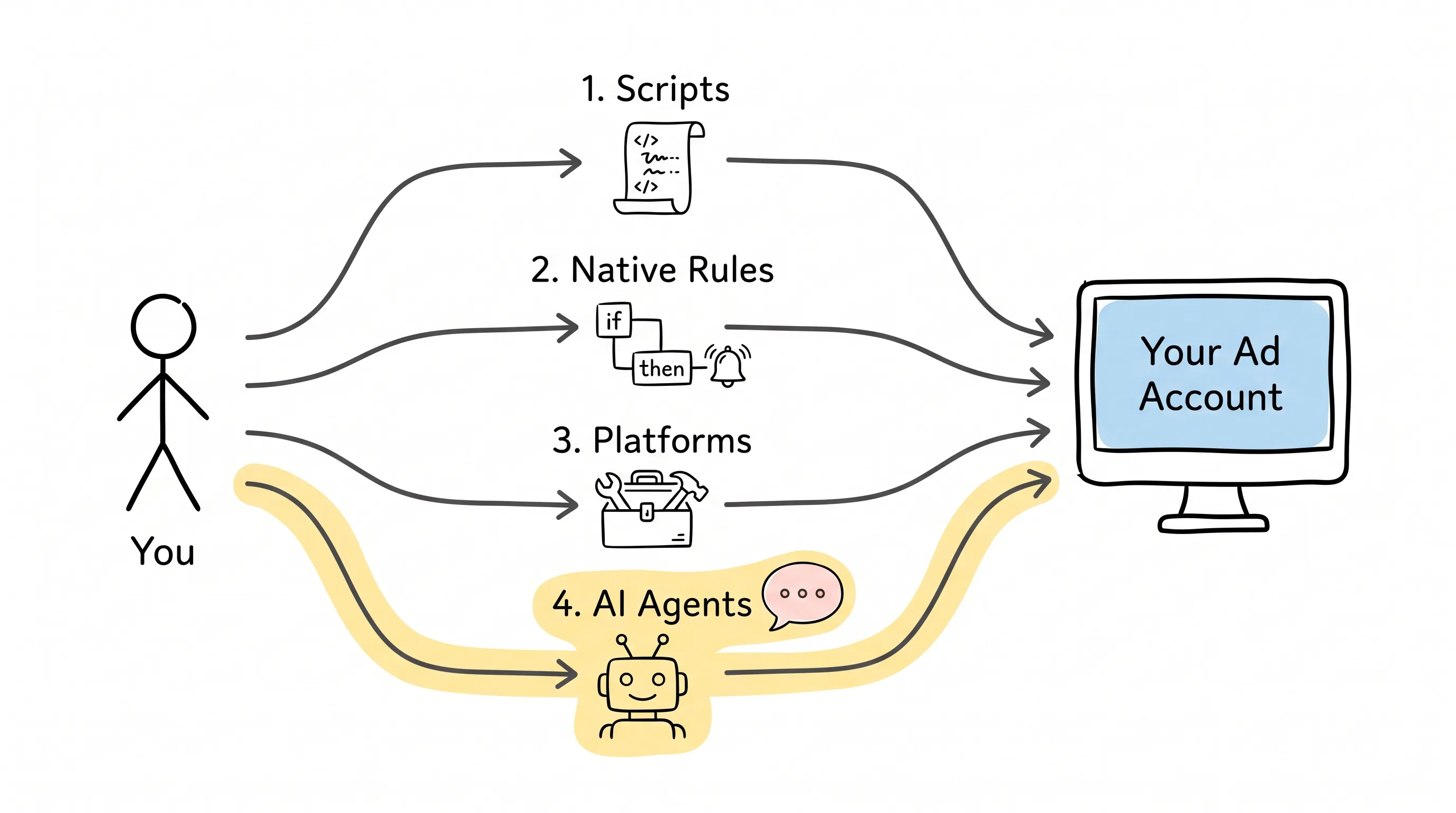
To date, this road has produced four distinct routes. Let's go through them in order.
Four Roads
Path one: scripts.
Written in JavaScript, running directly inside Google Ads. Mature, flexible, and precise — point it somewhere and it hits. Think of it as an intern you hired: smart, tireless, never takes a day off. But there's a catch: you write the résumé yourself, you do the training yourself, the code is yours, and when something goes wrong, you're the one watching. Its biggest strength is determinism: whatever you tell it to check, it checks exactly the same way every time.
Path two: native rules.
Google Ads' built-in if-then triggers. "If spend exceeds X, email me." "Pause when the conditions are met." Each one takes five minutes to set up — like installing an alarm clock on your account. But it's dumb: it only recognizes the conditions you hard-code. Whatever you didn't write, it will never think of.
Path three: third-party platforms.
Bid management, budget pacing, audit systems — the market is full of specialized tools. They often go remarkably deep on a single specialty, but onboarding costs and pricing vary wildly. They're built to take over one fixed job inside your account, not to run the whole show.
Path four: AI agents.
A new species that appeared in 2025. AI like ChatGPT, Claude, and Cursor, through a protocol called MCP, can call Google Ads tools directly. You describe your goal in plain language, and it does the analysis and the action in one go.
So what's new about this fourth road?
Not "more automated." What's new is that it can pull several signals together, write a diagnosis, and then place one action — pending your review — right in front of you. The first three generations were "you set the rules, it executes." This generation is "you describe the goal, it reasons." Scripts answer only to Google, but on the agent road, the same socket also takes Meta, LinkedIn, and TikTok plugs.
But — pay attention.
The fourth generation is not here to replace the first three. For work that must run identically every single time, where zero deviation is acceptable, scripts are still the first choice. The mature accounts I see basically use all four, mixed together.
What Work Should You Hand Over?
My standard comes down to three words: frequent, measurable, reversible.
Work that fits: hand it over boldly. Weekly search-term cleanup, budget pacing alerts, conversion-tracking checkups, writing weekly reports for clients — all strong candidates, because the output is right there and you can verify it at a glance.
Work that doesn't fit: go slower. Constantly switching bidding strategies, moving budgets off three days of data, dumping dozens of negatives in one go, reacting to one bad day of data. Handled badly, these moves can damage the account's learning period.
There's a dividing line here worth memorizing:
"CPA went up" is not a rule. "CPA is 30% above target, with at least 20 conversions banked, tracking healthy, and no recent bidding-strategy change" — that barely qualifies as a rule.
A rule you can hand to a machine must carry two things with it: a minimum evidence threshold and a rollback path.
So which job pairs with which tool? Let's match them up.
Fixed-threshold alerts, like "ping me when spend crosses X" — native rules are the cheapest option. Recurring data cleanup with clear logic and well-defined inputs and outputs — write a script once and it's handled for good. Diagnostics like "why did CPA change," which require pulling several signals and making a judgment call — hand those to an AI agent. Complex combined pacing control goes to specialized platforms; continuous tuning is their home turf. Building a new campaign from a brief goes to an agent with approval gates: it researches, structures, writes copy, and validates — end to end.
Remember this line: the goal of automation is not to run unattended — it's to make you press fewer buttons without dirtying your measurement.
Where Do You Start?
Principles covered. Where does the first foot land?
Let me show you something concrete. There's a tool called Adspirer — an MCP server, one end connected to your AI, the other to Google Ads. It reads and writes, and it comes with guardrails.
What's MCP? In plain terms, it's the socket standard for AI. However capable ChatGPT, Claude, and Cursor may be, they can't plug into your ad account. MCP is a row of standardized outlets. An MCP server like Adspirer is the adapter plugged into the Google Ads side. Quite a few clients can plug in — Codex, Windsurf, and Gemini are supported too.
How long does the hookup take? One authorization, about two minutes, and you don't have to apply for developer tokens yourself. The free tier gives you 15 tool calls a month; paid plans start at $49 a month. What counts as one tool call? Pulling a report, applying a batch of negatives, creating a campaign — each is one.
Onboarding is just three steps.
Step one: turn the thing that annoys you most each week into a single sentence.
Take my friend's Friday-afternoon chore. Handed to an agent, it's just one prompt:
Pull search terms from all search campaigns for the last 14 days. Find queries with more than 5 clicks and zero conversions, group them by theme, and generate a candidate list of account-level negative keywords. Show me the list first — I'll confirm before you apply anything.
Three hours before; three minutes of review now.
Step two: add the analysis the old tools can't do.
For example, a PMax (Performance Max) asset group audit: pull the last 30 days, identify the worst asset groups by conversion rate in each campaign, judge whether the problem is creative, audience, or budget, and propose fixes — left sitting there for your review.
Scripts can't do this kind of work, and rules definitely can't. Because what it demands isn't execution — it's judgment.
Step three: build the habit.
Save the prompt as a fixed weekly action. Or hand it entirely to Adspirer's Watch Agent: it scans your account from the server side every 15 minutes, and when it finds a problem, it emails you directly — with a proposed fix attached.
You spend 5 minutes reviewing instead of 50 minutes combing through spreadsheets. That's a huge win.
Oh, and one more thing: on May 12 this year, Adspirer's update_campaign expanded its editing permissions. Things that used to be read-only — network settings, bidding strategy changes, campaign-level budgets — can now be changed right in the chat. Google Shopping campaigns with product partition trees and App campaigns (UAC) can also be built directly from a brief. It also ships with a set of autonomous operations agents: give it a goal in plain language, and it lines up budget reallocations, negatives, and pause actions in an approval queue, waiting for your nod.
Is It Safe to Let AI Touch Your Account?
You might be saying: good grief, letting AI touch my account — are you nuts?
A well-designed tool doesn't run naked. Three guardrails.
New campaigns are created paused. Want them live? You flip the switch yourself.
Reversible actions like pausing a running campaign — it asks you first.
Without your explicit confirmation (confirm_delete), it deletes nothing. Not a single thing.
For a machine to dare to do the work, it first has to learn to stop and wait for you.
Of course, there are places the machine can't reach. It can't write your offer or set your strategy. Whatever Google's API doesn't expose, it can't call either. A few of PMax's newer features are still interface-only — for those, you'll still have to open Ads Manager yourself.
And let me answer a common question while we're here: can PMax actually be managed automatically? Yes. Campaign creation, asset group management, reporting — the API reaches all of it. Use it with confidence.
A 30-Day Rhythm
If you're serious about getting on board, don't go full-auto on day one. Here's a 30-day rhythm.
Week one: watch only. Connect the account, review the conversion actions, run reports, change nothing. Compare its output against the Google Ads interface to confirm scope and naming haven't drifted.
Week two: suggest only. Have it propose negatives, budget adjustments, and copy tests. Every suggestion must carry all five things: which campaign, what time window, what evidence, expected effect, rollback conditions. Missing one? Send it back to rewrite.
Week three: stage the reversible. Build drafts and paused campaigns, approving low-risk actions one by one. Keep a change log, so when the data shifts later, you can trace which change earned the credit — or caused the damage.
Week four: only then, hand it to the loop. Only work with clear thresholds that has run stably again and again has earned the right to become scheduled monitoring, a script, or an agent routine.
What about strategy? Offer, audiences, measurement models, big budget allocations — those stay human, always.
Thirty days is not about filling your account with automation. It's about signing off, item by item, on the things you dare to hand over.
Back to That Dinner
Later, I saw that friend again.
I walked him through the whole approach: hand over search-term cleanup first, then budget alerts, and every time, make it show you a list and wait for your review. Skeptical but willing, he gave it two weeks.
Last week he told me: these days, at 2:30 on Friday afternoon, he reviews one email for 5 minutes, applies the negatives that should be applied, pauses the campaigns that should be paused. The rest of the time, he's thinking through next quarter's game plan.
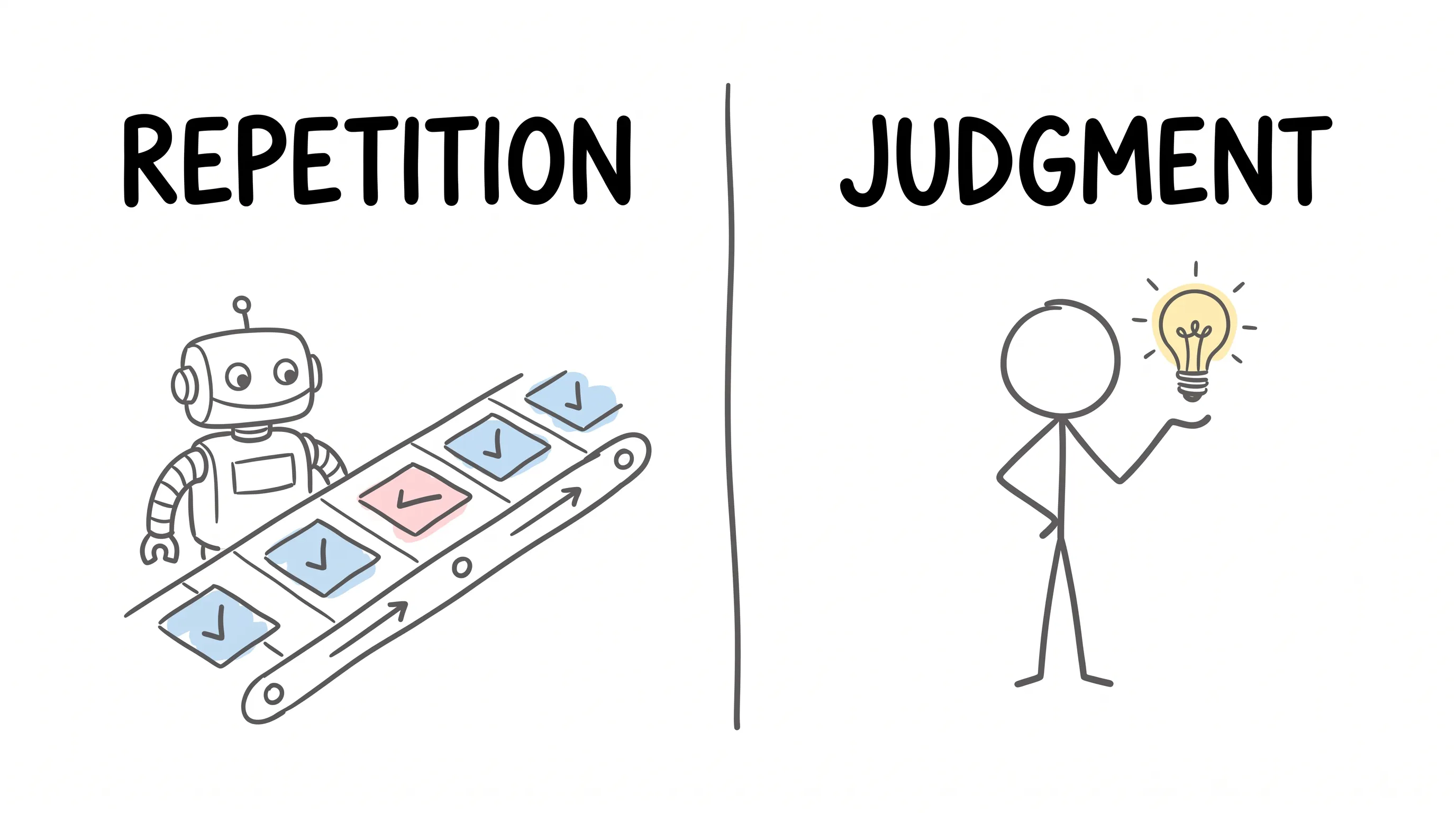
The machine takes over the repetition. You keep the judgment.
Better yet: may you never have to hand another Friday afternoon to search terms, line by line.
Continue reading
Related articles

Cross-Border Business: Time to Upgrade Your AI Toolbox
A learn article explaining how AI tools help cross-border e-commerce sellers clear five hurdles: language, regulation, logistics, payments, and fraud. It outlines a five-compartment toolbox, a five-step adoption path, and metrics such as conversion rate and CLV, while cautioning against over-reliance on AI.

AI Is Taking Over the Dirty Work of Social Media Marketing, One Task at a Time
This learn article outlines four social media marketing tasks AI can handle — audience analytics, content drafting and design, ad targeting and creative testing, and spam moderation — and cautions that taste, judgment, and data security remain human responsibilities.

AI Is Already This Good — Why Is Your Social Media Marketing Still Pure Manpower?
An overview of 18 AI tools for social media marketing, organized into six categories covering audience research, content creation, scheduling, comment and DM handling, ad management, and visual production, plus notes on personalization, prediction, and emerging trends.