
This October, Meta Made Several Decisions for Advertisers
An overview of Meta's October advertising updates, including the TikTok ad ban in seven markets, the default Product Browsing setting, on-device conversion measurement, AI assistant delegated actions, creative-level audience matching, and pending changes to commercial terms, with a checklist for advertisers.
A few days ago, a friend of mine who runs a cross-border e-commerce business messaged me on WeChat, sounding a little urgent.
He said: I've got an ad that's been running for half a year, steady the whole time. A few days ago I clicked into it and something felt wrong. Users click the ad, and the first thing they see isn't the landing page I built so carefully — it's a pile of products from my catalog.
I did some digging. Turns out none of this was his fault.
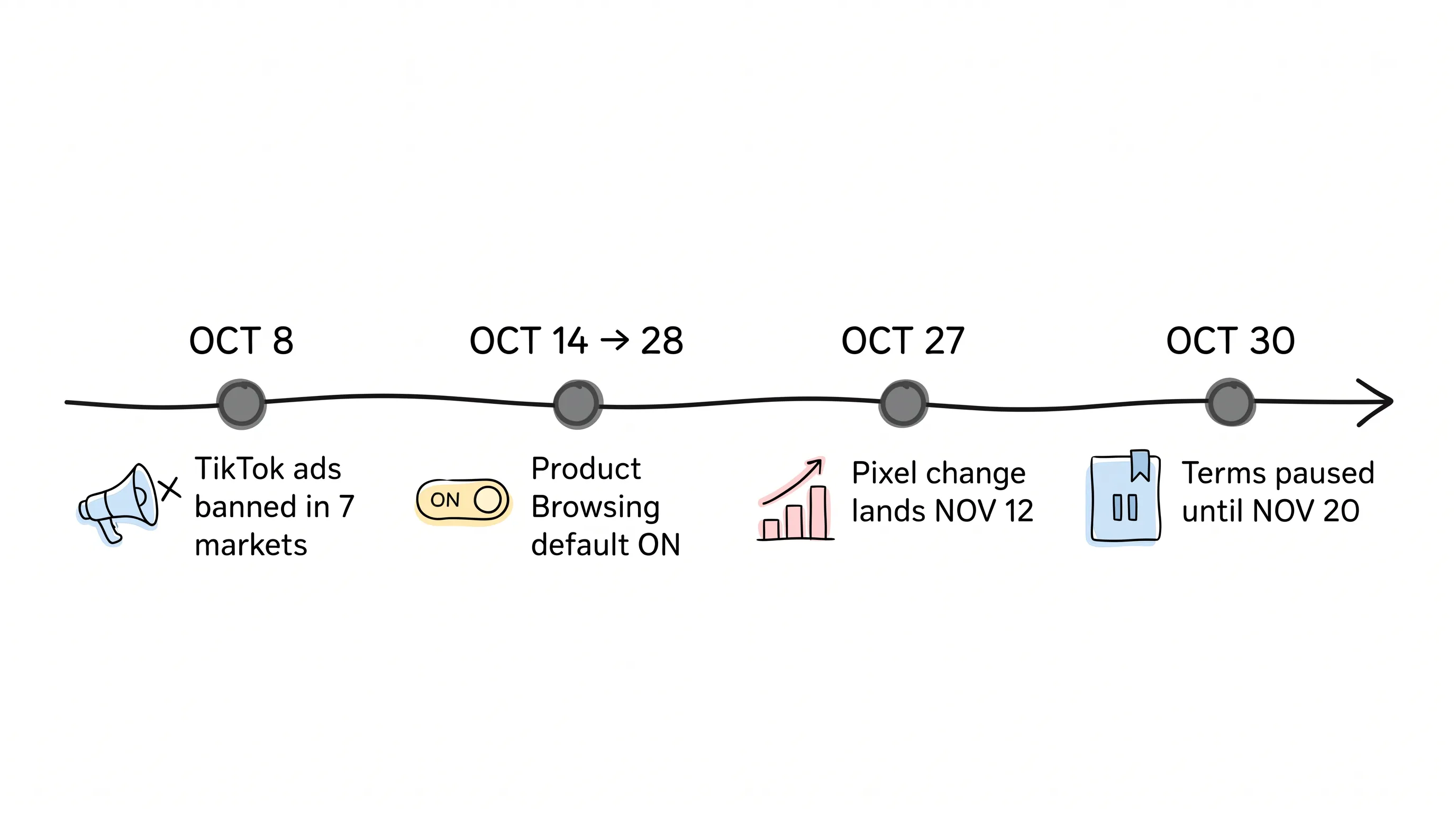
On October 14, Meta notified merchants: starting the 28th of this month, it would turn on a feature called Product Browsing by default for ads that are already running. Don't want it? Turn it off yourself.
Yes, you heard that right. You don't get to opt in — you get to opt out.
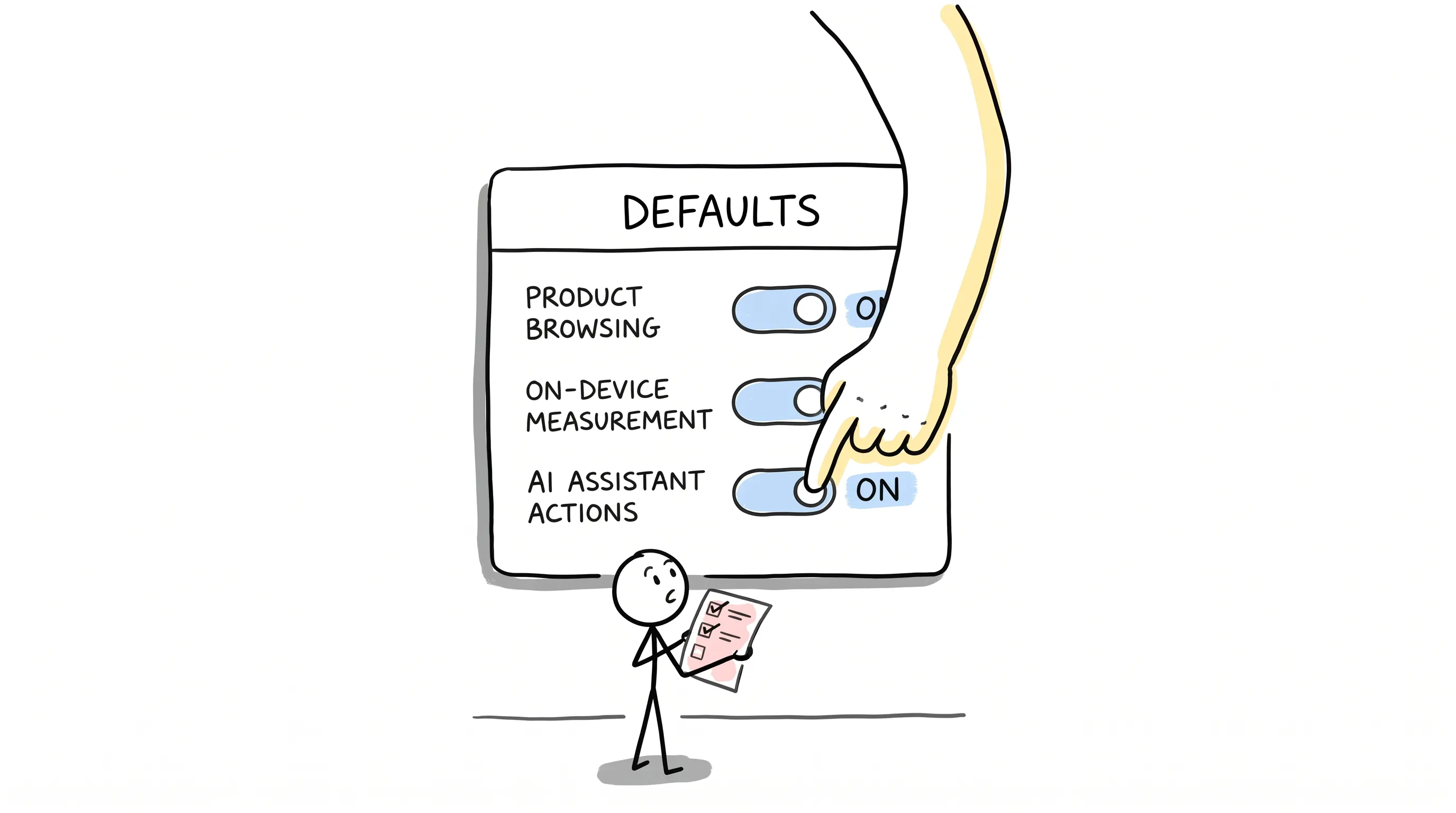
A platform's defaults are the platform's position.
In this single October, Meta made more moves than usual. Let me walk you through the ones that matter most.
First, the sharpest cut: TikTok
On October 8, Meta confirmed: in the United States, Canada, Egypt, Indonesia, Japan, Thailand, and Vietnam — seven countries in all — it will no longer accept ads from ByteDance, or any ad that sends people to TikTok.
What counts as "sending people to TikTok"? You run an ad whose landing page is a TikTok profile or a TikTok Shop product page, or that casually nudges people to install the TikTok app — all of it counts.
Why? Meta's spokesperson put it bluntly: we have no obligation to run ads for a competitor that is dead set on pulling users out of our apps.
Wow. That's a statement with zero pretense.
Think about it: what is an ad platform's calling? Keeping users' attention inside its own yard, then selling that attention to you. Now someone is paying for its traffic in order to walk people out the door. Meta is done with that business.
Worth noting: to this day there is no official policy page and no explanation of the boundaries. The rules are alive, and the power to interpret them belongs to Meta.
My advice is blunt: if you still have ads pointing to TikTok in these seven markets, pull them now. Don't try to get around it with redirects or profile links — the platform calls this circumvention, and getting caught means risk at the account level.
Creators and agencies running "come follow us on TikTok" funnels: move that budget to things you actually own — a landing page, an email list, anything.
Don't build a house on rented land.
The defaults quietly changed
Product Browsing, the feature from the opening, deserves a closer look.
What is Product Browsing? It's an option inside Advantage+ creative enhancements. When a user clicks your ad image or video, they don't head straight to your website — instead, inside Facebook or Instagram, they see a product browsing page personalized to each individual. Your catalog, your offers, all of it in there. Only after they've browsed do they reach your website.
Before, this was a setting you could switch off.
Now Meta is turning it on by default for ads that are already running. If you don't think to ask and don't switch it off yourself, it just stays on.
Here's an analogy. It's like living in an apartment where the building management, without a word, swaps your curtains for a color they picked. The curtains might genuinely look good. But the problem isn't the curtains — it's that they never asked.
There's a telling detail here too: as of October 31, Meta had published no official help documentation and no changelog. The October 28 date comes from advertisers who received the notice. The notice is real, the opt-out link is real — the official explanation, there is none.
One agency observed that once this feature is on, ad creatives gradually drift toward carousel and collection formats. You thought you were running an A/B test — the platform moved the variable on you. Right when Q4 budgets are at their heaviest, that can really hurt.
How do you turn it off? Two routes. At the portfolio level, look for the opt-out link in that email or the Business Suite notification. At the individual ad level, open the ad in Ads Manager, find "Personalized Destination" under Advantage+ creative enhancements, and switch Product Browsing off. If you want every click to land on the URL you chose, switch "Optimize website destination" off as well.
And don't assume you're done once it's off. When you duplicate an ad, the enhancement settings may quietly switch themselves back on. After October 28, check back every few days.
That same week, another default changed too. On October 27, advertisers found a new Pixel setting in Events Manager called "on-device conversion measurement," set to be on by default from November 12. By the time I wrote this, it was already in effect.
Here's the plain-English version: it uses information the user already handed you — an email address, say — to match an ad impression with the purchase they made on their own device. Meta receives nothing but a confirmation: a conversion happened, and it gets credited to a specific campaign. Not enabled in the EU or the UK.
The good news: a lot of conversions that used to be unmeasurable can now be measured. The bad news: after November 12, the conversion count in your reports will go up — and it will have nothing to do with whether your ads got better.
If your numbers suddenly look better right before peak season, don't celebrate just yet. Mark that day in your reports, reconcile the jump against backend orders and MER (Marketing Efficiency Ratio) before you decide whether to raise budgets.
Better-looking data and a better business are two different things.
AI went from advisor to operator
On October 6, at Advertising Week New York, Meta put out a whole batch of announcements. Two of them matter most to me.
The first: static image-to-video is now fully generally available. If you have a stack of image ads that perform well but thin video reserves, you can now use it to generate video variants in bulk and slot them into Advantage+ campaigns. Peak-season CPMs are still climbing — fill your video placements now, while it's cheap.
The second matters more. Meta's business AI assistant has begun testing "delegated actions" (things it does on your behalf): it can plan campaigns, generate creatives, adjust targeting, and adjust budgets — all inside a chat window. Before it makes a change it shows you a preview, and it only acts once you nod.
Sit with that progression for a moment. In August, it could only analyze your account and pull reports for you. In September, Muse learned to browse and buy on its own. In October, it started reaching for your budget.
The plumbing is being laid too. The Ads MCP server added creative upload, ad preview, and performance tracking, and ten integration partners were officially announced — Snowflake, Databricks, and Perplexity are all on the list. The same day, Meta and Sierra previewed a "personal agent protocol": going forward, users' AI assistants will talk directly to merchants' systems. How you feed your products, prices, and policies to those agents will become part of the funnel. It isn't live yet, but the direction is already on paper.
My advice is a single item, and the earlier the better: if you manage accounts for other people, set the rules today — which things the assistant may do without asking anyone, and which things require a human sign-off. Wait until the day it's actually connected to accounts, and it will be too late.
There's also an unassuming update that carries real weight. On October 19, Meta launched Creative Audience Matching: within a single ad set, you can assign an age and a gender to each individual creative. Meta's own example — a women's sweater image, shown to women.
After years of pushing targeting toward "fewer and broader," this is the first time Meta has handed targeting granularity back to the creative level. Anyone who split ad sets just to keep men's and women's creatives apart can now merge them back and let the learning phase run concentrated in one ad set.
One catch, though: Meta hasn't said how strictly delivery will honor the matching. After it goes live, check the age and gender breakdowns before you decide whether to trust it.
A quick note for brand builders: Ads Super Burst is fully open this month. You can lock a 3-to-24-hour window in advance, with category exclusivity and guaranteed delivery against Reach Planner estimates. The median results from testers: ad recall up 2.9 percentage points, and a single flight reaching 34 million people. If you want TV-grade concentrated exposure on a key day, lock the window ahead of time instead of leaving it all to auction luck.
Oh, and one more: the manual placement exclusion option is being phased out across four objectives — Sales, Leads, Engagement, and App. There are two replacements: Value Rules, which adjust bids by placement, and account-level placement exclusion. Note that a bid reduction is not an exclusion — a placement with a lowered bid can still serve. The placements that must never show your ads go into account-level settings.
Running the money math
On October 21, Meta reported third-quarter earnings. Ad revenue was $63.1 billion, up 26% year over year. Ad impressions grew 10%, and the average price per ad rose 14%.
Pay attention to the gap between those two numbers.
Here's the analogy: your salary rose 10%, but prices rose 14%. Whether life gets easier or tighter, you can feel it yourself. When prices rise faster than volume, it means an ever-larger share of every dollar you spend is inflation, not growth. Q4 guidance of $73 to $76 billion means the auction only gets more crowded.
Another easily missed line: WhatsApp service messages started to incur charges from October 1, beyond the 1,000 free messages per number per month. Emoji reactions are the only type still free. Do the math, and conversations opened from a click on a WhatsApp ad have become the cheapest chat entry point — that 7-day free window was only just extended from 72 hours at the end of September. When the platform rewrites its price list, merchants have to rewrite their play.
Before peak season, Meta offered its own formula: an ad set does best at roughly 50 conversions per week. Below that line, the cost per purchase is on average 28% higher.
How many ad sets can your budget feed? Meta's arithmetic: weekly total budget divided by (cost per conversion multiplied by 50).
Say your weekly budget is ¥20,000 and your cost per conversion is ¥40 — that sustains 10 ad sets. Whatever's left over, merge before Black Friday. Don't wait for peak season to operate.
On October 27, one more handy tool shipped: Ads Manager breakdown reports can now be split by every single creative and every copy variant. Before, you'd upload ten creatives and see one blended number. Now you can see at a glance which one is burning money for nothing. Cut the losers, and feed the winners into the next round.
The contract hit pause
This one looks set to become November's main story.
Meta was preparing to update its Commercial Terms and Self-serve Advertising Terms for all advertisers, originally set to take effect October 30. Several clauses in the draft are worth reading word by word: Meta may crawl the websites behind your ads, including logging in with test accounts; for AI-generated ad creatives, liability is entirely yours; for third-party tools you use, liability is also entirely yours; and it promises no delivery performance and no guarantee of data accuracy.
Publishers pushed back, focusing their protest on the crawling clause and AI liability. On October 28, a Meta spokesperson stated: until there has been adequate consultation with industry organizations, the changes won't go ahead. The new preview date is November 20; if consultation drags past that, everything stays as is.
So for now, the terms in force on your account are still the old ones. But the draft is worth reading — inside it is a map of where the platform wants to go.
That same week, the regulators weren't idle. On October 30, the UK Competition and Markets Authority opened a formal investigation into Meta's commercial terms over suspected abuse of dominance — even the Meta One subscription and the link-post restrictions are in scope, with evidence collection running through January 2027. A few days earlier, a New Mexico court ordered Meta to pay $25 billion in damages; Meta says it will appeal. Rhode Island, meanwhile, became the first state to sue Meta over "scam ads."
None of these lawsuits will change your account in the short term, but the direction is the same: vetting and verification of advertisers will only get stricter. If you're in finance, health, or any category that scammers like to ride on, tidy up your credentials page and your landing pages. When the wind blows, these categories are always the first to be squeezed.
A checklist
While we've been talking, some of these dates have already flipped past and some are still ahead. Here's everything to do, gathered in one place.
By the way: the US restriction window for political and social-issue ads (October 27 to November 3) has closed. If you run those ads, you can go back to a normal rhythm.
Do this week:
- Check that Product Browsing is genuinely switched off in the ads you're running — especially new ads and duplicated ones.
- Anyone still pinned to Marketing API v24.0: the November 10 deadline has just passed, migrate to v25 or v26 immediately. If new errors started appearing in your logs after the October 27 batch of v26 removals (the Commerce Order Management API deprecation, the Messenger Stories placement removal), start there too.
- Pixel conversion counts will jump from November 12 — mark that day in your reports.
- Ads pointing to TikTok in the seven markets: pull them.
Before peak season:
- Use the 50-conversion formula to take inventory of your ad sets; merge whatever is over the line.
- Take your strongest batch of image ads and use static image-to-video to fill in video variants.
- Try Creative Audience Matching on ad sets that were split only by gender or age band; after merging, watch the breakdown data.
- Set rules for Meta's AI assistant and every agent you plug in: what it may change automatically, and what requires a human sign-off.
- Audit placement settings under the four objectives: hard exclusions move to account level, soft preferences go to Value Rules.
To think through before next quarter:
- Read Meta's new terms draft and highlight two clauses in particular: AI creative liability and third-party tools. When it comes back, you and your legal team won't be scrambling at the last minute.
- If your WhatsApp marketing messages still run over the Cloud API, that stops on October 13, 2027 — you'll need to migrate to the Marketing Messages API. Official guidance says migration takes about two weeks. Schedule early; don't cut it to the buzzer.
Finally
Back to the friend from the opening.
In the end, he switched Product Browsing off. In his words: "It's not that the feature is bad. It's that whether it gets turned on was never my call."
I've kept that line with me ever since.
Look at October as a whole: string together everything Meta did, and it's really one thing — it has been pulling more and more defaults back into its own hands. Product Browsing on by default, on-device measurement on by default, the assistant allowed to touch your account by default — and even the default liabilities in the contract are being swept its way.
It has its reasons. Automation genuinely brings efficiency, and the new measurement genuinely recovers conversions that used to be lost. None of that is untrue.
But defaults have never been neutral. Whoever sets the default is making the choice for you.
Between the platform's default and your own interest, always take your own side at least once.
Peak season is coming. May every budget increase you make be a button pressed by your own hand.
Continue reading
Related articles
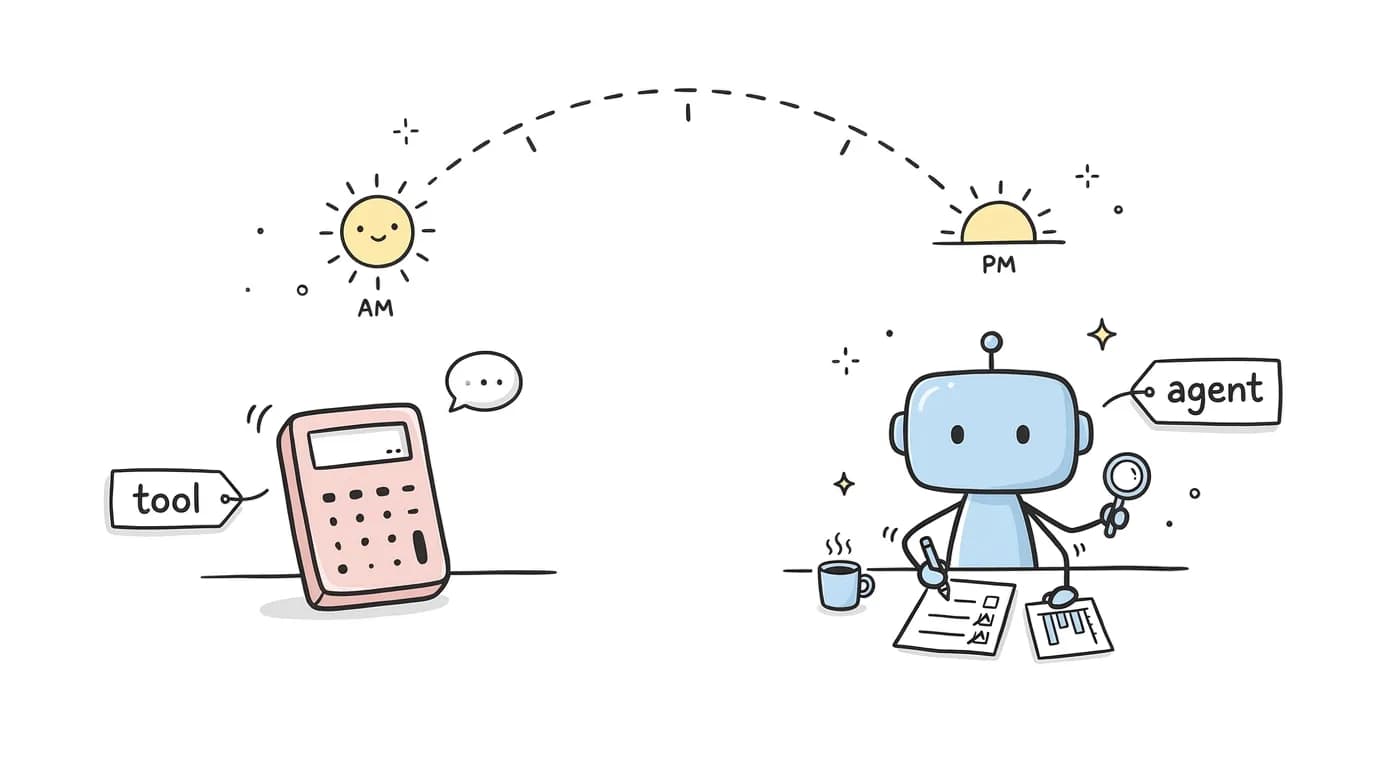
It's 2026: Stop "Buying" AI Tools for Your Marketing Team — Start "Hiring" AI Agents
This learn article explains how AI agents differ from standalone AI tools in marketing, outlines three agent categories — build-your-own platforms, CRM-native agents, and vertical tools — and covers use cases across SEO, social media, advertising, and reporting, plus criteria for choosing one.
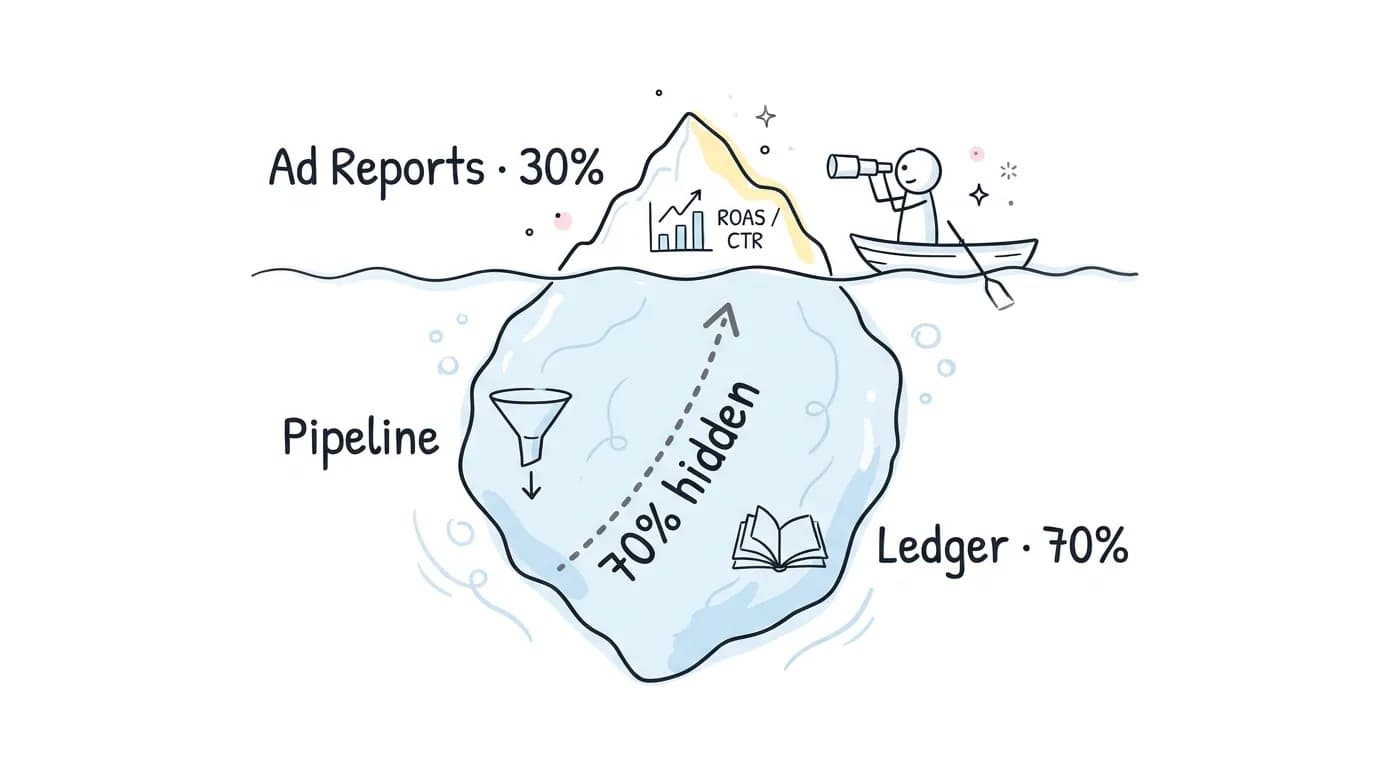
Did the Money You Spent on AI Marketing Ever Come Back?
A guide to measuring AI marketing ROI across three layers: ad reports, sales pipeline, and the financial ledger. Covers metrics such as ROAS and CPA, eight dashboard metrics, industry benchmarks, and common measurement mistakes.
How to Pick a Creative Automation Platform: First, Figure Out What These Eleven Actually Do
A learn article sorts eleven creative automation platforms — including Bannerflow, Celtra, Smartly.io, and Storyteq — into four functional groups and proposes five evaluation questions covering publishing reach, automation depth, ease of adoption, team fit, and verifiable evidence.