
These 5 Generative AI Use Cases Are Already Making Real Money
A long-form article exploring five generative AI use cases in production, covering healthcare document processing, e-commerce recommendations, workflow orchestration, private RAG deployment, and AI customer service with memory.
A while back, I was at a dinner full of folks from the enterprise-services world. Around that table, the hottest AI conversations had long since moved past "should we adopt it." Everyone was asking: "Why is my AI project still stuck at the demo stage?"
One veteran with a decade-plus in enterprise software raised his glass and asked me: "LLMs have evolved this far — how come so few of them actually make it into production?"
I didn't have an answer on the spot. But after digging back through my own projects and cross-checking the market data, I figured it out.
First, Some Uncomfortable Numbers
In 2025, Deloitte ran a survey: 72% of enterprises had already put generative AI projects on the table.
Sounds lively, right?
But on the other side, the number analysts keep hammering on is this: of all those pilots, fewer than 20% ever make it into production.
What about the rest? Some die in security review. Some get stuck in system integration. And for most, the demo wowed everyone — until someone casually asked: "Where are the numbers?"
And that was the end of that.
At most companies, AI doesn't survive past the demo.
Is the problem the model? I've seen plenty of projects over the past two years, so let me say something unpopular: almost never. What stalls is five deeply unsexy things: whether the use case is chosen well, whether the data pipeline can survive compliance, whether the model is good enough rather than the best, whether the math works out from day one, and whether you've figured out how the thing plugs into your existing systems before you pick a model.
Abstract advice is boring. Instead, let me walk you through 5 use cases already running in production where you can actually count the money. For each one, I'll break down the architecture behind it.
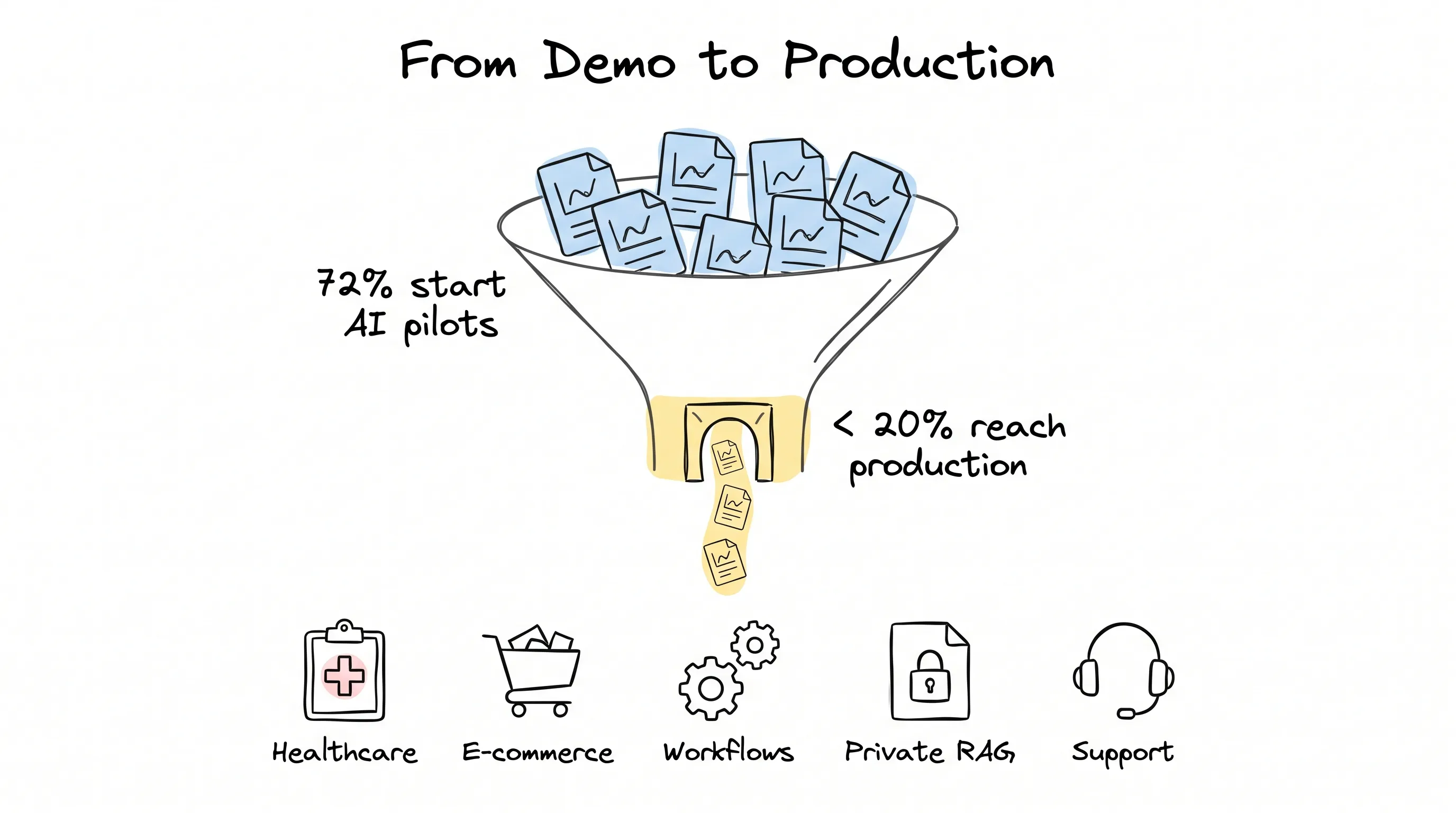
Use Case 1: Healthcare — Get People Out of the Data-Hauling Business First
Healthcare is, at its core, an industry that runs on paper — the digital kind of paper. Registration forms, medical records, insurance claims, prior authorizations.
One number stunned me the first time I saw it: an ordinary care coordination team spends 30% to 40% of its time moving information from one document into another system. In other words, their most expensive brains spend their days doing a data-entry clerk's job.
What does the modern approach look like? OCR extracts the text from the paper first; a large model fine-tuned on clinical corpora reads it, breaks it into structured fields, and writes it straight into the EHR system. On compliance: training uses synthetic data, the pipeline is encrypted end to end, and every step leaves an audit log; transcription runs on AWS HealthScribe, a service that is HIPAA-compliant (the U.S. health-privacy law) out of the box; output follows the HL7 FHIR standard, which EHR systems accept natively.
Careonix, a home-care platform, plugged this stack into its patient intake flow. Messy handwriting, ambiguous abbreviations, mismatched documents across files — the model handles them all together.
But the real value of this architecture is that it "reconciles documents." What does reconciling mean? A patient's intake form, insurance card, and prior visit records — three sets of materials aligned in one pass. The prior-authorization cycle dropped from 3 to 5 days down to a few hours.
Use Case 2: E-commerce Recommendations — The Money Hides in "Why You Want to Buy"
Traditional recommendation engines have a ceiling: they know "what people like you bought," but they don't know "why you, right now, want this."
That sentence is where the money hides.
The new play is to push reasoning into the recommendation layer. The system reads your browsing context, session intent, and purchase history, then generates personalized product narratives and category suggestions in real time. The catalog is indexed with semantic vectors instead of keyword matching; alongside it sits a dynamic pricing model that watches competitors and demand signals to adjust prices on the fly.
How concrete are the results? After Lenskart, an eyewear e-commerce player, hooked up an AI recommendation layer, conversion rose 20%. Sephora's sales grew 13%. These are no longer legendary outliers — they're becoming the baseline.
But there's a trap here I have to warn you about: an LLM must never invent product specs. A recommender needs a constraint layer that pins the model's output hard to the real product catalog. Otherwise? You get gorgeous copy for a product that doesn't exist. And trust — trust dies on the spot.
Use Case 3: Workflow Orchestration — Put AI in the Dispatcher's Seat
A single sales order crosses five systems between placement and confirmation. A new hire's onboarding: three platforms, seven approvals.
Slow human handoffs are the small problem. The real trouble: errors snowball at every handoff, and compliance leaks through the seams.
The new solution is called AI-native orchestration: the skeleton of the workflow stays with automation tools, while the judgment brain is swapped for an LLM. For example, n8n handles orchestration, the LLM makes routing decisions, and you attach a RAG (Retrieval-Augmented Generation — the model answers from your own documents) so it can check company policy at any moment.
QuickShift, a logistics company, swapped its dispatch team for this system: an n8n pipeline collects driver availability, route data, and delivery time windows; the LLM produces dispatch recommendations; the output directly triggers SMS, email, and confirmations in the order system. Standard orders run end to end with no human at all.
There's a choice here many companies get wrong: why self-hosted n8n rather than Zapier? Because what runs through your pipelines is financial data, medical records, customer privacy. Self-hosted, the data stays in your hands; on a third-party platform, it passes over someone else's machines. In regulated industries, this is not negotiable.
Use Case 4: Private Models + RAG — Make AI Know Your Company
Public LLMs have a fatal blind spot: they don't know your company.
Your pricing logic, customer history, internal policies, the previous version of the proposal — it knows none of it. The moment an employee needs to make a judgment against proprietary information, a public model is useless. Worse still: paste confidential context into the chat box, and accountability walks out the door.
That same 2025 Deloitte survey holds another number: 72% of small and mid-sized businesses rank "can't safely use internal data" as the number-one obstacle to adopting generative AI.
The fix is private deployment wrapped in RAG. Let me unpack it: internal documents — PDFs, SharePoint, Confluence, Slack, CRM exports — get chunked, vectorized, and stored in a vector database; Pinecone, Weaviate, or pgvector all work. A user asks a question, semantic retrieval pulls out the most relevant passages; the private model (Llama 3, Mistral, or a fine-tuned GPT) reasons only over what was retrieved — no internet, no external API calls, deployed on your own cloud.
What does it feel like in use? A sales engineer asks: "What was our Q4 quote for the logistics client?" And the answer grows out of real proposals.
For the first time, knowledge becomes an asset. And this asset compounds with use.
Use Case 5: Customer Service — Give AI a Memory
Most AI customer service on the market has amnesia.
You finish one conversation, come back next time, and start over from the beginning. That's not AI customer service — that's a slightly smarter FAQ page. The root cause is architectural: in a traditional support bot, every conversation is stateless. There is no memory layer.
The fix has two layers. The memory layer uses MCP (Model Context Protocol), proposed by Anthropic, to keep context across sessions, tools, and users; hook it up to the CRM, and this customer's interaction history, open tickets, and purchase records are on call at any moment. The action layer: the LLM performs only structured operations — look up an order, trigger a refund, escalate to a human — every action a predefined tool call, no room for improvisation. In between, add a real-time emotion-detection channel: the moment a user gets antsy, hand off to a human immediately.
After one SaaS platform wired all this up, 68% of inbound tickets needed no human involvement. And on the rare genuine escalation, the human agent receives a complete context summary — the customer never repeats a single word.
Think of Bank of America's Erica, with over 1 billion customer interactions. An AI that remembers people cuts more than handling time — it cuts churn.
Five Use Cases Down — Three Iron Rules
Rule one: a good-enough model is good enough.
A 3.8-billion-parameter small model (say, Phi-3.5 Mini), deployed locally to classify documents, is faster, cheaper, and easier to govern than GPT-4. The strongest model is usually also the most expensive, the slowest, and the hardest to control. Match capability to the need — don't send a rocket to do a takeout run.
Rule two: compliance is the foundation, not the finishing touches.
Every one of the five use cases above sits on a compliance line: healthcare has HIPAA, enterprise data has sovereignty, e-commerce payments have PCI (the payment-card data security standard). Retrofit compliance after the system runs, and the difficulty is orders of magnitude beyond rebuilding. The teams that reach production fastest treat compliance as a design constraint, not a pre-launch checklist item.
Rule three: define "what counts as working" before you pick a model.
Pilots that die at the integration stage all make the same mistake: they optimize for the demo, not for integration. Before you pick a model, answer three questions: How does the output plug into my existing systems? Who maintains it six months from now? What does a failed inference look like? If you can't answer, what you're holding isn't a product. It's a demo.
So Where Do You Start?
It's 2026. If you're evaluating generative AI, remember: the first question is not "which model."
It's "which process."
What kind of process? High volume, high cost, low creative variance. What's low creative variance? The optimal solution is essentially fixed — however your best employee does it, the system copies it exactly, a hundred times without drifting.
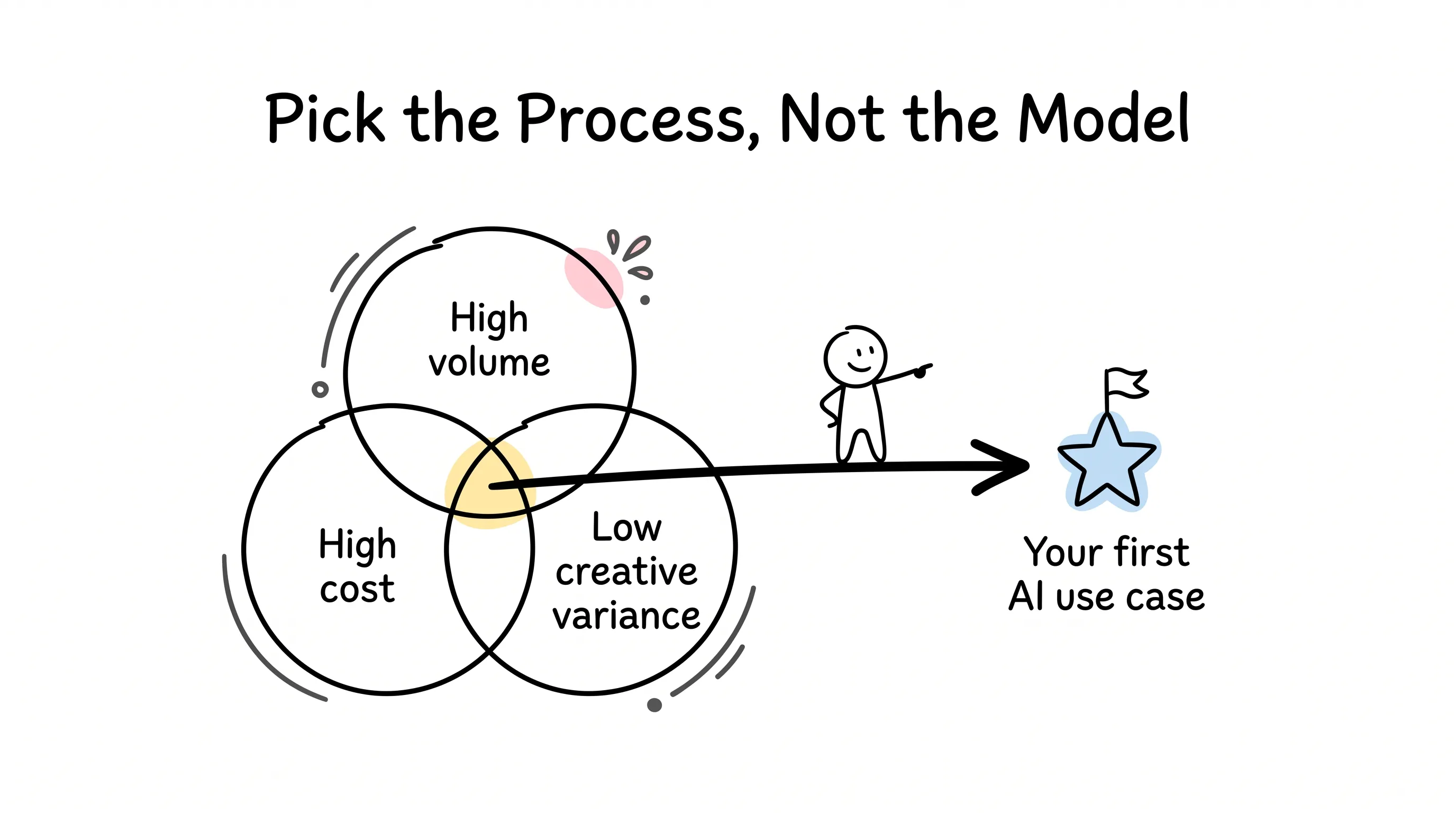
Find it, and that's your first generative AI use case. Pick the right use case, and the rest is engineering. Pick the wrong one, and no model, however expensive, can save it.
When that dinner wound down, the veteran asked me what to do next. I said: forget the models for now. Go back to the office, find the most expensive, most repetitive, least inspiration-dependent task you have — that's your answer.
And may you never have to sit in a demo meeting explaining why the demo looked stunning and the numbers looked terrible.
Continue reading
Related articles

Cross-Border Business: Time to Upgrade Your AI Toolbox
A learn article explaining how AI tools help cross-border e-commerce sellers clear five hurdles: language, regulation, logistics, payments, and fraud. It outlines a five-compartment toolbox, a five-step adoption path, and metrics such as conversion rate and CLV, while cautioning against over-reliance on AI.

AI Is Taking Over the Dirty Work of Social Media Marketing, One Task at a Time
This learn article outlines four social media marketing tasks AI can handle — audience analytics, content drafting and design, ad targeting and creative testing, and spam moderation — and cautions that taste, judgment, and data security remain human responsibilities.

AI Is Already This Good — Why Is Your Social Media Marketing Still Pure Manpower?
An overview of 18 AI tools for social media marketing, organized into six categories covering audience research, content creation, scheduling, comment and DM handling, ad management, and visual production, plus notes on personalization, prediction, and emerging trends.