
Running Ads: Which Tasks Can You Actually Hand to AI?
A guide to ad management automation: which tasks such as bidding, budget allocation, creative generation, and reporting can be delegated to platform features, cross-platform tools, or AI agents, and which decisions on goals, measurement, brand, and budget caps should stay with humans.
A while back, I had dinner with a friend who does media buying for a living. Between peeling crayfish, he vented to me: first thing every morning, he opens the Google Ads dashboard, then Meta; by noon he's switched over to TikTok; and in the afternoon he still has to copy yesterday's numbers from five platforms into his weekly report. His words: I'm supposed to be a marketer, but what I'm actually doing is hauling data.
I asked: could these tasks be handed over to machines?
He paused mid-peel: can machines even be trusted?
That question is worth digging into — so today, let's talk it through properly.
What Is Ad Management Automation?
So what is ad management automation?
Put simply, it means handing off the repetitive actions in media buying: adjusting bids, shifting budgets, producing creatives, pulling reports, watching for anomalies. Hand them to whom? To pre-set rules, or to AI's judgment.
There's a premise here you need to get straight first. Auction-based advertising was born to be tuned on the fly: bids change by the minute, budgets need shifting at any moment, creatives wear out as they run. So "automate or not" is a false question. The real question is: how much to delegate, and to whom.
Specifically, there are three layers of options.
Layer one: features built into the platforms. The ones already sitting inside the Google Ads and Meta dashboards — step outside that dashboard, and they can't reach anything.
Layer two: cross-platform tools. You're spending money on several platforms at once, and they wrangle it all in one place for you.
Layer three: AI agents. You talk to it, and it handles everything from giving advice to actually making changes — end to end.
How to choose? Look at how many platforms you run, how big your budget is, and how your team is set up.
Which Tasks Can Be Delegated, and Which Must Stay in Your Hands?
Let me lay out the ledger for you.
What can be delegated: bidding, budget allocation, creative generation and rotation, search term management, reporting, anomaly monitoring. These tasks share one trait — their judgment criteria are clear data and rules. For the same task, if you rely on native features alone, the range you can hand off is smaller; bring in cross-platform tools and AI agents, and you can hand off more.
What must stay in your hands — I counted, and it's also five things.
First, set the goals. What target CPA (cost per acquisition) to set, what target ROAS (return on ad spend) to set, has to be back-derived from your business's profit line. The machine has no idea how much you actually earn per sale. Hand your bids blind to an automated system, and the system will faithfully lose money for you.
Second, guard the ruler. Whether conversion tags are installed correctly, whether anything is double-counting — this must be sorted out before automation begins. If the ruler isn't accurate, AI will take the wrong data and eagerly optimize you all the way into a ditch.
Third, brand and legal. Which placements not to run, how to handle compliance issues like age restrictions, whether the copy is appropriate, whether you're being hit with fake traffic — the machine can't make these calls.
Fourth, final creative review. Before anything AI-generated goes live, a real person needs to take a look: does it look like your brand?
Fifth, budget red lines. Even if you hand everything to automated bidding, daily caps and total caps have to be drawn first, and you need to regularly check whether the spending pattern looks healthy.
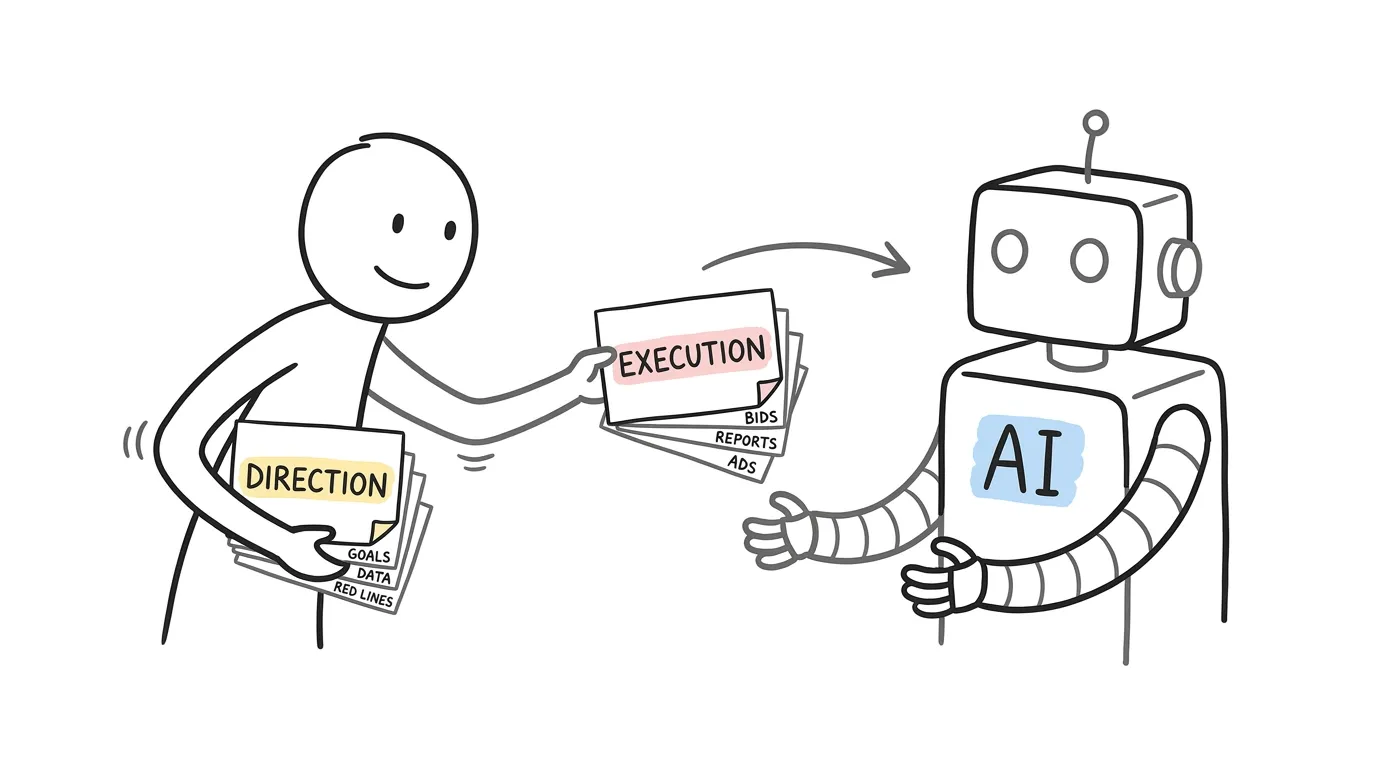
In one sentence: machines handle execution, humans handle direction.
Every Platform Calls Its "Automation" Something Different
There's an easy trap to step in here: every platform shouts about automation, but the names and the mechanics are each their own. Let me walk you through the five.
Google Ads has the deepest bench. Smart Bidding handles bidding — the official help docs say that at every auction it factors in signals like device, geography, time of day, and remarketing lists, adjusting against target CPA or target ROAS. P-MAX goes even harder: one campaign covers Search, Display, YouTube, Gmail, and Maps all at once, automating bids, budgets, creatives, and targeting together. AI Max handles expanded matching for search terms and creative optimization, and is cut from the same cloth as Responsive Search Ads, which assemble headlines automatically. Official figures say search ads with AI Max enabled see conversions rise 14% on average, with CPA and ROAS basically unchanged. One reminder, though: Smart Bidding has a learning period — and not just when you first turn it on. Change your targets, touch the structure, and it has to relearn.
Meta's flagship is called Advantage+. Per the official docs, it's a set of products that uses AI to optimize delivery in real time and put ads in front of people likely to act. Advantage+ audience will deliver your ads beyond the audiences you've drawn, but geography, age, language, and exclusions are still your call. campaign budget shifts total budget in real time, feeding whoever runs best rather than splitting it evenly. Advantage+ creative automatically adjusts image brightness, swaps backgrounds, adds text overlays, generates and translates video subtitles, and even adds pan, zoom, and rotate motion to videos so they look natural in every placement. For e-commerce sales or lead collection, there are the corresponding ASC versions.
TikTok's is called Smart+. The official line is that it automates things for you from campaign building and targeting to optimization and creatives. You fill in KPIs, creatives, regions, and languages; it takes care of the rest — targeting, budget, creative rotation. When a creative's performance drops, it swaps in the better-performing combinations on its own.
LINE Yahoo's automated bidding offers options including maximizing clicks, maximizing conversions, target CPA, target ROAS, plus Enhanced CPC and top-of-page placement — choose by objective. There's a learning period right after activation, with a "learning" status hanging in the dashboard; the official advice is to wait until conversion volume reaches a certain scale before using it.
Microsoft also turned in its homework, called Microsoft PMAX — one campaign covering search, native, display, audience, and shopping ads. You give it a URL and your information, its AI generates creative suggestions, and it comes with predictive targeting that specifically finds the people most likely to pay.
See? All kinds of names, but take them apart and they're doing the same few things. Judge the mechanism, not the name.
How Does an AI Agent Do Its Work?
Everything above is "inside the platform" automation. The third layer, the AI agent, plays a different game entirely.
Take Cascade, an ad management AI agent. Its budget optimization works like this: it analyzes the performance of every campaign you've connected, and at both the within-platform and cross-platform levels, recommends a budget allocation. You click agree, and it goes and changes the budgets on each platform.
The details are done with care. Some campaigns have nowhere to shift budget from, so their budget can't move — the recommendation marks them as "maintain," and tells you why. In the recommendation interface, there's a pie chart comparing the current allocation with the recommended one; there's a table listing how much each campaign's budget changes, expected impressions, expected conversions, and what the expected CPA becomes; and there's one grand tally: how much conversions are expected to rise, how much CPA improves, and roughly how ROAS will move.
You might ask: why not just change things automatically — why put a human approval step in?
Because budget automation has two modes: one where the tool gives recommendations that take effect after human approval, and one where changes fire automatically the moment conditions are met. Cascade chose the former. My view is that until the data has been fully validated, approve first, change after — it puts your mind at ease.
It can also build ads. Google, Meta, TikTok, Yahoo! JAPAN, Amazon, Apple Search Ads, X, Microsoft, SmartNews, plus ChatGPT — ten platforms in all. You paste in a target URL, and the AI drafts all the headlines, descriptions, keywords, and campaign names. The previous day's performance gets automatically summarized every morning and pushed to your chat tool. Weekly and monthly reports are generated across platforms, and can be edited too.
From switching back and forth between several dashboards to seeing it all on one screen — that's the difference between the third layer and the first.
Want to Get Started? Follow This Order
My advice: don't go full-auto right out of the gate. If measurement has errors, if goals are set wrong, and you don't even know it yet, the machine will take those errors and repeatedly make wrong decisions for you. The right way is to start small and scale up.
Step one, get measurement straightened out. Are the conversion tags installed correctly, is anything double-counting — first confirm the ruler is accurate.
Step two, set goals and KPIs. Back-derive target CPA and target ROAS from the profit line — this is the marching orders you hand the machine. If goals are unclear, you'll have no way to judge later whether automation is doing good or bad.
Step three, a small-scope pilot. Pick one campaign on one platform, turn on a native feature, say Smart Bidding, and watch how the data wobbles during the learning period, and how much. The official help docs once gave a number: for a bid strategy to adapt to a new target, it may need to accumulate 50 conversions, or go through 3 conversion cycles. The data will wobble during this stretch — don't get itchy fingers and change settings frequently. Accounts with more conversion data accumulated will have shorter cycles. By the way, this has little to do with budget size and much more to do with the volume of conversion data — small budgets can still play, it's just that the early swings are choppier, so know that going in.
Step four, review. Compare the data before and after automation to see whether the goals were set reasonably. If results are worse than expected, sometimes the thing to suspect isn't the tool — it's the goals themselves.
Step five, expand. Roll the same setup out to other platforms and campaigns, then consider moving up to cross-platform tools or an AI agent.
Four Routes — How to Choose?
For ad management automation, there are four routes in all.
Platform-native features: built into the dashboard, right for those advertising on only one or two platforms; the drawback is you can't see the cross-platform picture. Cross-platform management tools: they pull the reports and metrics from several platforms into one interface, suited to those running multiple platforms in parallel who want less report grind — when choosing, check whether the platforms it supports are complete enough. AI agent: one command, and budget allocation, reports, and optimization suggestions all get handled — but the responsibility for the final call is still on the human. Managed service: you pay an agency to run it for you, suited to companies that can't spare a dedicated person to watch it — before signing, ask clearly about the billing method and operational transparency: percentage of spend, flat fee, or performance-based.
No route does everything. You can also mix: bidding to native features, reporting and anomaly monitoring to cross-platform tools — that's a very common pairing. Decide based on your budget and team setup.
Finally, back to my friend.
When the meal was over, I told him: what you've been lacking was never a helper. What you're lacking is the time spent hauling data — time you could spend on the things only you can do: set goals, guard the brand, watch the red lines. When that day truly comes, you're still the one making the call — it's just that your hands are no longer full of spreadsheets.
Hand execution to AI. Keep direction for yourself.
Here's to lifting your head out of that row of dashboard tabs — sooner rather than later.
Continue reading
Related articles
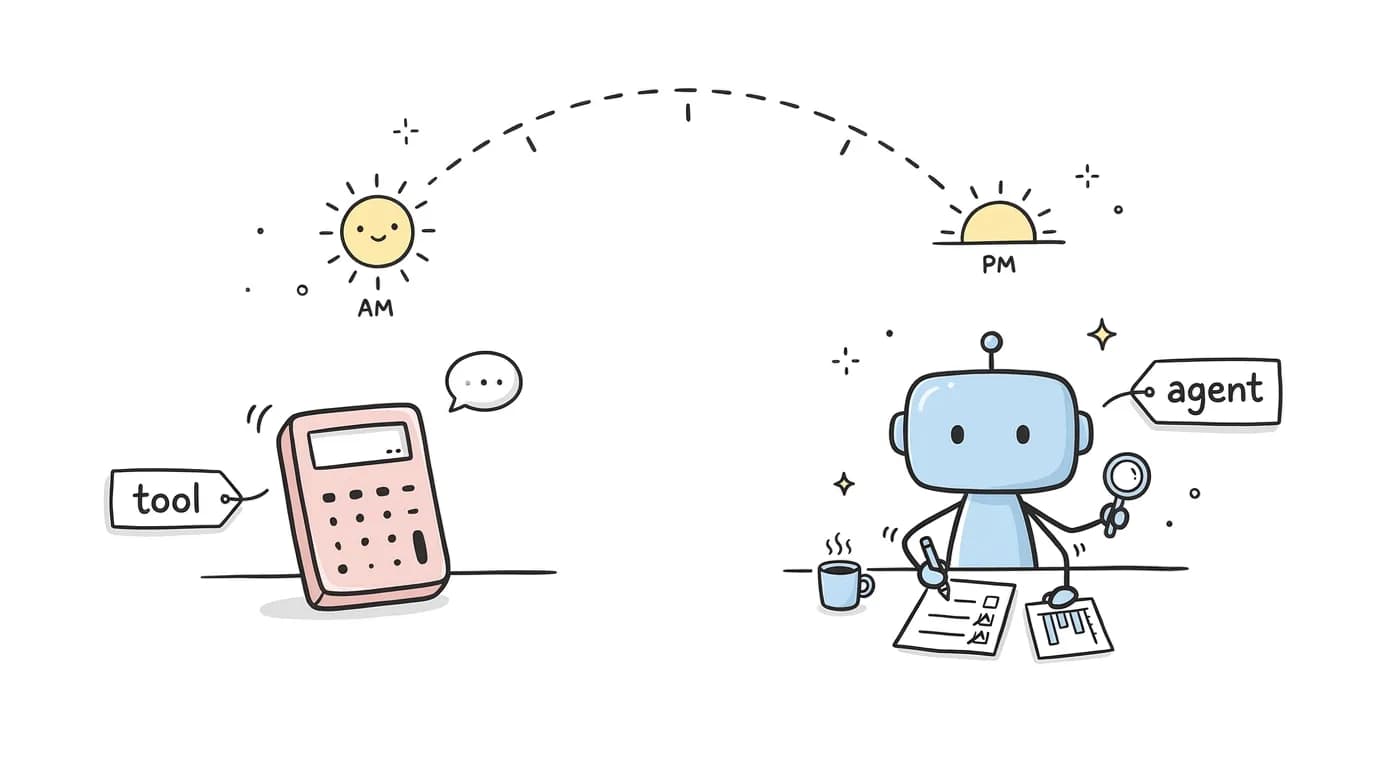
It's 2026: Stop "Buying" AI Tools for Your Marketing Team — Start "Hiring" AI Agents
This learn article explains how AI agents differ from standalone AI tools in marketing, outlines three agent categories — build-your-own platforms, CRM-native agents, and vertical tools — and covers use cases across SEO, social media, advertising, and reporting, plus criteria for choosing one.
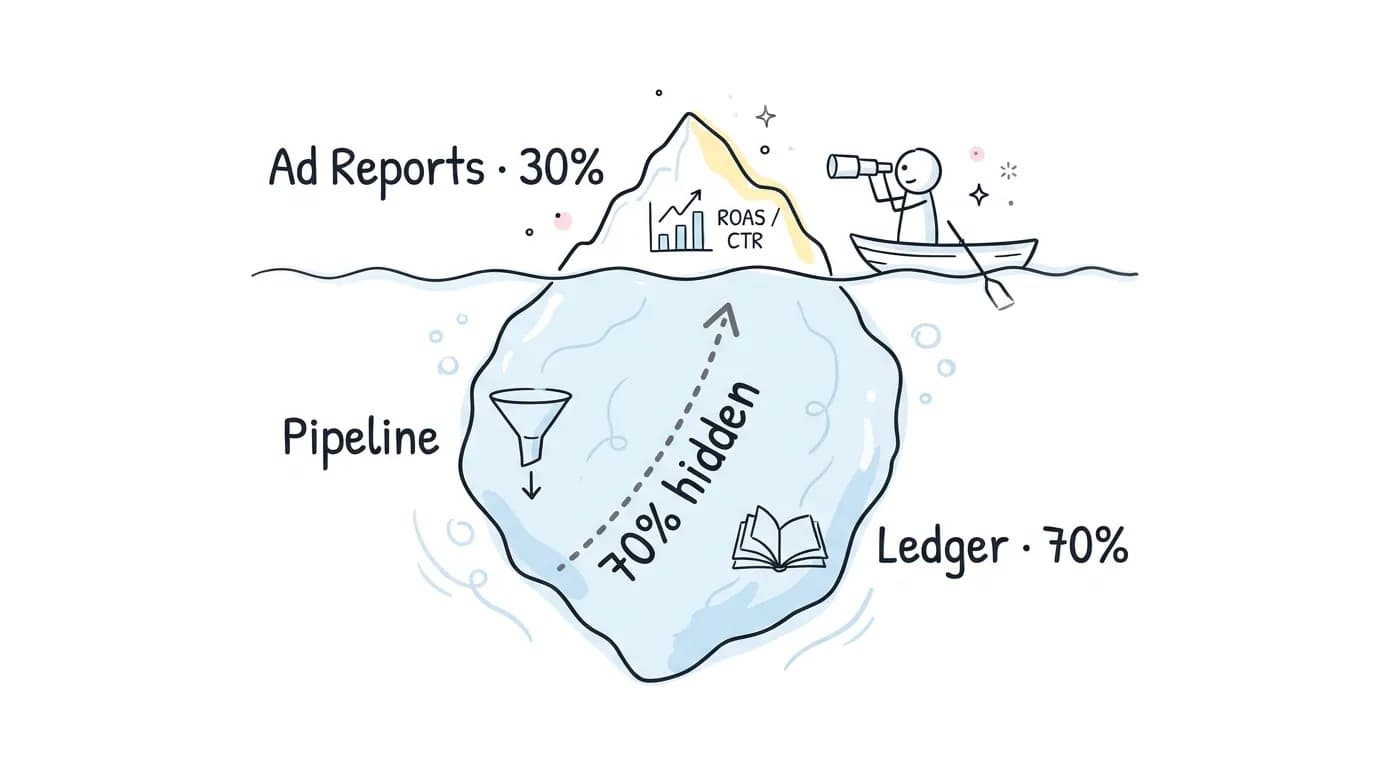
Did the Money You Spent on AI Marketing Ever Come Back?
A guide to measuring AI marketing ROI across three layers: ad reports, sales pipeline, and the financial ledger. Covers metrics such as ROAS and CPA, eight dashboard metrics, industry benchmarks, and common measurement mistakes.
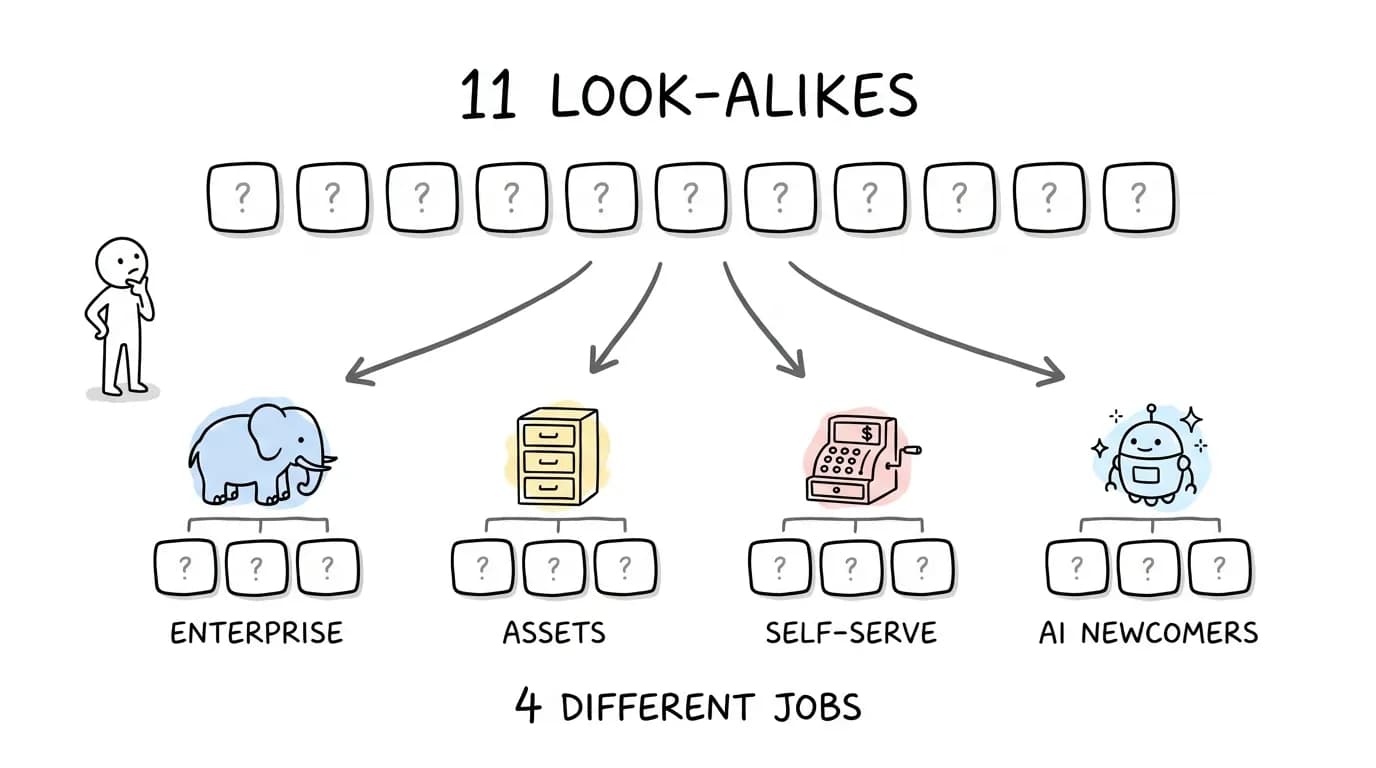
How to Pick a Creative Automation Platform: First, Figure Out What These Eleven Actually Do
A learn article sorts eleven creative automation platforms — including Bannerflow, Celtra, Smartly.io, and Storyteq — into four functional groups and proposes five evaluation questions covering publishing reach, automation depth, ease of adoption, team fit, and verifiable evidence.