
Meta Changed Its Ad Terms: Your Creative, Your Data, and Your 365 Days
This learn article explains Meta's updated advertising terms, covering default automatic creative edits, a conversion data retention window extended from 180 to 365 days, and broader use of first-party data, plus configuration checks for advertisers. It notes reports that the terms were reportedly suspended before the
A few nights ago, a friend of mine who runs a cross-border e-commerce business messaged me on WeChat in the middle of the night: "Hey man, Meta popped up a notification asking me to accept the new advertising terms. Should I click?"
I said: don't rush to click. Understand it first.
He asked: isn't it just a terms update? Happens every year.
I said: right, it happens every year. But this one is different.
What Do I Mean by "Different"?
I went through the key points of this update. It comes down to three things.
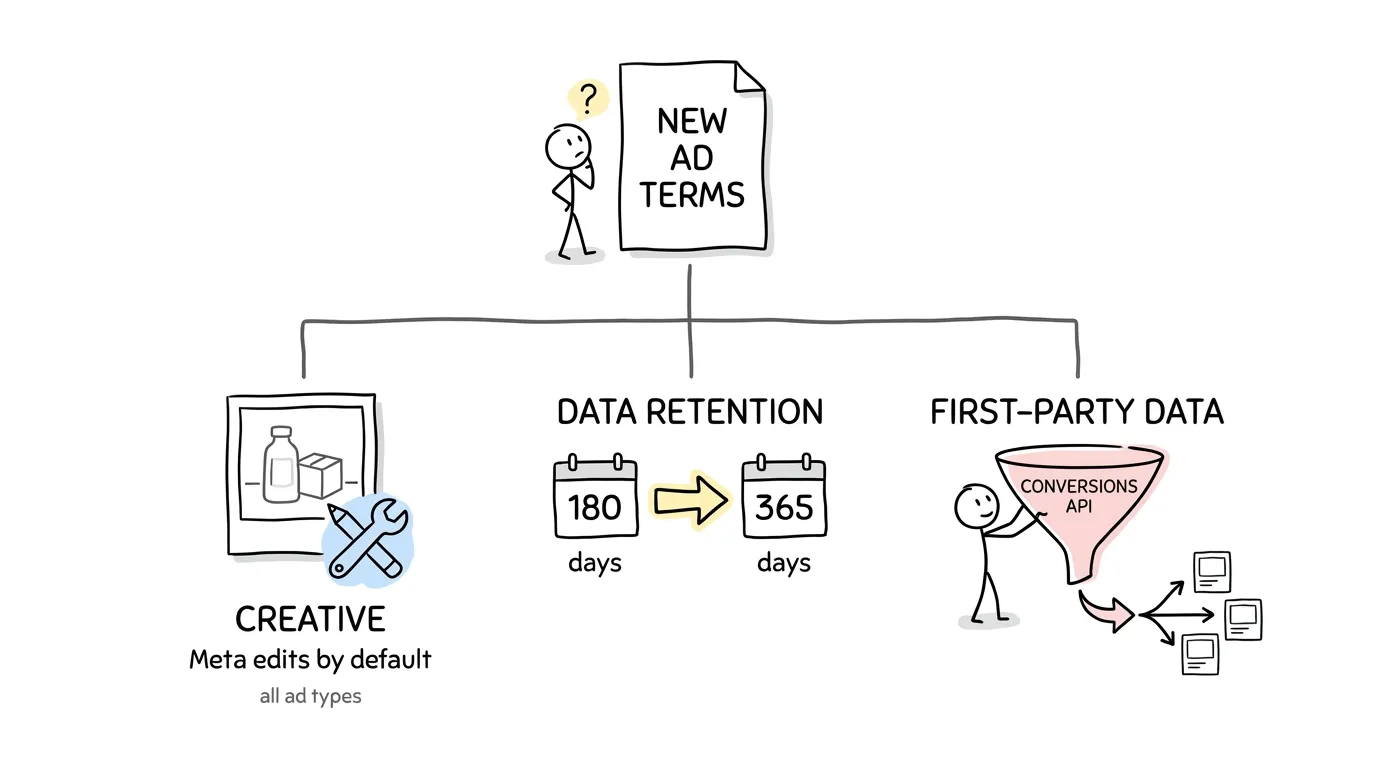
The first: who gets to handle your creative assets.
What does that mean? Meta can now automatically modify your ad creative. What gets changed? Colors, aspect ratios, background composition — it can do all of that on its own, without asking for your approval.
You might say: hasn't this always existed?
It has. But before, that permission only covered Advantage+ Creative campaigns. Now it applies to all ad types by default.
Here's an analogy. It used to be like renovating your home: before any work started, the crew would ask, "do we tear this out or not?" Now it's like the renovation crew holding the keys to your entire house, changing whatever doesn't look right to them, and only mentioning it afterward.
For e-commerce sellers, this gets very concrete. You upload product images, and Meta's system can remove backgrounds, add scene elements, and re-crop — no separate authorization required. If you run catalog ads, whether Dynamic Product Ads or Advantage+ Shopping Campaigns, you're affected most directly.
What your product images look like may no longer be entirely up to you.
If what you care about is not the ROI of a single campaign but the consistency of your brand visuals, then what changed here is not the rule — it's the default.
The second: data retention.
The retention window for conversion events used to be 180 days. Now it's 365 — doubled.
What does that mean if you run 7-day click attribution? Your pool of conversion samples now has a longer sampling window. The model sees more samples and its predictions may get sharper. But the ROAS numbers on your dashboard may shift as a result.
And note what changed: it's the input to the optimization model, not the basis of your reports. Whatever attribution window you set in Ads Manager, your reports still use exactly that. But the data feeding the model underneath now comes from a different source.
The third: third-party data.
The terms spell out — more broadly than before — how your first-party data can be used. The data you upload through Conversions API or Custom Audiences can now feed Meta's entire advertising system.
Here's the key point: not just to optimize your own ads.
That's where plenty of privacy-compliance folks frown. If you serve users in Europe or California, you're on the hook for GDPR and CCPA obligations, so go into Events Manager and check Advanced Matching and your data sharing level. Don't let the default configuration make the decision for you.
But First, Some Honesty
The latest development here is actually more interesting than the terms themselves.
These new terms were originally scheduled to take effect on November 20. But in early November — before that date — there were already reports that they had at one point been suspended. In other words, as of today, "when exactly this takes effect, and in what form" is still in flux.
So don't treat "it's in effect" as set in stone. And don't do nothing just because "it might have changed again." Confirm what needs confirming, keep an eye on what needs watching, and track the timeline yourself.
What Can You Do Right Now?
Whatever the terms ultimately look like, a few things are worth spending half an hour on today.
- Check the terms status in your Business Manager account settings. If you have multiple ad accounts, open each one to confirm — acceptance does not sync automatically across accounts.
- Go through your active ad sets and find the Creative enhancements option. Background generation, brightness and contrast adjustments, visual retouching — switch off anything you don't want Meta touching automatically.
- In Events Manager, check your pixel's Advanced Matching and sharing level. If you're not sure about the current configuration, set it to Standard first.
- In Ads Manager, verify your attribution window. Make sure it's still the basis you intended — don't let a longer data pool quietly change how your reports look.
- Give your design team a heads-up: from now on, upload assets to spec, and don't count on the platform to crop for you. Before the rules tighten, hold on to your own standards.
If you use Shopify's native integration, one extra step: make sure the Meta settings in Shopify and Meta Events Manager agree on the data sharing level. It takes ten minutes, but many people have never looked.
One Last Thing
Later, my friend read the terms, changed the settings, and got back to me: "Turns out it was never a question of whether to click. It's that after you click, there's a pile of switches to turn off."
Exactly.
Accepting the terms takes one minute. But what happens to your creative and your data by default after that minute — that's the part worth your time.
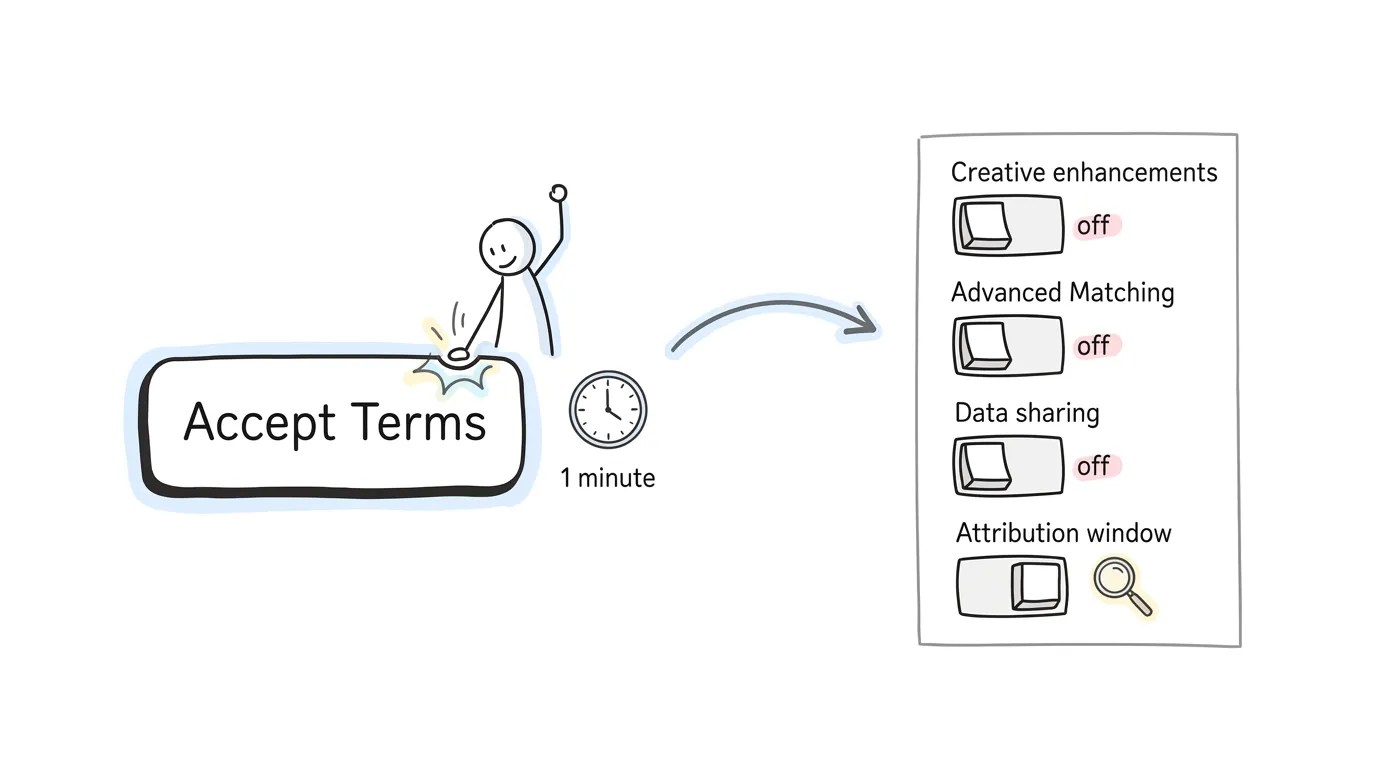
Platform rules will keep changing, and they won't always consult you about the direction. But you should at least know where the switches are.
Here's wishing that every terms update finds you turning off the switches you don't want — not being pushed along by the defaults.
Continue reading
Related articles
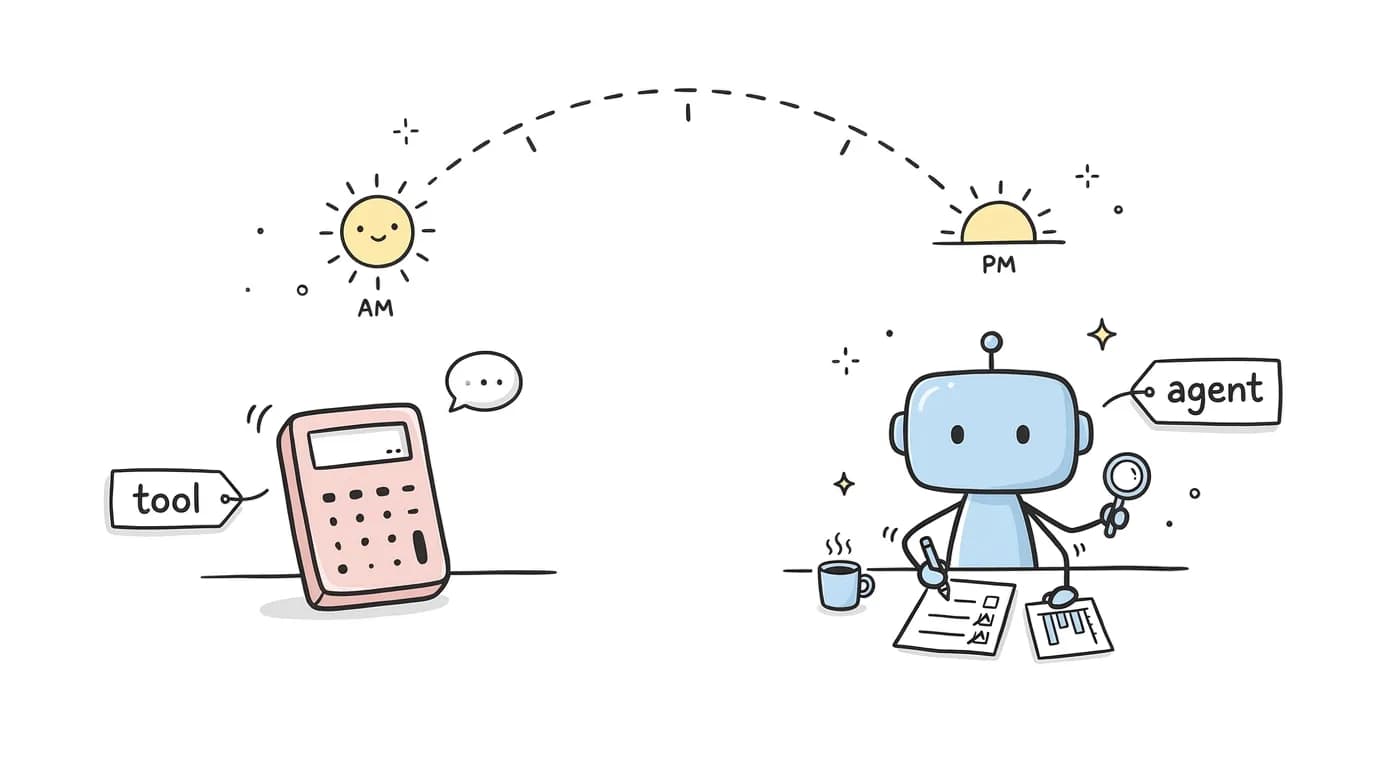
It's 2026: Stop "Buying" AI Tools for Your Marketing Team — Start "Hiring" AI Agents
This learn article explains how AI agents differ from standalone AI tools in marketing, outlines three agent categories — build-your-own platforms, CRM-native agents, and vertical tools — and covers use cases across SEO, social media, advertising, and reporting, plus criteria for choosing one.
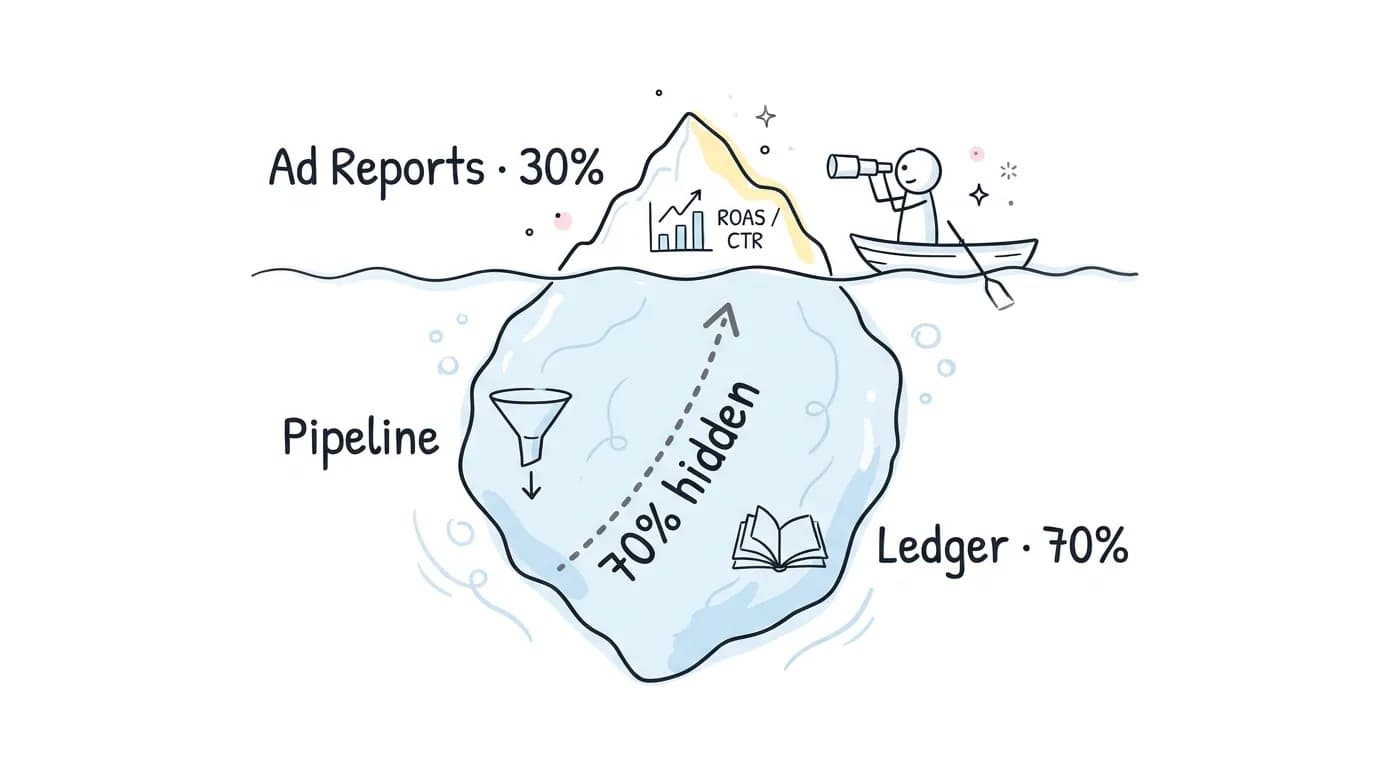
Did the Money You Spent on AI Marketing Ever Come Back?
A guide to measuring AI marketing ROI across three layers: ad reports, sales pipeline, and the financial ledger. Covers metrics such as ROAS and CPA, eight dashboard metrics, industry benchmarks, and common measurement mistakes.
How to Pick a Creative Automation Platform: First, Figure Out What These Eleven Actually Do
A learn article sorts eleven creative automation platforms — including Bannerflow, Celtra, Smartly.io, and Storyteq — into four functional groups and proposes five evaluation questions covering publishing reach, automation depth, ease of adoption, team fit, and verifiable evidence.