
I Tested 5 AI Ad Managers One by One — My Biggest Takeaway: Let AI Ride Shotgun, Never Let It Grab the Wheel
A hands-on review of five AI ad management tools for Google and Meta campaigns, covering pricing, ease of use, support, and fit for beginners versus experienced advertisers.
I work at a marketing company, running Google Ads and Meta ads accounts for several clients.
Every morning, the first thing I do at my desk is open five or six tabs: how much we spent, how many clicks came in, how many conversions landed, which ad suddenly tanked overnight. By the time I've made the rounds, half an hour is gone.
A peer couldn't stand watching this anymore and asked me: why not hand this stuff over to AI?
Fine, I'd give it a shot. Over the next few weeks, I installed every name-brand tool on the market, one by one: Blobr.io, Ryze AI, PPC.io, Optmyzr, Revealbot.
Here's my verdict up front: Not one of these five is worth handing the steering wheel to. But every one of them is worth having ride shotgun.
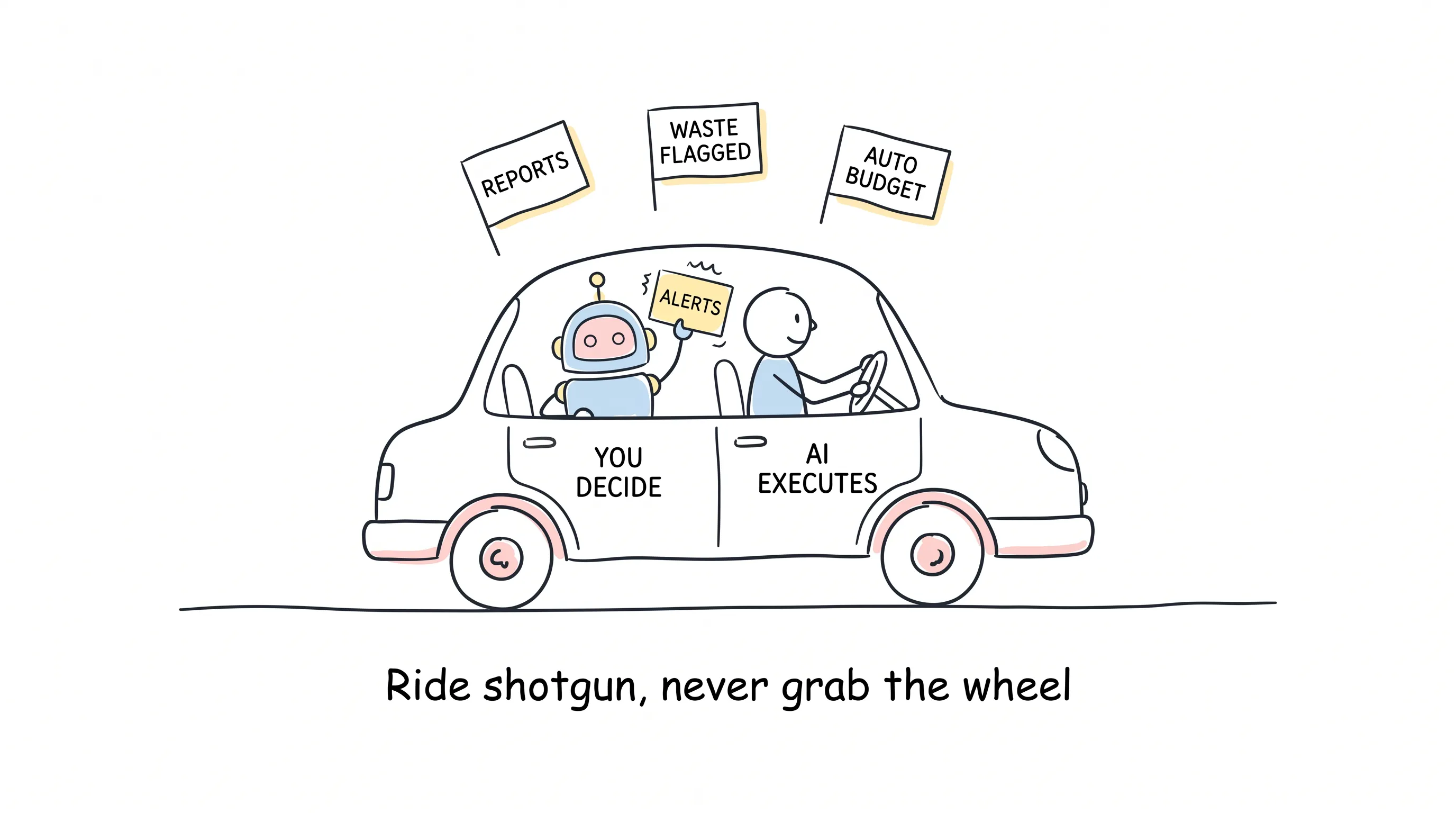
So what's an AI ad manager? Put plainly: it takes the jobs of watching campaigns, catching waste, and adjusting budgets out of your hands and puts them in the machine's. You handle the judgment; it handles the legwork.
Beautiful in theory. How much the machine can actually do for you — you only find out by trying.
I Judged Them on Four Yardsticks
How much time it saves, how much it costs, whether a beginner can use it, and whether you can actually reach a human in support when things break. Just these four. Enough.
After testing, the five tools fell naturally into three groups. Let's take them one by one.
Group One: Beginners Can Drive It Straight Off the Lot
First, Ryze AI.
Its most charming trait: you can chat with it. Point at an ugly cost curve and ask why spend spiked, and it answers in plain English — without you writing a single line of query code.
Impressive.
It can also predict how much you'll have burned by the end of the month, and proactively moves money to your best-performing platforms. Facebook Ads, Google Ads — one dashboard takes them all in. For a beginner, the experience is remarkably gentle.
But read the pricing carefully. It starts at $5 per ad, which sounds like a giveaway; unlock full automation and the advanced features, and it jumps straight to $49 a month. Small numbers, a tenfold jump. Watch your step before you buy.
Oh, and one more thing. Later I saw people complaining that this company pushes its presence in online communities a bit aggressively. Hard to verify either way; I won't pass judgment. But before you buy, I'd suggest digging through the reviews.
Next, Blobr.io.
This one is the best at catching wasted money. What's wasted money? The product has sold out, but the ads keep running; margins are at rock bottom, but budget keeps pouring in. Blobr.io picks out these campaigns and tells you straight: this money is being burned for nothing.
It also has natural-language interaction built in — no need to memorize the jargon of negative keywords and conversion-based bidding; just talk normally. Very friendly to people just entering the trade.
Two gripes. One: support — finding an actual human feels like playing hide-and-seek. Two: its reports come stamped with Powered by Blobr, and you want that watermark removed? Pay up. A business that stoops to this feels a bit small-time.
Group Two: Toys for Seasoned Drivers
PPC.io and Revealbot are what get people who've been running ads for a few years excited — but they're also the quickest to scare off beginners.
PPC.io has a feature I particularly love: you can peek at your competitors.
You can see which terms your rivals have flagged as negative keywords. What does that mean? The tuition they paid becomes your free cheat sheet. This trade is a knife fight to begin with — their losses are your ammunition.
It also ships with a stack of rapid-fire templates that can take a campaign you've already won on Google and clone the whole thing over to Bing and Facebook — victory, replicated in one click. This is my favorite feature, no contest.
But it is not at all plug-and-play. You need solid PPC fundamentals, or you won't understand its recommendations. What's worse, it feeds on conversion volume: with plenty of data, it's accurate; with a small account and thin traffic, its advice drifts, pulling one way, then the other.
That's just how AI tools are: the thicker your data, the smarter it gets; the thinner your data, the bolder it talks.
Revealbot's strength is speed. An ad just got paused, a budget just hit its cap — an alert instantly detonates in the team chat. It sounds off on the spot, no waiting for the next morning's debrief.
Its rules can be written in fine detail too: ROI above a certain number, conversion rate above a certain value, automatically bump the budget 10%. Anyone managing multiple accounts will love that kind of granularity.
But think through the billing model first. It commonly runs on a take-a-cut-of-your-spend model: the more you invest, the thicker its take. Like hiring a commissioned salesperson — you don't feel it when business is good, but the bigger the deal, the more it hurts.
Group Three: Expensive, but Expensive for a Reason
Optmyzr runs $249 a month — nearly $3,000 a year.
The first time I saw that quote, I gasped too.
But it has two features that genuinely pay back part of the ticket price.
One is reporting. Deep performance reports — hand one to a client and it looks every bit the professional shop. Anyone running an agency understands: whether a client renews depends half on results and half on whether the report looks the part.
The other is my favorite in this entire piece: when sales dip, it won't tell you "performance is fluctuating" — it tells you directly which keyword, which city dragged the orders down. Troubleshooting time goes from half a day to five minutes.
Ugly truth up front: it's built around Google Ads — most features don't work on the Meta side; if you only run ads two or three months a year, don't buy it, you won't recoup the cost; the interface is also a bit old-school, and newcomers will be lost at first.
The $249 doesn't buy a tool; it buys the confidence to face clients anytime. The catch: you have to be advertising all year round.
Later, I Told a Few Peers About All This
I'd planned to wrap up after testing, but talking it over with peers surfaced things more interesting than the tools themselves.
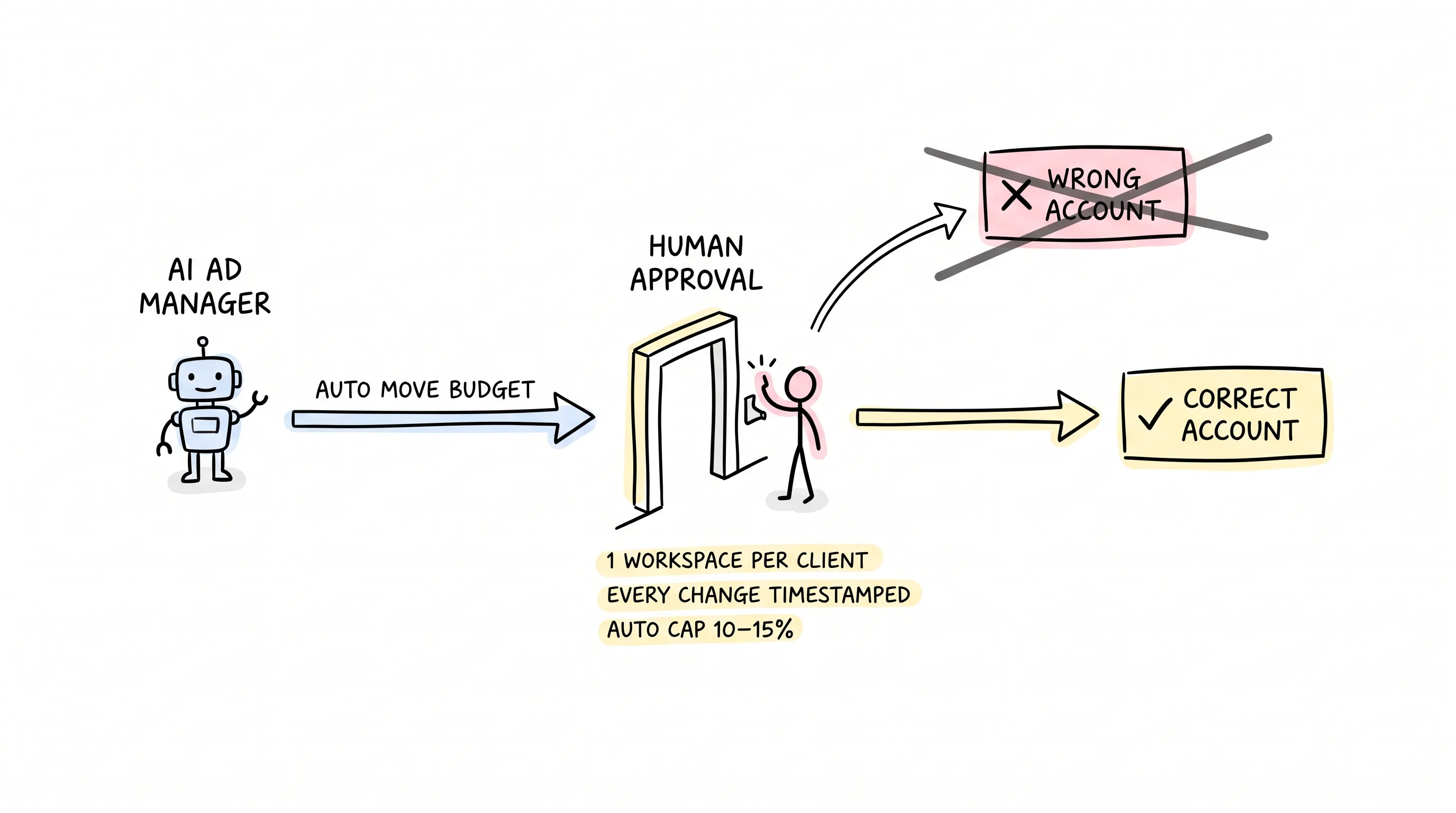
One founder who builds ad-management tools said something that sent a chill down my spine: when AI manages accounts, the biggest failure mode isn't ugly creative — it's quietly editing the wrong account.
Ugly creative, you can see. The wrong account? Client A's budget moved into Client B's account, and by the time you discover it, the money is already out the door.
So they set three rules: one isolated workspace per client, so money can't cross accounts; a timestamp on every change, so incidents can be reconciled; and any write operation requires a human to click approval once. They went ahead and built this gate right into the core design of their own product — the tool is called Synter.
I salute that. Every minute automation saves can turn into every cent automation burns — the only thing between them is one human confirmation.
Then there was a wilder one, who said none of these tools fit his workflow, so he simply wrote his own. Yes — exactly what people now call vibe coding: chatting your idea directly into code. Sounds mystical; the direction is thoroughly practical: tools are other people's, workflows are your own.
The most grounded take came from another peer. He said he doesn't chase full automation at all; he uses AI for exactly two things: watching alerts, catching waste. Auto budget adjustments are fine, but capped at 10% to 15% — beyond that, a human must make the call. One core metric per client, and every other bit of noise is muted.
He quoted a number: simple rule-based alerts alone cut waste in his clients' accounts by 10% to 12%.
No large models involved — just alerts plus rules, ten points.
See? The approach that actually works is usually the plainest one.
Back to the Verdict
AI can clean up your reports, drag waste out into the open, and turn a midnight surprise into a single message in the team chat. I've tested all of this myself. It's real.
But cleaner reports are only useful to people who already think clearly. When the alert fires — raise the budget or cut it, where to add, which keyword to cut for — those judgments AI cannot give you. It only executes your judgment.
AI supports the fundamentals. It does not replace them.
Now, my morning half hour has compressed into a few minutes. The tabs are still open — half as many; alerts lie waiting in the team chat; reports generate themselves when due. Coffee in hand, I spend the remaining time on the one thing that actually needs my decision.
And that's enough.
Better yet, a wish for you: may every dollar in your ad account be spent in plain sight.
Continue reading
Related articles

Cross-Border Business: Time to Upgrade Your AI Toolbox
A learn article explaining how AI tools help cross-border e-commerce sellers clear five hurdles: language, regulation, logistics, payments, and fraud. It outlines a five-compartment toolbox, a five-step adoption path, and metrics such as conversion rate and CLV, while cautioning against over-reliance on AI.

AI Is Taking Over the Dirty Work of Social Media Marketing, One Task at a Time
This learn article outlines four social media marketing tasks AI can handle — audience analytics, content drafting and design, ad targeting and creative testing, and spam moderation — and cautions that taste, judgment, and data security remain human responsibilities.

AI Is Already This Good — Why Is Your Social Media Marketing Still Pure Manpower?
An overview of 18 AI tools for social media marketing, organized into six categories covering audience research, content creation, scheduling, comment and DM handling, ad management, and visual production, plus notes on personalization, prediction, and emerging trends.