
I Dug Through 13 Meta Ads Automation Tools: What Decides the Purchase Isn't Intelligence — It's Control
A walkthrough of 13 Meta ads automation tools, grouped into rule engines, AI media buyers, bulk launchers, and assistant connectors, examining each through three questions: whether it asks before acting, whether changes can be audited, and who holds spending control.
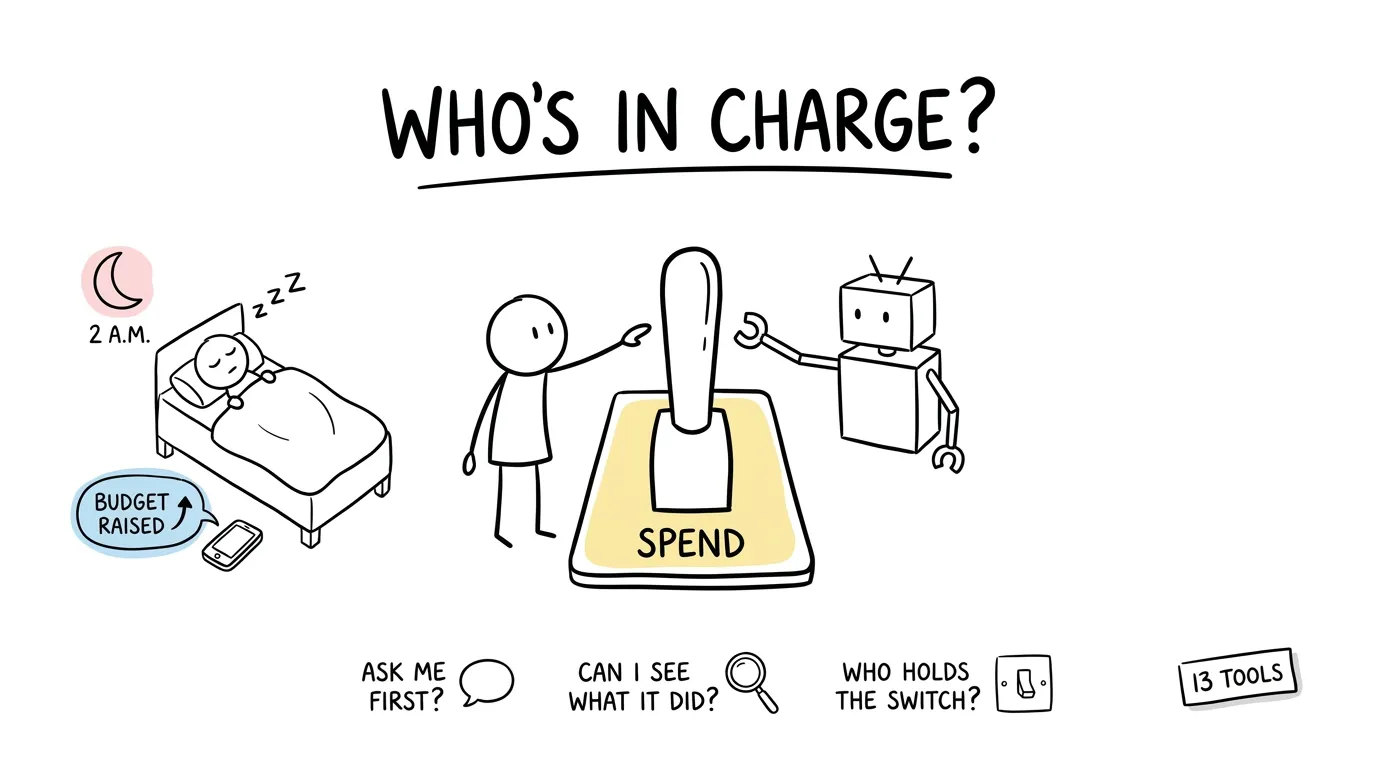
It's 2 a.m. Your phone buzzes with a push notification: the budget on one of your ad sets just got raised. Automatically.
You're still in bed.
Who changed it? A rule? An AI? Some toggle you switched on last week and never thought about again? You drag yourself out of bed and dig through the dashboard, and after all that digging, all you find is one cold line in an activity log.
Don't laugh — this is daily life for a lot of media buying teams right now.
A while back, I went through the websites, pricing pages, and help docs of 13 Meta ads automation tools, one by one. Rule engines. AI media buyers. Bulk launchers. And connectors that live right inside Claude and ChatGPT.
When I was done, I realized: the question everyone argues about — "which one is smarter?" — is the wrong question.
What actually decides whether you dare buy a tool — and whether it blows something up at 2 a.m. after you do — is three plain questions.
1. Thirteen Tools, Four Jobs
What is "ads automation," anyway? Most people assume it's one thing.
It isn't. It's four entirely different jobs, and most tools only do one or two of them.
First: rule engines. You set the conditions; it executes. Cost per result crosses a threshold, for example, and the ad pauses automatically. It's like a tireless operator on shift — watching the metrics, triggering on your conditions, stepping in right on schedule. Meta's built-in Automated Rules, Birch, and AdEspresso all belong in this bucket.
Second: AI media buyers. They don't just execute the rules you set — they decide themselves what to change. Madgicx, AdAmigo.ai, Ryze AI, and Adstellar all play in this lane.
Third: bulk launchers. Built for the pain of repeated clicking. A few hundred ads at once — grouping, naming, UTM (Urchin Tracking Module) tags — done in one go. Once they're live, how they run is still your call. Rapid Ads, AdManage.ai, and Adsap lead here.
Fourth: assistant connectors. They let AI assistants like Claude and ChatGPT reach directly into your ad account and act. Adspirer does this — and so does Meta's own Ads MCP.
Then there's a special case: Make. It's not an ads tool — it's a general-purpose automation platform, and you assemble the parts yourself, wiring Meta budget changes into other systems. The free tier gives you 1,000 credits a month; paid plans run $9 to $29 a month. Powerful if you know what you're doing. Exhausting if you don't.
2. Three Questions That Matter More Than "Smart"
Why do I say that?
Because no matter which job a tool does, once real money is on the line, the feature list is secondary. Three things are what can actually hurt.
First, does it ask you before it acts? With an approval step, it's an advisor. Without one, it's the decision-maker. The risk gap between those two roles is an order of magnitude.
Second, after it acts, can you find out? Can you see who changed what, and when?
Third, does it hold the power to flip the spending switch on? Tools that can only save you money (pausing, lowering bids) and tools that can spend for you (raising budgets, switching ads on) are two different species.
I counted that third answer on purpose: of the 13, only four can raise budgets or switch ads on without your hand on the switch. Meta's built-in rules, Birch, Madgicx, and Adstellar.
And Adsap's rules? They can only hit the brakes, or give you a shout. They never light the fuse.
Remember that dividing line. For every tool below, I'll run it through those three questions.
3. Start With the Free Stuff
Where do you start? With the stuff Meta gives away.
Automated Rules built into Ads Manager: free. On a schedule, they check your campaigns, ad sets, and ads — switching things on and off, adjusting budgets, adjusting bids, or just sending a notification. One account can carry 250 rules. Advantage+ is free too: it makes the calls on audiences, placements, how budgets split, and which creatives to swap — and it can set floors and ceilings on each ad set's budget.
But the free lunch comes with the attitude free lunch always has.
Built-in rules have no approval step. A rule either acts or notifies you — there's no "show me before you execute." Its activity log is itemized by rule, and anything you changed manually never shows up.
And there are five situations it clearly can't reach. Two conditions of the same type in one rule? No. Logic across accounts? No. A Slack hookup? No. An approval gate? No. Ads touching social issues, elections, or politics? You can't even attach a rule to them.
My advice is concrete: build one stop-loss rule first — pause when cost per result crosses a number — then add one frequency alert. Use exactly that, for one month.
The trial-and-error money it saves in that month will probably exceed any paid tool's monthly fee.
After a month, then pay. It won't be too late.
4. For Rule Power Users: Birch and AdEspresso
If the rule-engine path is the one you love — deep rules, running often — look at Birch.
Birch, formerly Revealbot. Rules run as often as every 15 minutes; it supports nested conditions, metric-versus-metric comparisons, and custom metrics, plus a Launcher that builds a batch of ad sets in one shot. Essential is $49 a month — but rules, the Launcher, and custom metrics only come with the $99 Pro tier, and the price climbs with your ad spend.
Its problems are just as blunt. Rule logs can't be exported. Rules drafted by its AI assistant still need you to publish. The MCP (Model Context Protocol) connector is read-only — it can't create rules or touch budgets. And approval exists only at creation: once a rule is running, it acts as fast as every 15 minutes, and won't ask you once in between.
AdEspresso takes a different road: split testing. You feed it creative elements; it lays every combination out on a grid and lets the data talk. There's also a thoughtful touch: before an ad goes live, you can send an approval link to your client — mandatory on the Enterprise tier. A good fit for small advertisers and small agencies.
Watch one number: on the $49 entry tier, you hit a ceiling once your monthly spend passes $1,000.
5. For Those Who Want AI as the Media Buyer
This is the noisiest category. Four players, really two temperaments.
Madgicx, autopilot type. It ships with a set of pre-built tactics: Stop Loss (cut losses), Surf (ride the winners), Sunsetting (retire aging ads), and Revive (resurrect ads that bounce back). Once a tactic is switched on, it runs itself. An AI Marketer sweeps the account daily, lays out suggestions, and you apply them with one click. Recommendations and bid suggestions can be reviewed before acting — but tactics that are already running don't look back.
The pricing is a bit tangled: the pricing page says starting at $45 a month; another page says from $99. The two don't match. The real price lives in the app, and once you spend enough it auto-upgrades your tier — $9 per additional account. The saving grace: the "Recent Activity" column is thorough. Who changed what — including what it changed itself — is all there. Fits e-commerce stores spending a few thousand dollars a month that want to let go but keep a paper trail. Weak spot: Meta only. Google and TikTok are reporting views; you can't even create an ad set there.
AdAmigo.ai, review-first type — and it hands you the switch. By default, every morning it puts optimization suggestions in front of you and acts only when you nod; flip to auto-apply and it works overnight, then shows you the results the next day. Anomaly detection is on duty 24 hours. Priced per account: $99 a month for accounts spending under $2,000 a month, with 2 suggestions and 15 conversations a day; full-featured is $349. Fits brands running just one or two accounts. Its activity trail is only half an answer: the page says it exists, but you won't find an audit screen you can actually browse.
Ryze AI, also proposal-based. Each proposal is a card: what to change, from what to what, spelled out. You approve, approve with a note, or reject — you set the strictness. It also drops its agent straight into Claude and ChatGPT, with Slack and email notifications on top. From $89 a month; the Agency tier is $279 — mind that credits are billed separately. Fits teams fighting on multiple platforms. Drawbacks: no bulk launching; and the website says autopilot in one place and per-proposal approval in another, so you'll have to ask them directly.
Adstellar, the most aggressive of the lot. It even generates the creative: images, videos, AI avatars, UGC. Seven agents build the ads, then autopilot takes over: pausing waste, doubling down on winners, adjusting budgets inside the guardrails you draw. $100 a month buys 50,000 credits; an image costs 100 credits, one AI-built launch 100 credits, a 30-second video 8,400 credits — and credits expire after 60 days. There's a draft mode before launch, but optimization actions have no per-action approval, and the budget moves are its own.
And by the way: on the question of whether it offers annual billing, its own website gives two different answers. Before you commit, ask them straight out.
6. For Those Whose Pain Point Is Launch Speed
Dozens to hundreds of creatives going live every week and you can't keep up? That's the bulk launchers' battlefield.
Rapid Ads is the most no-frills of the bunch. Drag your creative folders in — or import from Dropbox — and it groups automatically, applies naming and UTM rules, switches off Advantage+ enhancements, then launches. First 10 launches free; $39 a month for unlimited launches. The boundary is right there too: it handles the launch, and nothing after it.
Adsap takes the "every write passes your eyes" route. Full disclosure, right up front: this is our own product. What follows is written honestly — the judgment is yours.
Its Ad Sheet is a spreadsheet-style editor: like filling in Excel, you lay out campaigns, ad sets, and a few hundred ads in one pass. The same toolkit — roughly 100 tools — also runs directly inside Claude, ChatGPT, and Perplexity as a copilot.
The house rules are strict: every write shows you a preview first; every ad goes out paused, and you switch it on by hand; every action lands in the audit log — even on the free tier. Free is $0, no card required, 10 tasks and 46 tools; $29 a month unlocks everything. Its rules also carry minimum-spend conditions, and they can only pause or alert you — never light the fuse. If you're shopping for "automatically raise my budget," this isn't it.
AdManage.ai is the multi-channel player. Meta, TikTok, Google, Snapchat, Pinterest, Reddit, X, LinkedIn — down to Taboola and Mintegral: twelve channels. Its own pages say 9+, 10, 12, and 14 in different places; the site can't keep its own story straight. The MCP exposes 143 tools, and connections are read-only by default — nothing moves until you switch on write access. Not cheap: £199.99 a month buys exactly one account on one platform; an additional account is £99.99. Audit log? That's an Enterprise-tier thing. Fits agencies starting from six or seven channels.
7. Running Ads From the Chat Box
This is the most interesting category right now. You stop opening Ads Manager. In Claude, you say "pause the three worst-performing ad sets" — and it goes and does it.
Meta's official Ads MCP opened in public beta on April 29, 2026. Natural-language reporting, creating campaigns, editing ads, managing product catalogs. Since July 16, portfolio admins can set rules that fence in what an AI agent may do inside the account. No published pricing. But note: what it gives you is portfolio-level permission rules — not a preview of each individual action.
Adspirer is more like a full-time worker living in the chat box: it plugs into ChatGPT, Claude, Slack, and email, works across six ad platforms, and claims 400+ tools — the API documentation's number is smaller. New ads always launch paused, and high-impact changes wait for your approval. 15 free tasks, then tiers at $49, $99, and $199. Fits teams juggling Amazon, LinkedIn, and TikTok who already live in the chat box.
8. Find Your Seat
Finally, a few prescriptions.
Never used automation rules? Use Meta's built-in ones — a stop-loss rule plus a frequency alert — for one month before you spend a cent.
Want rules at 15-minute granularity, with real logic? Birch Pro.
Want the AI to decide while you hold the pen? AdAmigo.ai's review-first mode, or Ryze AI with approval on everything. Want to let go completely? Madgicx and Adstellar.
Launching dozens of ads every week? Rapid Ads for speed, Adsap for a preview on every write, AdManage.ai for channel count.
Working inside Claude or ChatGPT? Meta's official connector covers reading and small edits; for "writing with approval," look at Adsap or Adspirer.
Need a client sign-off before anything goes live? AdEspresso's approval links, or Adsap's preview-plus-pause. In this whole list, those are the only two with a client-side gate.
Finally, where this list came from: 13 tools, each checked only against its own official site, pricing page, and help docs, verified as of October 14, 2026. Prices are copied exactly as printed — currencies untouched. Where a product's own pages contradict each other, I wrote it as I found it. I didn't test anything on real accounts, and I didn't consult other reviews. What a page doesn't say, I marked "not found" — which is not the same as "doesn't exist."
Last Word
Back to that 2 a.m. push notification from the start.
Automation tools aren't going away — they'll only get more proactive. That isn't necessarily bad. People have to sleep.
But remember one thing:
The more automated the tool, the more valuable "who's in charge" becomes. Before you pay, get clear answers to those three questions: Does it ask me before it acts? After it acts, can I find out what it did? And who holds the switch that spends the money?
Once all three have answers you can live with, buying won't be too late.
And here's a better wish for you: may you never have to climb out of bed at 2 a.m., dig through a dashboard, and guess who moved your budget.
Continue reading
Related articles
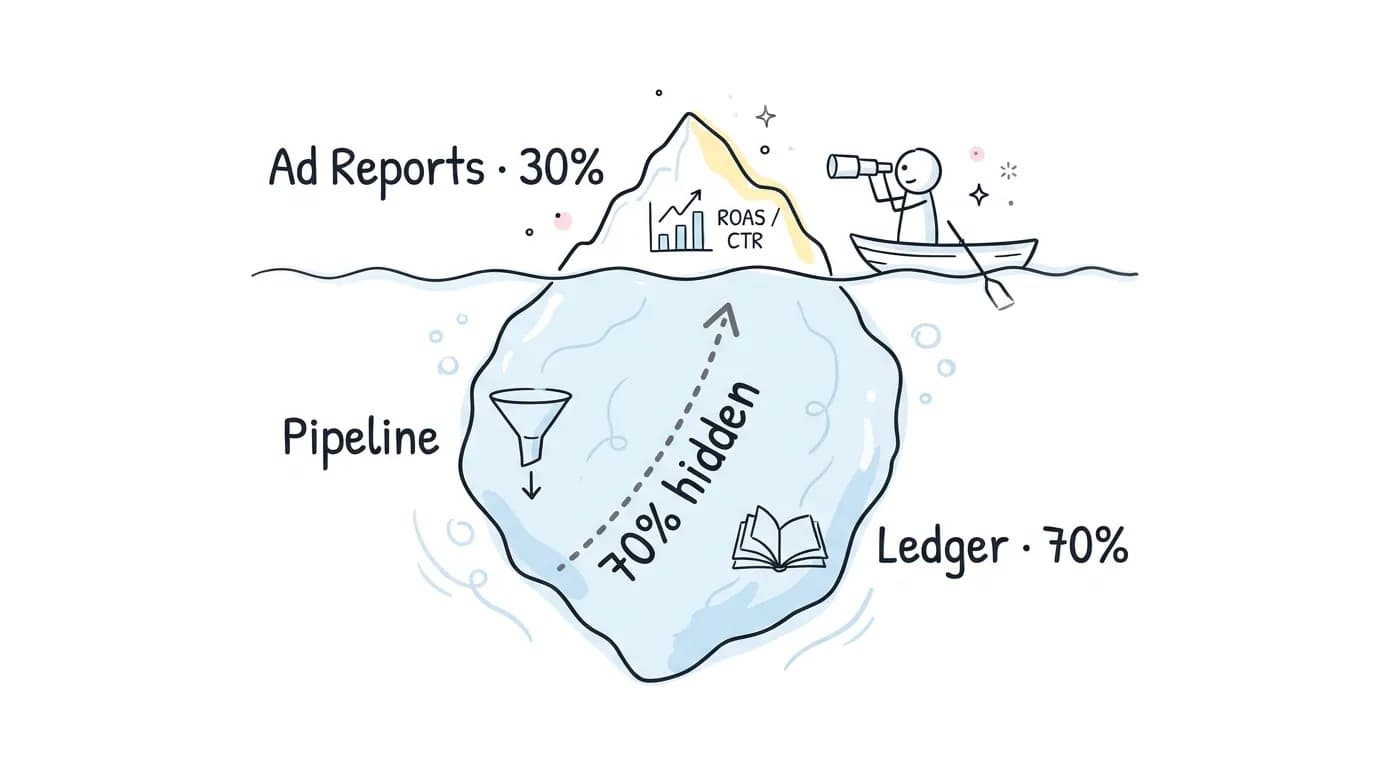
Did the Money You Spent on AI Marketing Ever Come Back?
A guide to measuring AI marketing ROI across three layers: ad reports, sales pipeline, and the financial ledger. Covers metrics such as ROAS and CPA, eight dashboard metrics, industry benchmarks, and common measurement mistakes.
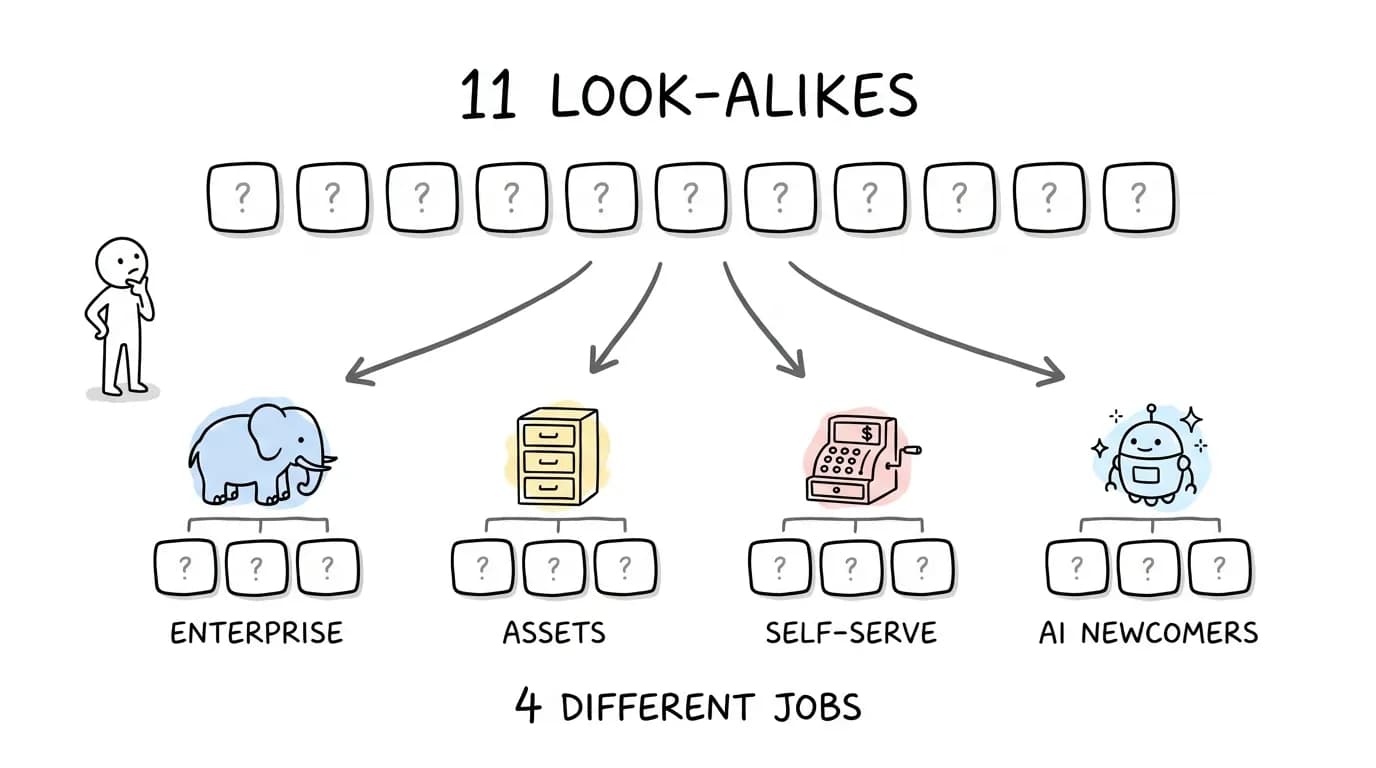
How to Pick a Creative Automation Platform: First, Figure Out What These Eleven Actually Do
A learn article sorts eleven creative automation platforms — including Bannerflow, Celtra, Smartly.io, and Storyteq — into four functional groups and proposes five evaluation questions covering publishing reach, automation depth, ease of adoption, team fit, and verifiable evidence.
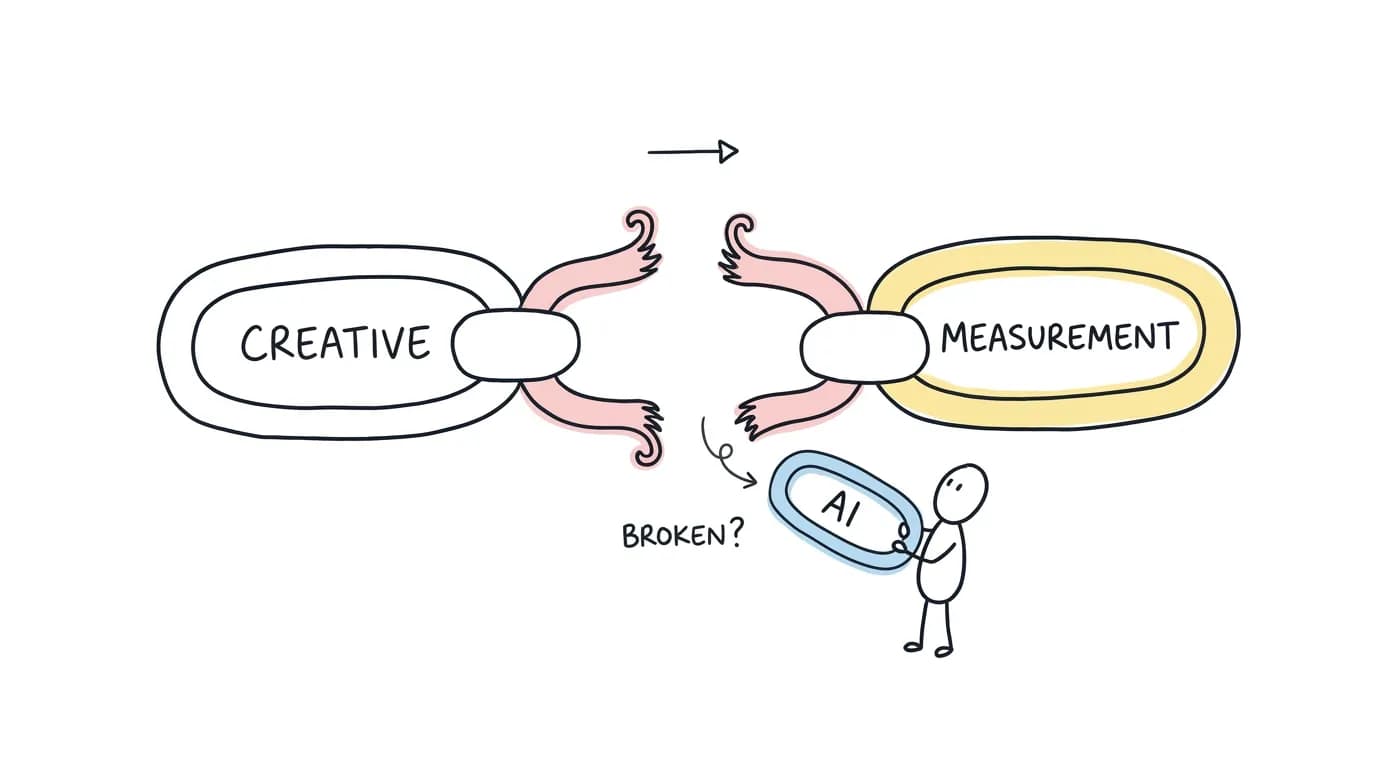
How to Choose a Creative Ad Tech Platform: Put 8 Side by Side, and the Gap Isn't Features — It's How Far the AI Actually Goes
This article compares eight creative ad tech platforms—Innovid, Smartly, Clinch, Jivox, Celtra, Bannerflow, Google CM360, and VidMob—on channel coverage, creative production, ad serving, measurement, and AI agent capabilities. It suggests matching the platform to the broken link in the creative-to-media chain.