
Google Ads Quietly Upgrades Campaigns to AI Max: Your Reports Throw No Errors, but the Pipeline May Already Be Cracked
A learn article explaining Google Ads' automatic September upgrade of eligible search campaigns to AI Max, the new reporting fields it introduces, and how data pipelines may silently break when ad URLs no longer match delivered landing pages.
Picture this.
Some morning in September, you open the reporting setup you spent the better part of half a year building: campaign IDs unchanged, names unchanged, structure unchanged, data flowing into the warehouse as usual.
Everything looks fine.
But the foundation underneath has been swapped out.
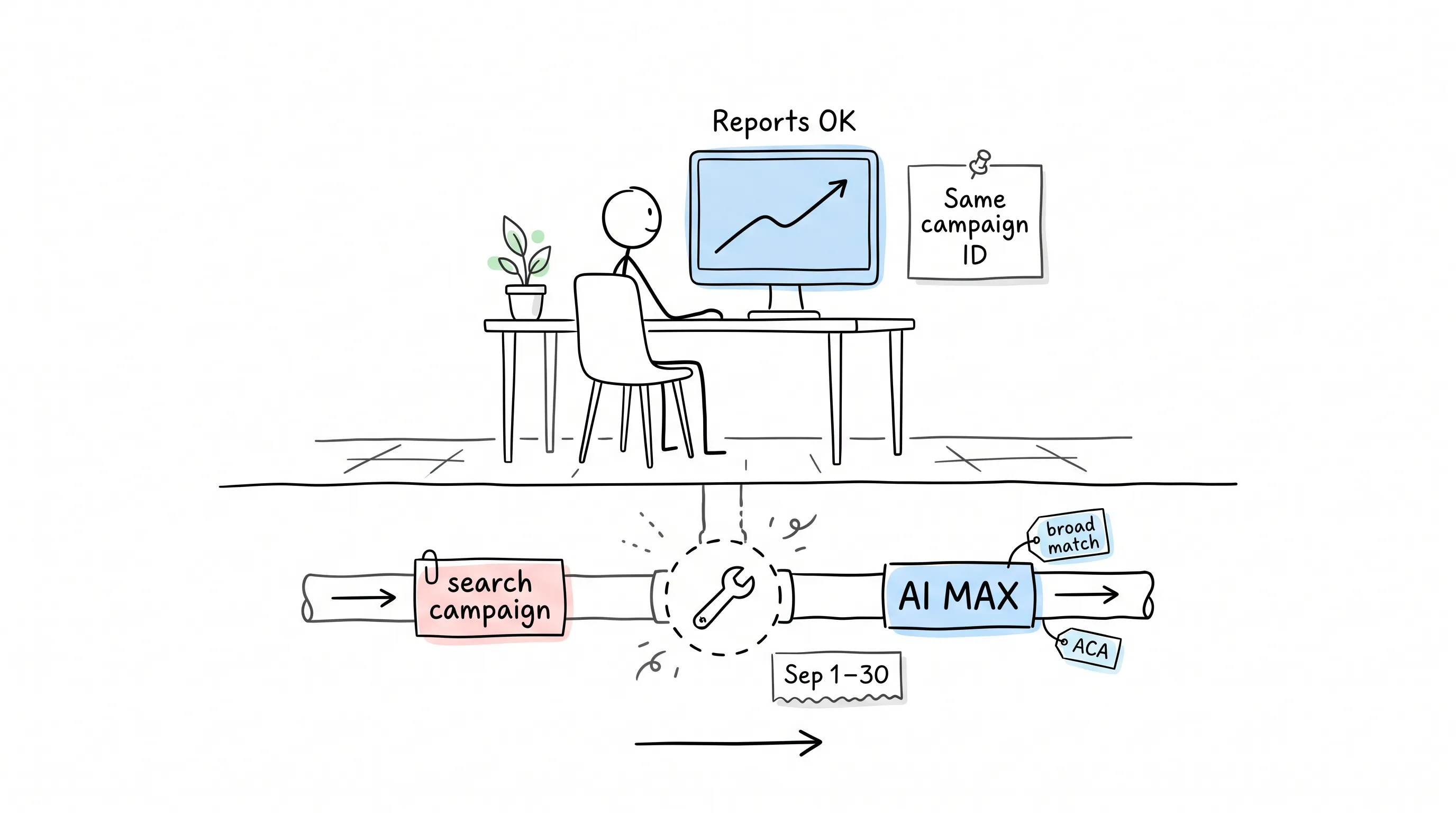
This September, Google is doing one thing: from September 1 to 30, it is automatically upgrading two kinds of search campaigns to AI Max. Which two? The ones with campaign-level broad match turned on, and the ones using Automatically Created Assets (ACA).
On the ads side, not a ripple.
If you're the one running the reports and you didn't know in advance, chances are you'll walk straight into a pile of numbers that won't line up when you run your October reconciliation.
So let's put the single most important sentence up front:
AI Max is not a new type of ad.
Google's official documentation says it plainly: it is an optimization switch bolted onto your existing search campaigns.
What does that sentence mean?
It means you most likely won't have to tear your data model down and start over.
Why This Is Hugely Good News
Think about it: what would happen if AI Max were a new campaign type?
Your warehouse would gain a whole new class of objects out of thin air; your old reports would need a second union against it; on September 1, every campaign's time series would snap in two; and you'd have to write scripts just to stitch them back together.
And now?
Same campaign ID, same name, time series unbroken.
Google wrote "preserve the search campaign structure you already know" into AI Max's design goals.
But there's one place where I owe you the truth: what the documentation promises is structural continuity, and about what happens to your historical data rows it doesn't say a single word. Structural continuity is there in black and white; historical continuity comes with no guarantee.
So in the first week of October, reconcile against your own historical exports. Don't take anyone's word for it — including mine.
How to Do This Month's Time Math
The upgrade doesn't happen in a single day. Let me walk you through the dates.
August 3: the door has already closed. From that day on, creating new campaign-level broad match or new legacy ACA campaigns became impossible through any of the three routes: the console, the Editor, and the API.
What does that mean?
It means the list of affected campaigns is already frozen. No guessing required — it's a table you can count in full today.
This September: it's the existing campaigns' turn. The two categories above get auto-upgraded within 30 days, and no confirmation click is needed from you.
Only in February next year does DSA get its turn. The automatic upgrade of Dynamic Search Ads (DSA) is set for February 1–28, 2027; starting this month, accounts will receive voluntary upgrade prompts one after another, a second nudge on January 15 next year, and the automatic migration comes in February.
The DSA date is worth dwelling on for a moment: it has been pushed back before. In June this year, Google itself moved the date, and the official announcement spelled it out clearly.
If you built this year's Q4 plan around that earlier date — congratulations: your plan failed on the "too safe" side. You don't need to lose sleep over DSA this month.
Three New Things Growing Out of the Reporting Layer
That's the background. What will actually land on your desk is what changed at the reporting layer.
Google's API documentation names them outright.
First, an "origin label" for search terms.
The API gained a new segment: segments.search_term_match_source. It attaches to the search term view and takes three values.
ADVERTISER_PROVIDED_KEYWORD — traffic your own keywords earned.
AI_MAX_BROAD_MATCH — traffic AI Max expanded out from your existing keywords.
AI_MAX_KEYWORDLESS — traffic matched with no keywords involved at all, driven by page and asset content.
That third value is the one truly worth wide eyes in this upgrade.
For the first time, the mainstream search reports spell it out in broad daylight: this batch of traffic comes from no keyword whatsoever.
If your model rolls up spend by keyword, this bucket is about to start filling up with null.
Second, the new view at the finest granularity.
ai_max_search_term_ad_combination_view breaks out search terms, landing pages, and headlines by combination. AI Max actually makes its decisions at exactly this granularity.
But more important than the view are the two warnings Google posted right next to it.
The first: it is not mutually exclusive with the classic search terms report. Many AI-generated search terms get recorded once in each of the two tables. Google's own wording is blunt — do not add the metrics of the two views together.
Any model that dutifully unions the two tables will see total clicks inflate out of thin air. The day that total climbs past the campaign's actual click count is the day it gives itself away.
The second warning cuts the other way: because of data privacy standards, some search terms with query volume too low never make it into the search terms report at all. When word-level totals come in below the campaign total, that's normal — the data isn't lost.
Burn one rule into memory: reconcile, always at the campaign level. Never reconcile against the sum of the two word-level reports.
Third, the landing page view.
expanded_landing_page_view comes with an expanded_final_url field inside it.
I'll park that field for now and come back to it on its own. It may be the single most valuable field name in this entire article.
Oh, and one more unassuming little field: campaign.ai_max_setting.enable_ai_max. It tells you whether AI Max is actually switched on for each campaign.
Pull it first. The question that has been giving you a headache — "which campaigns got upgraded?" — turns from a manual audit into a single query.
One more thing while we're here: the documentation doesn't say which API version ships these fields first. Don't guess version numbers — go check the release notes of the version your client library is pinned to, before you promise anyone any dates.
The console UI follows the same logic: the search terms report gains AI Max filter values and a match-source column, the keywords report gains two rows of AI Max totals at the bottom, and the landing pages report gains a "who chose it" column.
One UI trap worth flagging: take the numbers you filtered by match type "AI Max" in the interface and compare them against the API's numbers segmented by match_source, and they won't line up. It's the interface that under-reports — that filter leaves "other search terms" out entirely.
The Most Dangerous Join Is the One That Never Errors
Now, expanded_final_url.
AI Max ships with a feature called final URL expansion. What is final URL expansion?
Plainly put: Google decides that another page on your site would perform better, so it sends the traffic to that page instead.
On the media-buying side, that's a performance gain.
And on the data side?
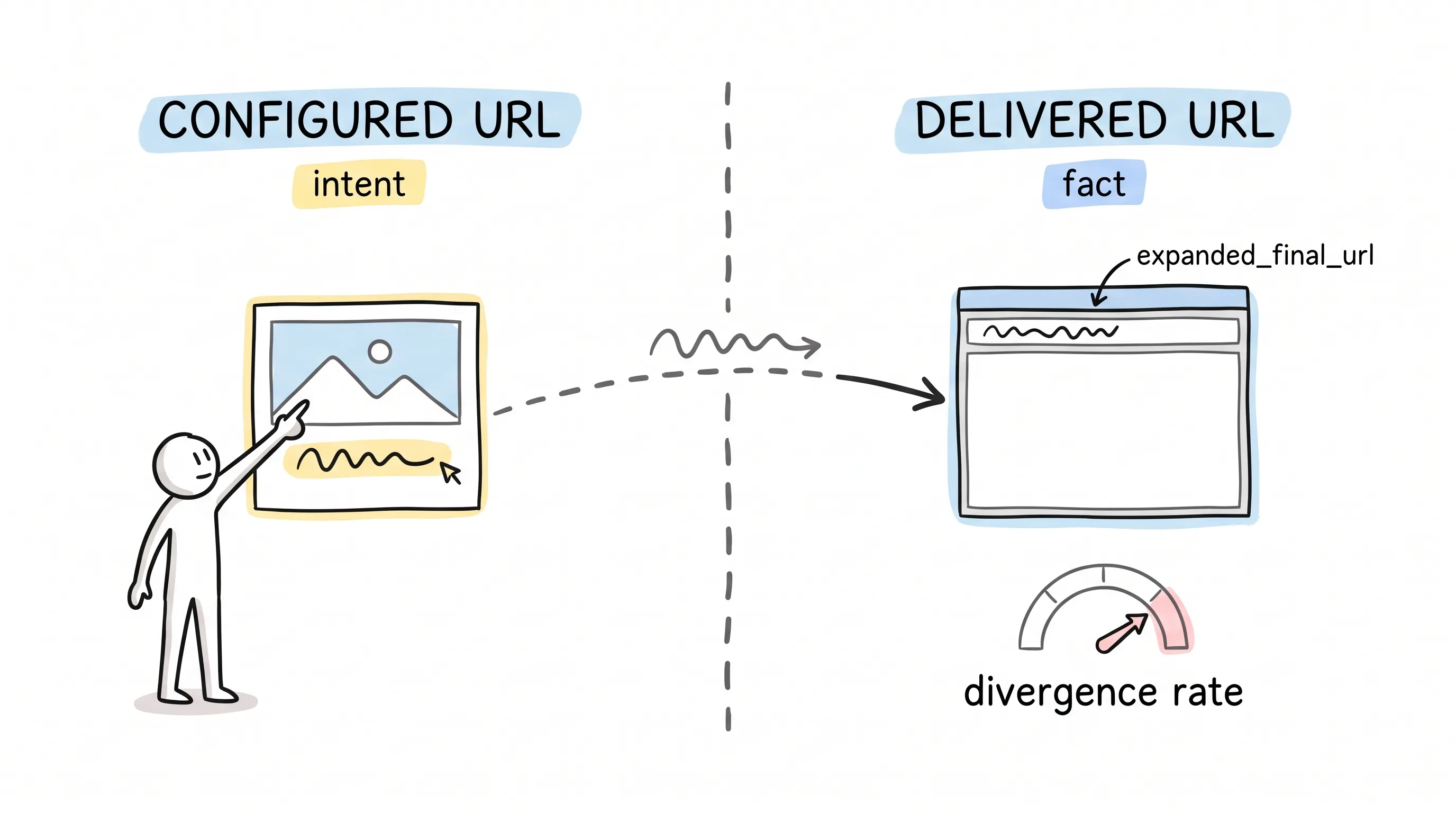
The URL configured in the ad is no longer, from this point on, the URL the user actually lands on.
Your model uses these two URLs everywhere.
Parsing UTM parameters relies on them; sorting pages into content categories by path relies on them; joining against your CMS export for page metadata relies on them; stitching in-site analytics sessions back to clicks relies on them too.
Behind all these joins sits one shared assumption: the ad's final URL is the page that gets delivered.
Now the assumption is coming loose.
What makes it so scary?
It doesn't error out. Rows don't vanish, data doesn't stop flowing. The rows just slip into the "other" bucket, or get mismatched into a neighboring page group, or fail to join outright, quietly dragging down the "performance" of one of your content categories.
A failure that throws no errors is the hardest failure to debug.
The fix isn't fancy — just one move: pull expanded_final_url in, and from now on treat the URL configured in the ad as "intent" only, never as "fact."
If you maintain your own page-grouping logic, switch the primary key to the actually delivered URL and keep the configured URL in a column alongside. Compare the two columns, and the divergence rate falls right out.
That divergence rate deserves to be on the table before October. All by itself, it's a very persuasive number.
Want to Opt Out? Is There Still Time?
There's still time — but there's a knack to it.
Opting out works per feature, not all-or-nothing. In campaign settings there's an AI Max section: switch the whole thing off in one move, or turn the pieces off one by one — your call.
Text customization and final URL expansion are both campaign-level switches; turning off just one of them is fine.
The one to watch out for is search term matching, which is a two-layer switch: ad group-level use is only possible while the campaign-level master switch is on, and at the ad group level the only direction left is off.
What does that mean?
If you've switched it off only at the ad group level while the master switch stays on, it's as good as not switched off at all.
As for deadlines: the official help pages contain no separately published opt-out cutoff date. What's there in black and white is the August 3 freeze and the September 1–30 window. So the practical cutoff is the few days right when the window opens.
If you later see someone citing a specific "official cutoff date," don't panic — check first: did that date come from Google's original page, or from someone's paraphrase?
The Next 30 Days of Work, Laid Out as 5 Tasks
-
Snapshot enable_ai_max today — every account, every campaign, pulled in one pass. Without a pre-migration snapshot, you'll never be able to say later which campaigns Google changed and which a human changed.
-
Through all of September, re-pull that same field every week. The diff between two snapshots is your migration log. No other version of this log exists — if you don't record it, it's gone.
-
From day one, segment the search terms report by match_source. The moment keywordless traffic pokes its head out, measure how big it is on the spot — instead of discovering it three months later in a retrospective.
-
Record expanded_final_url side by side with your original landing page field, and keep an eye on the divergence rate between the two columns.
-
Before the end of September, decide for every campaign whether to opt out — think it through, settle it, and write it down somewhere built to last three years. Because three months from now, someone will ask: was this our own choice, or did it just happen to us?
Finally
Back to that opening scene.
A September morning: reports loading into the warehouse as usual, IDs unchanged, numbers moving, everything looking just like last month.
The only difference is that now you know what got swapped underneath, you know which fields to watch, and you know where to look first when the October numbers won't reconcile.
The ads upgrade, Google makes for you; the reporting debt, only you can pay down.
May every number you report this month reconcile.
Continue reading
Related articles

Cross-Border Business: Time to Upgrade Your AI Toolbox
A learn article explaining how AI tools help cross-border e-commerce sellers clear five hurdles: language, regulation, logistics, payments, and fraud. It outlines a five-compartment toolbox, a five-step adoption path, and metrics such as conversion rate and CLV, while cautioning against over-reliance on AI.

AI Is Taking Over the Dirty Work of Social Media Marketing, One Task at a Time
This learn article outlines four social media marketing tasks AI can handle — audience analytics, content drafting and design, ad targeting and creative testing, and spam moderation — and cautions that taste, judgment, and data security remain human responsibilities.

AI Is Already This Good — Why Is Your Social Media Marketing Still Pure Manpower?
An overview of 18 AI tools for social media marketing, organized into six categories covering audience research, content creation, scheduling, comment and DM handling, ad management, and visual production, plus notes on personalization, prediction, and emerging trends.