
B2B Marketing Automation: Two Dirty Jobs Before You Buy Any Tools
A practical guide to B2B marketing automation: clean and unify your data, map the customer journey, then compare HubSpot, GetResponse, Customer.io, ActiveCampaign, and Zoho to pick the right tool for your budget and stack.
A few days ago, a friend of mine who runs a SaaS company invited me out for tea. As the chat went on, the sighing started.
His company had bought a marketing automation suite last year, and they hadn't gone cheap. He'd assumed that from then on, leads would flow like tap water — turn the handle and there they'd be.
What actually happened? The system stuffed the same customer into the same campaign three separate times. They got three identical emails, lost their temper, and blocked the company on the spot.
He asked me whether he'd bought the wrong tool.
I told him the tool wasn't the problem. The problem was treating automation as a repair kit.
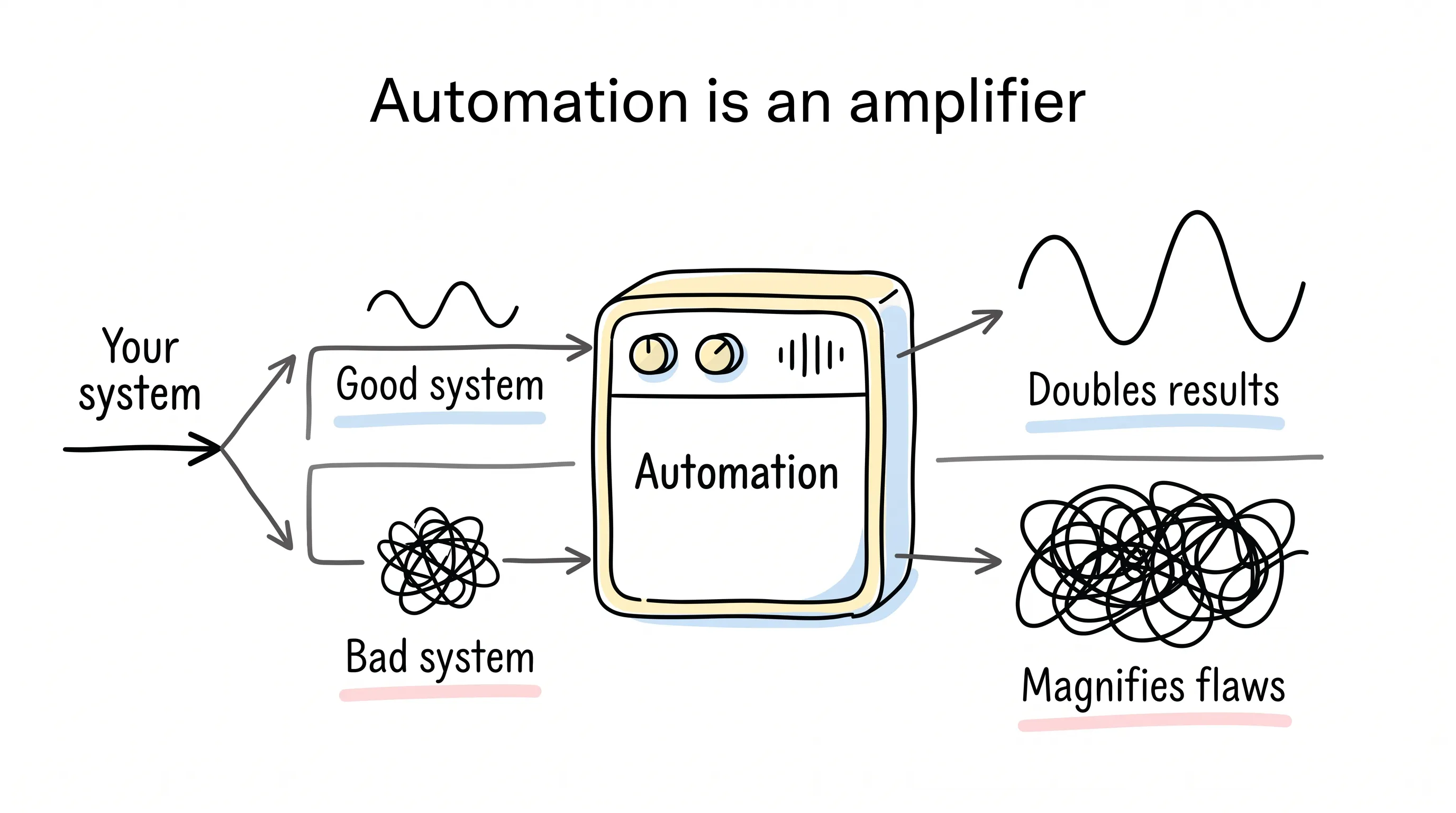
Automation was never a repair kit. It's an amplifier. Get the fundamentals right and it doubles your results; get them wrong and it magnifies every flaw for everyone to see.
What do I mean by that? Let's start from the beginning.
What Is Marketing Automation? Stripped Down, It's Three Things
First, scoring. A prospect who has studied your pricing page and one who merely skimmed a blog post are very different distances from pulling out their wallet. Your system needs to tell them apart.
Second, triggering. The moment a prospect makes a move — downloads a white paper, books a demo — the system automatically picks up the next step.
Third, routing. Once a lead is nurtured and ready, the system hands them straight to the right salesperson.
And yes — all three of them feed on data.
Scoring demands visibility into every move a customer makes. Triggering depends on recognizing behavioral signals. Routing requires knowing exactly who's who.
If your data is scattered, dirty, and doesn't reconcile, not one of the three will work.
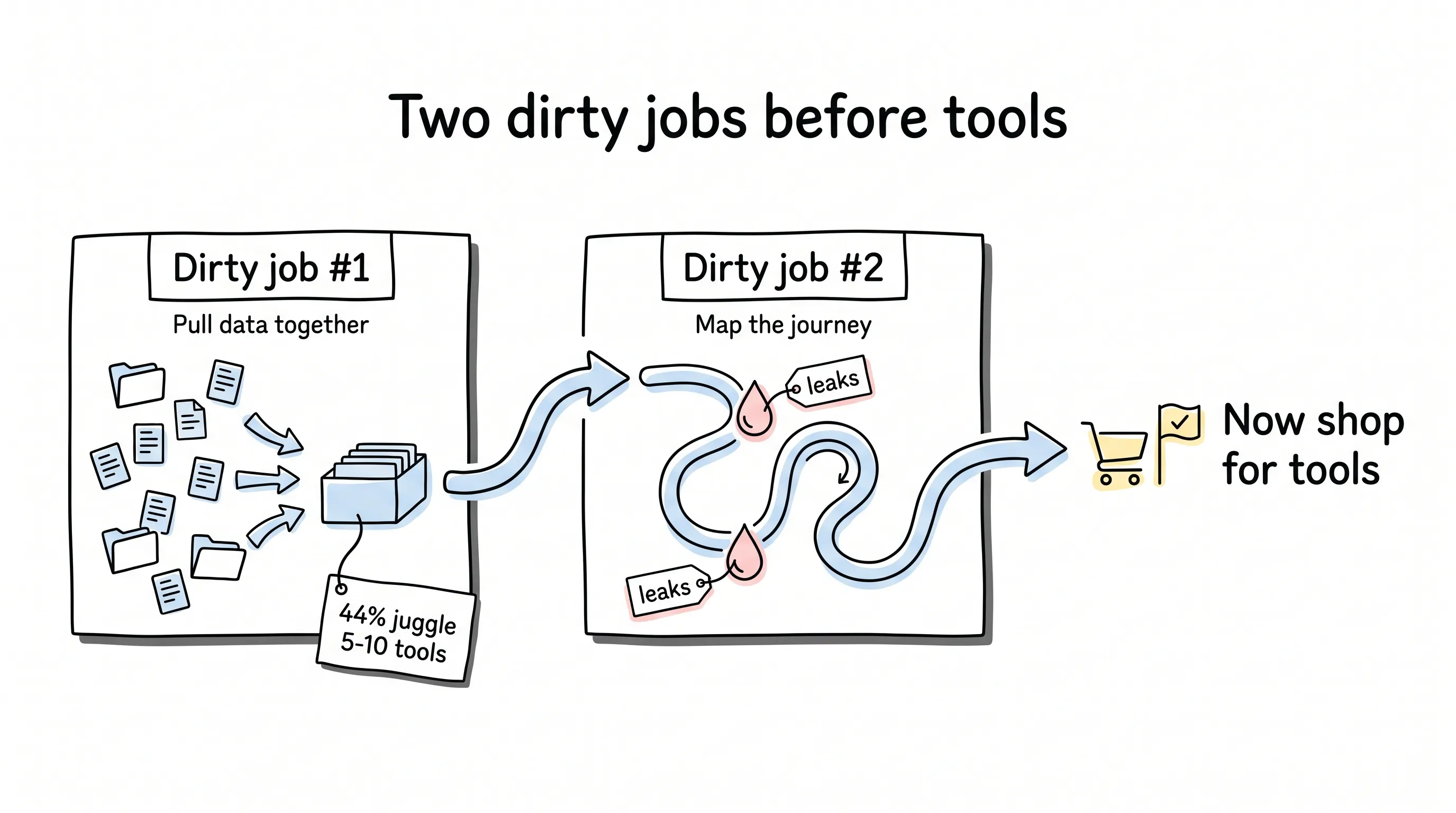
So before you buy a tool, do two dirty jobs first.
Dirty Job #1: Pull Your Data Together
Let's start with a question that stings: how many tools do you think a typical B2B company is juggling?
Marketing Charts ran a survey: 44% of B2B marketers have 5 to 10 tools in their stack, and another 30% have piled up close to 20.
Every one of those tools holds a slice of the customer. The email tool knows what they opened. The CRM knows how far the conversation got. The product backend knows which features they've used.
Then you buy an automation tool. Sitting outside that whole pile of systems, what can it actually see?
A sliver.
So the hot lead who visits your pricing page every day ends up with a flat score, because none of those moves ever sync into the scoring system — and nobody follows up. By the time anyone remembers, they're already having coffee with your competitor.
A Salesforce report puts it bluntly: 40% of marketers admit that data silos seriously drag down their AI capabilities, and 38% say silos cut revenue opportunities outright.
Is pulling it all together the end of the job? No — next you have to clean it.
Duplicate records get the same person bombarded by the same campaign over and over — that's exactly how our friend's blacklisted prospect came to be. Bad records make the system fire the wrong action at the wrong time.
And here's a harsher number: among marketers using AI agents, 46% say data quality problems have hurt their sales.
Garbage in, garbage out. The more automated you are, the faster the garbage comes out.
The good news: quite a few tools ship with a built-in customer data platform (CDP, a layer that pulls scattered customer data into one place and deduplicates it) — HubSpot and Customer.io, for example. We'll come back to that bonus when we size up the tools.
Dirty Job #2: Map the Customer Journey
Grab a sheet of paper and write down every step a customer takes, from the first encounter to purchase and renewal. Mark in red wherever you leak the most prospects and wherever things get stuck the worst.
Why draw the map?
Because only you know which touchpoints are worth automating.
The instinct for most people is to automate everything. Don't. Every workflow has to be designed, maintained, and paid for. Automate across the board and your ROI will look ugly.
Smart operators pick the few touchpoints with the best return first. How do they choose? With this map.
You have three sources of material for the map: data from your CRM and product analytics tools; direct conversations with customers; and your sales and support teams. The people on the front line know best where customers hesitate and which moment tips them into deciding. Those answers directly determine where your automation goes.
Only after both dirty jobs are done is it time to shop for tools.
Before You Pick: Run This Checklist
Whoever you end up buying, check these capabilities first: Can it plug into your existing tech stack and get data flowing? Can it build multi-step workflows? Can it score leads and route them automatically? Can it run journeys across channels? And the most overlooked, most fatal question of all — can it tell you which campaign actually produced the revenue?
If you've spent the money and can't calculate the return, how do you explain that to your boss?
Alright — dinner is served. Five players, one dish at a time.
Five Players, Five Different Lanes
1. HubSpot Marketing Hub: Great at Everything — Including the Price
HubSpot's confidence comes from the all-in-one suite: CRM, data management, and automation all live under one roof. Data never leaves the house, and automation is there whenever you need it.
The visual builder lets you assemble workflows by dragging and dropping. Welcome sequences, lead nurturing, waking up dormant customers — there's a ready-made template for all of it, and it runs the moment you apply it.
The scoring is meticulous. Every action a user takes on your site is logged, and high-intent moves like visiting the pricing page score far higher than reading a blog post. The moment a score crosses the threshold, Slack pings sales: this one's ripe — go get them.
There's also an AI assistant called Breeze. Plugged into the CRM, it can analyze campaigns, build workflows, and create segments.
But there are two traps.
First, it's expensive. Real automation starts at the Professional plan, $800 a month with 3 seats and 2,000 contacts included. For the premium stuff — multi-touch revenue attribution, journey analytics — you're up to the Enterprise plan at $3,600 a month. At that price you're arm-wrestling with Adobe Marketo.
Second, AI is billed by credits. Professional comes with 3,000 credits. Every action executed in a workflow costs 10, and every outreach suggestion its prospecting agent generates for a lead costs 100. Run out, and 1,000 more credits will set you back $9.
The sticker price is one thing. The credit bill is another.
2. GetResponse: Smooth Lifecycle Automation, Gentler on the Budget
GetResponse's approach is clear: don't try to be everything, just make customer lifecycle automation run smoothly.
It hooks into your website for behavioral tracking and connects to tools like HubSpot, Zoho, Microsoft Dynamics, and Zapier. A drag-and-drop builder handles the workflows, with ready-made templates for every stage from nurturing to win-back.
Scoring and tags are both generous. Tags are unlimited, and they're handy in all sorts of ways: tag which workflow a customer entered and which step they've reached, and one search later you can see exactly who's stuck midway through onboarding. Tags double as triggers that fire the next action automatically.
Sending infrastructure is its crown jewel, and the official numbers back it up: 99% deliverability, 5 million emails an hour, with inbox placement guaranteed. For B2B companies sending email at high volume, those numbers are worth real money.
The price is the friendliest of the bunch: the Marketer plan runs $48.38 a month for 1,000 contacts with unlimited workflows.
One catch: within its multi-channel toolkit, SMS and app push notifications are locked to the Enterprise plan. For Enterprise pricing, you have to talk to them.
3. Customer.io: Data Scattered Everywhere? That's Exactly What It Cures
Remember those data silos? Customer.io turned solving them into its entire reason for being: it's a data unification platform first, with automation built on top.
Here's a detail I love: data enrichment starts at the signup form. The form can be ultra-short — the user leaves only an email address, and the system fills in the rest. The shorter the form, the lower the drop-off, and the richer your data ends up anyway.
Cross-channel orchestration covers email, SMS, in-app, WhatsApp, and web from a single backend. It even remembers which channel each user prefers and sends wherever their open rate is higher.
The AI play is fresh, too: it ships an MCP server (Model Context Protocol, a standard plug that lets AI assistants connect to outside tools and data) that hooks up to ChatGPT and Claude. You can ask either AI how your campaigns are performing, or even have them build campaigns for you. You can also drop an LLM step into the middle of a workflow and have the AI check a company's size or a person's role on the spot, then decide whether that lead passes.
Impressive.
As usual, AI is billed by usage: 100,000 credits included, and when they run out, another 100,000 costs $10.
The Essentials plan is $100 a month for 5,000 profiles. Healthcare companies, take note: HIPAA compliance requires the Premium plan at $1,000 a month.
Oh, and if you're a B2B company that has raised less than $10 million and is growing your contact list the slow way, ask about its startup program — 12 months free.
There are catches too: some users on G2 complain that the interface takes a while to get used to, and data warehouse sync costs can climb.
4. ActiveCampaign: AI That Won't Write for You — It Hands You the Answers
ActiveCampaign's killer feature is Active Intelligence, an AI assistant embedded in every corner of the platform.
When you sign up, it first analyzes your website to figure out what you sell, asks about your business goals, then simply builds several workflows for you.
It gets more interesting from there. It keeps watching your campaign data and pops up with a suggestion now and then.
The sharpest part: the suggestions don't come only from your own data. It also draws on anonymized data from other customers. If a company like yours has run a sequence that produced results, it serves that sequence straight to you.
Effectively, the whole industry has already run the trial and error for you — your job is to copy the answers.
There are 950-plus integrations, plus cross-channel, AI multilingual translation, and revenue attribution. It has a built-in CRM too, though lead scoring and the sales pipeline are add-ons.
Read the pricing carefully. The Starter plan at $15 a month looks cheap, but it lacks core capabilities like conditional content and predictive sending. Step up to Plus at $49 a month — still missing. You need Pro at $79 a month before the kit is complete.
And there's a hidden cost: your email sending volume is tied to your contact count — 12 times the number of contacts. With 1,000 contacts, you can send only 12,000 emails a month. If you run high-frequency outreach, do the math on whether that's enough.
The catch: it's expensive, and there's a learning curve. Plenty of people migrate over from Mailchimp chasing sophisticated automation, only to find they have to pay their dues first.
5. Zoho Marketing Automation: Tight Budget? Look Here
Zoho's selling point is being cheap — and not the crippled, feature-gutted kind of cheap.
The $22-a-month Professional plan has multi-channel workflows, lead scoring, automatic routing, and tag-based triggers, all included. It has a built-in CRM and also connects to Salesforce, HubSpot, and Dynamics 365.
Analytics is its bonus feature. Zoho's own BI dashboards produce lead attribution reports showing, crystal clear, which touchpoint and which campaign contribute most to revenue.
Two catches.
First, it's feature-heavy, and newcomers need time to get up to speed. Second, it unlocks tier by tier: the $14-a-month Standard plan has neither advanced segmentation nor webhooks; tag triggers require Professional or above; data field triggers require Enterprise; and SMS and WhatsApp are billed separately — $13 per 1,000 US text messages, $4 per 1,000 WhatsApp messages.
Before you order, list the features you'll actually use and check them against the plan table, one by one.
So Which One Should You Pick?
Here's the short version.
Want one tool that does the work of five, budget no object? Look at HubSpot. Working with a limited budget but want the lifecycle humming? GetResponse's value is hard to turn down. Data at its messiest, beaten down the hardest by integration chaos? Let Customer.io treat you first. Want AI to build the workflows and borrow from what worked for your peers? ActiveCampaign. Budget locked down tight? Zoho.
Finally, Back to That Friend
He didn't rush to swap out the tool.
First he spent two weeks cleaning the data. Then he sat down with sales to map the customer journey, cut seven dispensable workflows, and kept only the three that mattered most.
Last month he told me the blocking incident had never happened again.
The tool? The same tool.
What automation amplifies is your system. Good system, it amplifies the good. Bad system, it amplifies the bad.
Here's hoping that before you buy the tools, you've already built up the capital that's about to be amplified.
Continue reading
Related articles

Cross-Border Business: Time to Upgrade Your AI Toolbox
A learn article explaining how AI tools help cross-border e-commerce sellers clear five hurdles: language, regulation, logistics, payments, and fraud. It outlines a five-compartment toolbox, a five-step adoption path, and metrics such as conversion rate and CLV, while cautioning against over-reliance on AI.

AI Is Taking Over the Dirty Work of Social Media Marketing, One Task at a Time
This learn article outlines four social media marketing tasks AI can handle — audience analytics, content drafting and design, ad targeting and creative testing, and spam moderation — and cautions that taste, judgment, and data security remain human responsibilities.

AI Is Already This Good — Why Is Your Social Media Marketing Still Pure Manpower?
An overview of 18 AI tools for social media marketing, organized into six categories covering audience research, content creation, scheduling, comment and DM handling, ad management, and visual production, plus notes on personalization, prediction, and emerging trends.