
AI Tools for B2B Marketing: What You're Missing Isn't Tools — It's the Eye to Pick the Right Ones
A guide to fifteen mainstream AI marketing tools for B2B teams, grouped into content production, customer acquisition, and workflow automation, with advice on matching tools to goals, checking system integration, and counting total costs.
A few days ago, an old friend of mine in B2B SaaS invited me out for coffee. He runs the marketing department — seven or eight people, and a dozen-plus tools on the books.
I asked: how are things going?
He sighed: the tools keep piling up, and the work keeps getting messier. The data sits on Platform A, the content in Tool B, sales keeps its eyes on System C — and none of them speak to each other. Half the team's time gets burned on exporting spreadsheets, reconciling numbers, and copy-pasting.
I said: you don't lack tools. Your tools don't mesh.
He paused for a beat, then asked: so what should I buy?
I said, this needs to be walked through from the beginning. Let's take the fifteen most mainstream AI marketing tools on the market and take them apart piece by piece.
First, Get Clear on What AI Can Actually Do for You
A lot of people's impression of AI marketing tools is still stuck at "help me write articles."
Way too narrow.
The AI marketing tools of today stopped doing just that one thing a long time ago. Think about it: what's the most people-draining work in a marketing team's day? Crunching data, screening leads, scheduling campaigns, keeping tabs on ad placements. These jobs all share one trait: repetitive, mechanical, no inspiration required.
And that's exactly what AI is best at.
For example: spotting, from a pile of anonymous visits, which companies are about to buy; handing the thankless chore of lead scoring to a model; letting an ad's budget learn on its own to shift toward wherever the returns are highest.
So the real question has never been "whether to use AI."
It's whether the tools you pick actually match your business.
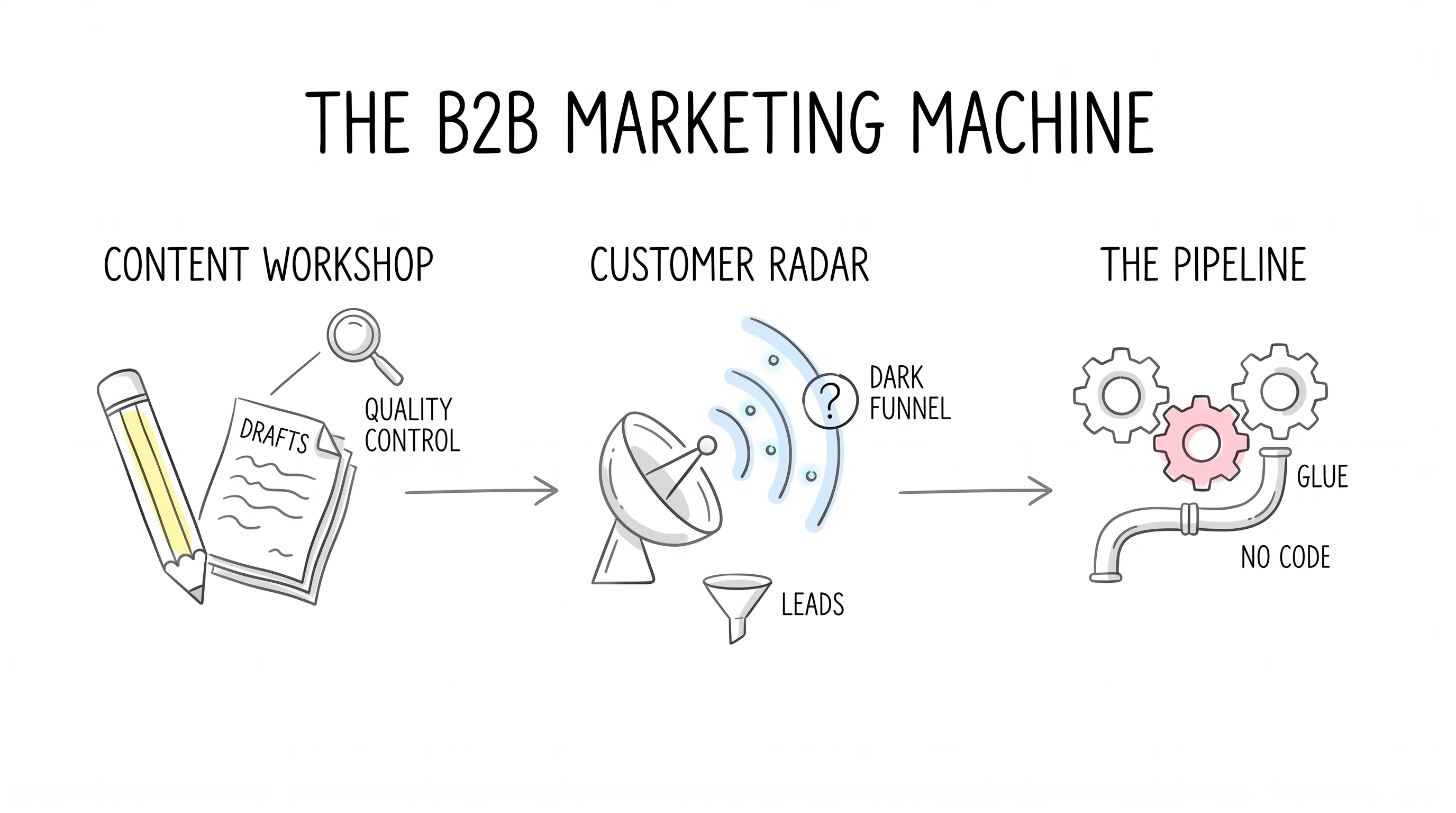
Category One: The Content Workshop
Let's first talk through "producing content" properly. There's a trap hidden in here: what a content workshop usually lacks isn't output — it's quality control. I'll take you through it step by step along the line.
For the ideation step, ChatGPT is pretty much the default answer. Before a topic-planning session, toss it a round of brainstorming — ask for outlines and you get outlines, ask for social copy and you get social copy — and it can connect to apps like Canva and Figma and keep moving downstream. Speed is its biggest selling point. But don't push its first drafts out the door directly; they come with a machine-made aftertaste, and a human needs to warm them back up.
For the jobs that take real chewing, I hand those to Claude. What counts as a hard bite? Digesting an industry report a few dozen pages long, writing real structure into a logically tangled brief — that kind of work it does steadily and deeply. The limitations are just as concrete: fewer third-party integrations than ChatGPT, plus usage limits under heavy use.
So then you ask: a dozen-plus people on the team all have to write, and the tone has to stay uniform — what do you do?
That's where Jasper sits. It's like a content production line: fifty-plus templates, brand voice configured, so whoever picks it up writes in the same register. It also hooks into Surfer SEO, so the optimization gets done in passing while you write. The trade-off: it's pricey, and if you give it vague instructions, it hands vague content right back. The production line doesn't take the blame — it lands on whoever does the feeding.
Once it's written, someone has to man the gate. Grammarly does exactly this: real-time error correction, tone checks, plagiarism checks, following you across Word, Gmail, Slack, and Google Docs. Its flaw is that it polices too broadly — sometimes it prescribes medicine where there's no illness, so don't accept every suggested change wholesale.
To get found by search, you still have to pass through the Surfer SEO step. It spreads live SERP data out in front of you and tells you where a keyword should appear, and at what density. But remember one rule: it only handles optimization, not whether the content is any good. The human, at this step, cannot be cut.
For the visuals step, most teams' answer is Canva. Magic Design, AI image generation, one-click background removal, plus Brand Kits — clean collateral comes out even without a designer. Highly complex, highly customized brand-level design is beyond it, but for everyday content volume, it can carry the load.
If your assets need to be commercially safe and enter professional workflows, look at Adobe Firefly. Its models are trained on licensed content, so commercial use sits easy on the mind, and it plugs straight into Photoshop and Premiere Pro. The small annoyances: it runs on a credit system — heavy usage stings at month's end — and prompts written too long actually weaken the output.
Seven tools, one complete content pipeline. But honestly: a small team doesn't necessarily need them all — patch in whichever step you're missing.
Category Two: The Radar for Finding Customers
Content is the ammunition; the radar decides where to aim. This category is where B2B marketing truly burns money — and truly shows results.
For the hub role, HubSpot AI is the option you can't route around. It starts from a free CRM, with email sequences, landing pages, and social media management all in one pool — a real bargain for an early-stage team building its foundation on it. Let me say the ugly part up front: once you scale, it gets expensive, and plenty of the good features are locked behind the high-tier plans.
If you have many enterprise clients and long decision chains, you need to look at prediction. Salesforce Einstein lives inside the Salesforce ecosystem — lead scoring, sales forecasting, opportunity ranking — and the more data you feed it, the more accurate it gets. But it has a classic enterprise disease: ecosystem lock-in, with add-on features billed individually at $50 to $200 apiece. Small teams, don't force this one.
So what does a real radar look like? Let me give you a concept: the dark funnel.
While a buyer is researching you, nothing at all gets left behind on your website.
He searches, he reads, he compares prices — without filling in a single form. By the time a lead reaches you, the shortlist has already been settled. What 6sense does is light up the dark funnel: on the strength of intent signals, it recognizes "this company is seriously evaluating, with real money on the line" before the other side fills out any form. The cost: it's expensive, and wiring it into your CRM and MAP is a struggle — essentially the plaything of mid-size and large enterprises.
If the budget is tight, look at Apollo. It holds 275 million business contact records, an AI copilot helps you write outreach emails and find decision-makers, and the data auto-completes and refreshes on its own. Both data accuracy and usage quotas have ceilings, but the price is hard to beat — for startups and small teams starting out, nothing else comes close on value.
If your website has traffic but conversion is poor, try Drift. Its idea is to swap "leave a form and wait for a return visit" for "talk right now": an AI chatbot recognizes visitors, answers questions, and books meetings directly. There's one precondition — your website needs decent traffic first. However good the phone, in an empty house it only rings into empty air.
Sales teams sit in meetings all day, and those meetings are full of gold — a pity nobody digs for it. Gong records every sales call and breaks it down into structured data: which sentence lost the deal, which sentence closed it — explained with perfect clarity. The annual fee isn't cheap, and its effect on marketing is indirect, but for the granularity of the call reviews it delivers, few rivals can match it right now.
Category Three: The Pipeline That Does the Work
The last category is unremarkable, but without it the first two categories all come to nothing.
Zapier is the glue. A lead form gets submitted and flows into the CRM automatically; ad spend goes anomalous and Slack raises the alarm automatically — hundreds of apps get strung together by it, without a single line of code written. Don't expect it to handle overly complex business logic, and costs rise as task volume grows. It's glue, after all — when it gets pricey, just spread a little less of it.
The scout's position is reserved for Semrush. Keywords, backlinks, competitor movements, visibility in AI search — the whole picture in one stop. The advanced features cost extra, but for anyone building SEO strategy, it's very hard to route around.
How to Choose? In Three Sentences
That covers the tools. Back to the question we started with: how do you actually choose?
My answer is three sentences.
Sentence one: set the goal first, then pick the tools. If content is your main thrust, build your lineup from ChatGPT, Claude, Jasper, Grammarly, and Surfer; if customer acquisition is the main battle, keep your eyes on the HubSpot, Salesforce, and 6sense line; if you want to save manpower on operations, pick from Canva, Apollo, Semrush, Firefly, and Zapier. Never get the order backwards — buying a pile of tools first and then hunting for a goal isn't construction; it's hoarding.
Sentence two: check the mesh. Can the new tool connect into your existing systems? Can the team learn it? Does it clear the compliance bar? If any one of the three questions goes unanswered, set it aside for now, however good it is.
Sentence three: count the full ledger. Subscription fees are only the visible layer — learning costs, migration costs, the waste of buying one tool and leaving another idle — all of it has to be spread into the account. Once the ledger is complete, you'll find that many "must-have tools" are really "optional decorations."
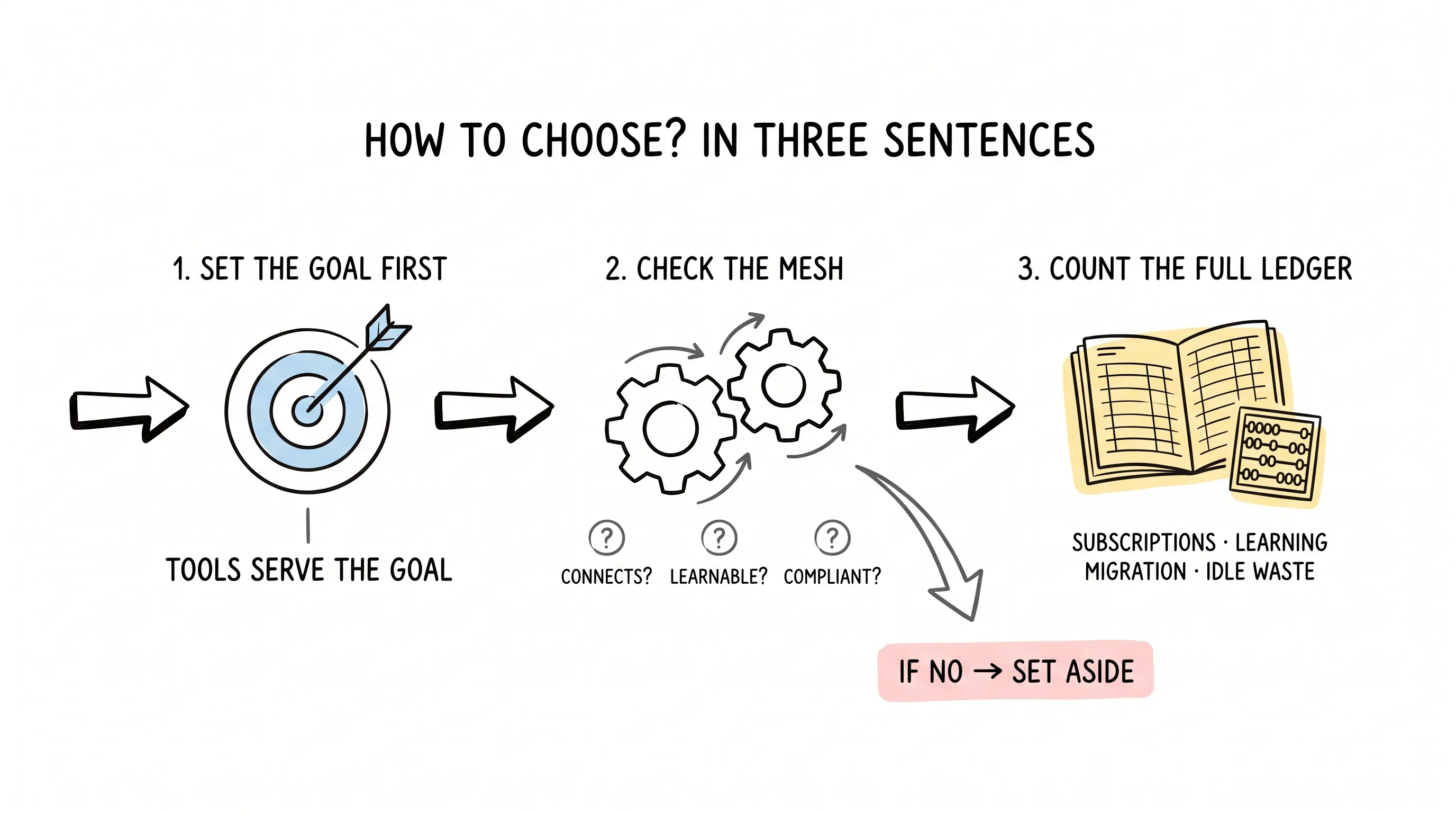
Tools exist to serve the goal, not to pad out a procurement list.
Back to That Cup of Coffee
Later, I drew up a list for that friend. Last month he sent me a message: he'd cut three tools and spent the saved budget on courses for the team. No less work got done, and the people were somehow less frazzled.
You see, the answer has never been in the tool list — it lives in your own goals.
May every tool you buy take root exactly where it belongs.
Continue reading
Related articles

Cross-Border Business: Time to Upgrade Your AI Toolbox
A learn article explaining how AI tools help cross-border e-commerce sellers clear five hurdles: language, regulation, logistics, payments, and fraud. It outlines a five-compartment toolbox, a five-step adoption path, and metrics such as conversion rate and CLV, while cautioning against over-reliance on AI.

AI Is Taking Over the Dirty Work of Social Media Marketing, One Task at a Time
This learn article outlines four social media marketing tasks AI can handle — audience analytics, content drafting and design, ad targeting and creative testing, and spam moderation — and cautions that taste, judgment, and data security remain human responsibilities.

AI Is Already This Good — Why Is Your Social Media Marketing Still Pure Manpower?
An overview of 18 AI tools for social media marketing, organized into six categories covering audience research, content creation, scheduling, comment and DM handling, ad management, and visual production, plus notes on personalization, prediction, and emerging trends.