
AI for Enterprise Sales: Walk Through the 10 Leading Tools First, Then Run Three Numbers
A walkthrough of ten enterprise AI sales platforms grouped by pain point—conversation intelligence, outbound scale, intent signals, and CRM integration—plus three pre-selection checks on system inventory, capability fit, and total cost, with phased rollout guidance.
A while back, I had dinner with an old friend who sells enterprise software. He has spent more than a decade on major accounts, runs a team of about twenty reps, has swapped CRMs twice, and bought a whole pile of tools along the way.
Halfway through the meal, the complaints started pouring out.
At every pipeline review meeting, there are two questions he still can't get clear on: which deals will actually land next quarter, and which ones went cold long ago — with no one daring to admit it?
What stings even more is the admin work. His reps spend two to three hours a day filling out systems and copy-pasting, and the time that should actually go to customers gets squeezed out.
I told him: this is a spot plenty of enterprise sales teams know well. They hear "AI can save sales" and get excited — but when it's time to spend money and pick a tool, nine out of ten have no idea where to start.
Today I'm going to untangle this. The 10 leading enterprise AI sales tools on the market — I'll go through them one by one, and then walk you through the three calculations to run before you choose.
What Counts as an Enterprise-Grade AI Sales Tool?
When most people hear "AI sales tool," they picture a chatbot.
Not that.
At its core, an enterprise-grade AI sales tool does three things:
First, it learns patterns from your historical closed-won data. Which leads look like your big deals? Which deals are in danger? It sees these before you do.
Second, it gives you forecasts you can trust. Numbers computed from your pipeline and history — numbers you can take into a meeting with confidence.
Third, it takes over the repetitive work. Filling in records, writing follow-ups, organizing customer timelines — that's its job. People go do the human work: building relationships and working the deal.
There's a fundamental distinction here. Ordinary automation executes rules: you set A, it does B, unchanged for a hundred years. Enterprise-grade AI gets a little smarter with every extra call made, every email sent, every deal closed.
What Are You Actually Buying When You Buy a Platform?
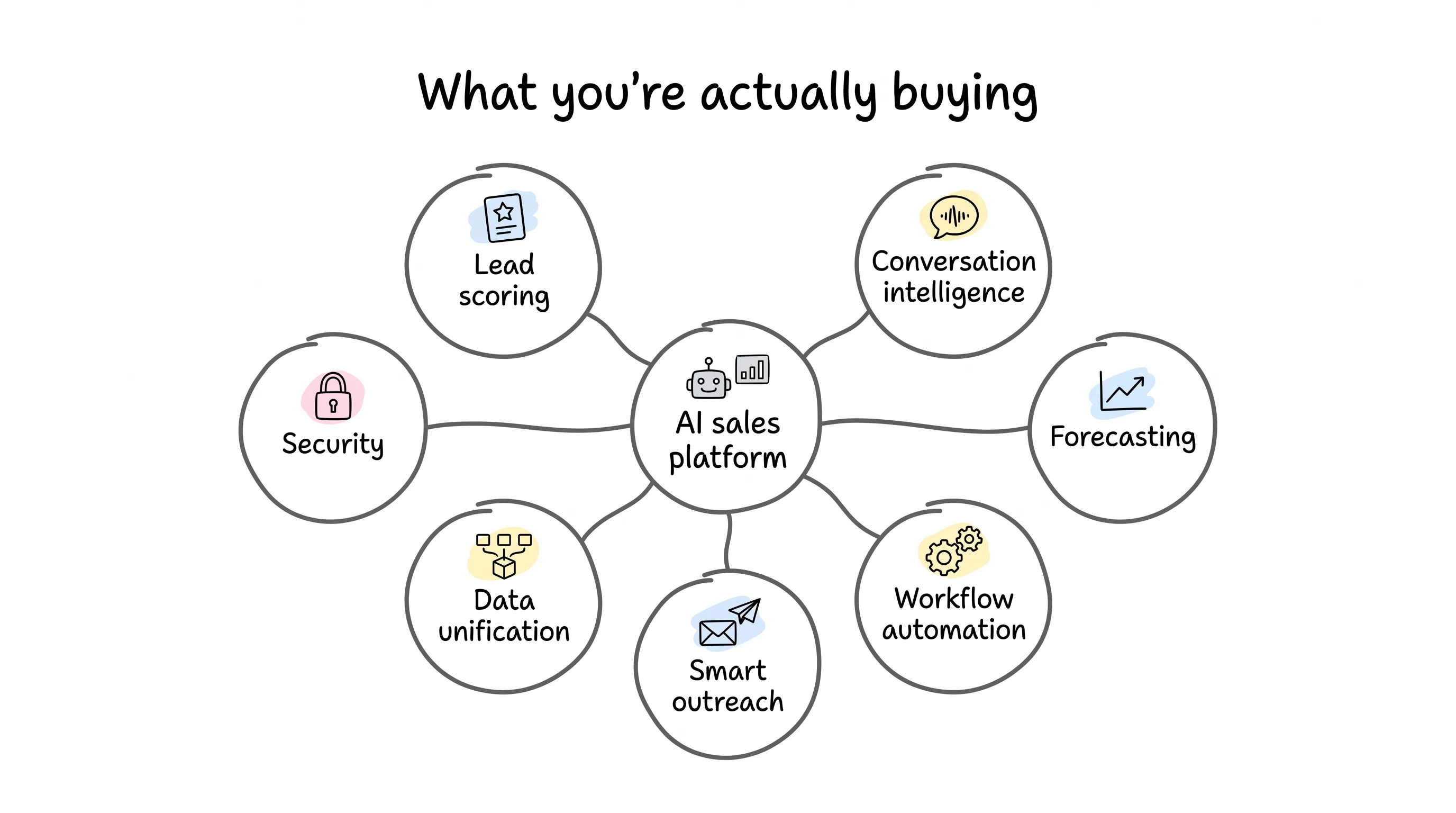
Break the major platforms' capabilities apart and you find seven kinds. Choosing a tool means picking from within those seven.
-
Lead scoring. The AI learns from your closed deals, automatically pushes leads that "look like big deals" to the front, and gets more accurate the more you use it — no manual rule-tuning required.
-
Conversation intelligence. Your top reps' playbooks are hiding in call recordings and emails. AI breaks those plays down so every rep can learn them. Managers used to sit through recordings one by one; now the machine does it.
-
Revenue forecasting. Say goodbye to gut feel and Excel. It also flags at-risk deals in advance, while there's still time to save them.
-
Workflow automation. Note the qualifier: the no-code kind your sales team can build itself, without filing a ticket and waiting on IT.
-
Smart outreach. The follow-up rhythm across email, phone, and LinkedIn — AI sequences it for you, relevant and timely, and nothing like a spam blast.
-
Data unification. Bouncing between CRM, inbox, and a pile of apps is a productivity black hole. A good platform puts all your revenue data on one dashboard.
-
Security and compliance. The most easily overlooked item. Customer data can't be left exposed; when evaluating, check at least three things: role-based permissions, complete audit logs, and certifications like SOC 2 and GDPR.
Very few platforms are strong on all seven. So the key to choosing is finding the one that fixes your most painful problem.
How do you find it? Read on.
The 10 Major Platforms, Regrouped by What You're Missing
I'm not going to rattle off vendors in alphabetical order. I've grouped them by pain point — wherever it hurts, go straight to that group.
Missing conversation intelligence? Start with Gong
What Gong does is record, transcribe, and analyze all the calls, emails, and meetings between your reps and customers, then tell you: which talk tracks close deals, which ones drive customers away, and when competitors get mentioned. It calls itself a Revenue AI OS, and mid-size and large teams use it the most.
Two features deserve a special callout. Smart Trackers: you can train the AI to recognize your company's own concepts and methodologies. Ask Anything: ask it in plain language "what did this customer care about last month," and it digs the answer out of a mountain of records for you.
It isn't cheap — priced per seat, billed annually, starting at $1,200 per person per year, plus a platform fee. Two pitfalls to flag up front: Ask Anything has data caps, with at most 60 calls and 500 emails of lookback for a single opportunity; and the team has to genuinely accept being recorded and analyzed — if the behavior doesn't change, the money is wasted.
Shorthanded and need volume? Look at Outreach, Piper, and Relevance AI
Outreach is a veteran of sales outreach, and its signature strength is multi-channel sequence automation, a fit for high-volume, broad-coverage outbound teams. It stresses that its AI can execute, not just analyze: the Kaia meeting assistant transcribes in real time, throws battlecards (a one-page cheat sheet for winning against a specific competitor) into the conversation, and follows up automatically — official numbers say it can lift meeting booking rates by up to 36%. It's priced by module, with AI agents metered in credits. The most common user gripe: the interface is complex, and there's a learning curve to climb.
Qualified's Piper is an AI SDR (AI sales development rep — software doing the prospecting and meeting-setting a human SDR would) that's on duty around the clock: greeting website visitors, following up by email, booking meetings — the whole flow runs itself. Its multimodal abilities are striking: it can do video face-to-face, text chat in 17 languages, and voice. But it has a hard gate: it serves Salesforce customers only, its data lands only in AWS's US East region, configuration is not light, and you'll be working with Qualified's team over the long haul. It fits enterprises with heavy inbound volume that don't want to hire more SDRs.
Relevance AI takes a different route: instead of a ready-made tool, it hands you a LEGO set for building a team of AI agents. Technical teams use it to orchestrate multi-agent pipelines, chaining lead research, personalized outreach, qualification, and CRM updates into one assembly line — 2,000-plus integrations, and no lock-in to any model provider. The entry price is low: a free tier with 200 actions a month, paid tiers from $29 to $349 a month, enterprise pricing on request. But think it through: even a no-code custom workflow needs someone to keep maintaining it and watching it run.
Want to know who's about to buy, before they come to you? Look at 6sense and Demandbase
What 6sense does sounds a little mystical, but it's valuable: predicting which accounts are in-market before those customers ever come looking for you. It processes more than a trillion buying signals a day, recognizes anonymous website visitors, picks out the "in-market" accounts, and then orchestrates multi-channel outreach. Its 6QA qualification replaces traditional lead scoring with intent data. The enterprise edition is quote-based, deployment usually takes months, and it suits companies with long sales cycles and complex decision chains.
Demandbase is a veteran of ABM (account-based marketing). It uses intent data to find high-intent targets, identifies buying committees, and personalizes outreach across channels. Its AI agents can filter customers in natural language and directly execute actions like syncing contacts and launching campaigns. The price is steep: a 12-month subscription lists at $215,000 on the AWS Marketplace, G2's data shows buyers negotiate an average 13% discount at purchase, and you may need to budget separately for media spend on top. The learning curve is steep, and you'll generally want dedicated operations staff.
Want CRM and AI grown together? Look at Salesforce, HubSpot, Pipedrive, and monday CRM
Salesforce, the world's largest CRM, with Einstein AI on board: lead scoring, automatic activity capture, AI forecasting, plus Agentforce autonomous agents and the Einstein Trust Layer. Nobody doubts the completeness of its features or the breadth of its integrations. But run the numbers carefully: tiers range from $25 to over $500 per seat per month, with Agentforce 1 Sales at $550; implementation is complex, usually requires dedicated consultants, and deployment is measured in months; and as add-ons pile up, total cost of ownership climbs fast — plenty of enterprises end up staffing a dedicated Salesforce admin team. It fits large enterprises with big structures and complex needs.
HubSpot, with 258,000 customers, is pushing upmarket from mid-market. Its Breeze AI agents watch buying signals like executive changes and funding events at customer companies and automatically draft personalized outreach — officially, reply rates run up to 2x those of traditional sequences. There's also a machine-learning "probability of closing within 90 days" that auto-ranks contacts. Pricing starts from a free tier: Starter is $20 per seat per month, Professional $100, Enterprise $150 — but the last two tiers carry a one-time $3,500 onboarding fee, and the AI forecasting is still in beta. It fits growing teams already living inside the HubSpot ecosystem.
Pipedrive, used by more than 100,000 companies, focuses on visual pipelines for small-to-mid-size teams. Its AI sales assistant analyzes funnel patterns, forecasts win rates, and suggests next actions; the drag-and-drop interface is quick to pick up; annual billing starts at $14 per seat per month, saving up to 42% versus monthly billing. But customization depth and advanced automation trail the big platforms. Sales processes that are simple run beautifully on it; complex mega-deals with many parties pulling in different directions strain it.
monday CRM, built on monday.com's Work OS, runs on the idea that "the CRM should adapt to your process, not force you to change yours." No-code configuration means RevOps teams (revenue operations — the team that owns sales process and tooling) can modify it themselves, without waiting for an IT slot. AI is embedded in specific actions: AI Timeline Summary compresses all of a customer's communications into a readable history, so you're prepped seconds before a renewal call; the email assistant drafts replies right inside the CRM; Autofill batch-updates records with AI. Leads coming in through web forms get auto-enriched with Crunchbase data; contracts, once uploaded, have key fields extracted into dashboards; sentiment gets read and priorities ranked from email content — all of this can be assembled. It starts at $12 per seat per month (annual billing), Pro is $28, and enterprise pricing is on request. It fits mid-size and larger teams that want flexibility and a fast start, without turning this into a mega-project.
One line to sum up all 10: there is no all-around champion, only different strengths. Don't start from a feature checklist. Start from your real problem.
Before You Choose, Run Three Numbers
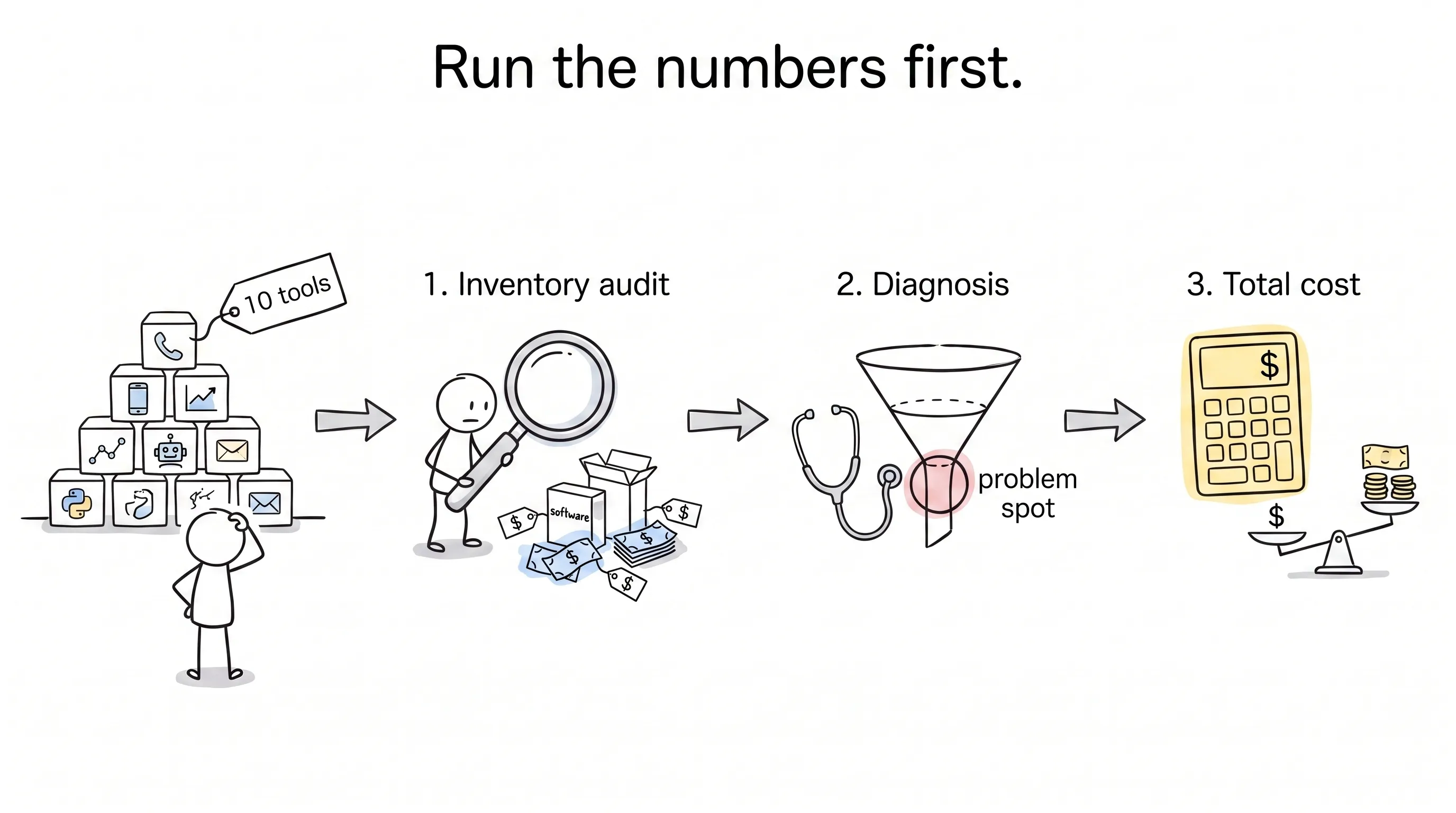
So how do you actually choose? My advice: don't look at products yet — run the numbers first. Three of them.
Number one: the inventory audit.
List every system your team has touched: CRM, email, dialer software, plus everything bought last year that nobody uses. Where is data getting stuck? Who is surviving on copy-paste? This isn't list-making; it's a cost audit: how much in licenses, how much in maintenance, how many hours wasted on manual work.
One finding that shows up often in these audits: records in the CRM carry error rates as high as 30 to 40 percent. The data is dirty — AI swallows garbage and spits out garbage. If the foundation isn't swept clean, whatever you build upstairs is a condemned building.
Number two: the diagnosis.
Match capabilities to real problems one by one: if forecasts keep missing, look at AI that analyzes pipeline and deal velocity; if reps keep chasing rotten leads, get smart scoring plus automatic lead routing; if the pipeline is murky, use conversation intelligence plus automatic activity capture; if admin work is crushing people, start with workflow automation and AI writing; if deals keep quietly dying, find the one that flags at-risk opportunities in red.
Number three: the total-cost calculation.
The license is just the entry ticket. Professional services typically run 50% to twice the license cost; internal effort on configuration, testing, training, and data migration easily eats months. The benefit side needs counting too: admin hours saved, shorter deal cycles, more accurate forecasts, and the money saved by cutting duplicate systems.
There's also a pacing question. The payoff from automation shows up within weeks; accurate forecasts require waiting for the AI to finish learning your sales cycle — months at minimum. Don't grade the latter by the former's timetable.
A More Sobering Number: Half of These Projects Die
So you've picked your tool — is that it?
No. This industry has a gut-punch statistic: Gartner published a report in 2023 on the state of enterprise AI adoption, and its conclusion was that 51% of projects fail.
Half. Half!
And for most of them it's not the technology that fails — it's data that's too dirty, processes that are too messy, or a boss expecting instant results while the team never kept up.
So roll out in phases: in the first four weeks, set up the core CRM, migrate data, and build basic automations; in weeks five through eight, launch the first batch of AI features and collect feedback; in weeks nine through twelve, add the advanced capabilities. Pilot high-impact scenarios first — automatic lead routing, AI-drafted emails — and the early wins will do the persuading for you.
Then run one more scattered-versus-unified calculation. With a pile of separately purchased tools, the average rep costs $3,000 to $5,000 a year, needs 40-plus hours of training, and burns 10 to 15 hours a week on admin. Switch to a unified platform, and those three figures become roughly $1,500 to $2,500, 10 to 15 hours, and 3 to 5 hours a week. monday's own published comparison: no-code deployments take two to four weeks versus three to six months for traditional point solutions; adoption runs above 90% versus a typical 40 to 60% for scattered tools.
Ray White, an Australian real estate services company, has an operations manager who shared one number: after automating the admin work, efficiency improved by about 70%. The playbook: replace the tool the team hates most first, move in small fast steps, and run old and new systems in parallel for a while — no dropped leads, no missed follow-ups, and the business never skips a beat.
Right — don't try to tear everything down and rebuild overnight.
Back to My Friend
At the end of the dinner, I asked that friend: what do you actually want AI to give you?
He thought for a moment and said: I don't want AI to sell for me. I want it to pull me out of the spreadsheets.
I think that's the answer.
AI can draft follow-ups, flag at-risk deals in red, and tell you who to watch. What it can't replace is the trust between you and your customers. What it kills off is the manual labor and the dumb errors, handing time back to people to do what people do best.
Buying an AI sales tool is not, at its core, buying a promise of "intelligence." What you're buying is adoption: whether your team will open it, use it, and trust it every day.
However smart the tool, if nobody uses it, it's a paperweight.
Here's hoping you get pulled out of the spreadsheets soon.
Continue reading
Related articles

Cross-Border Business: Time to Upgrade Your AI Toolbox
A learn article explaining how AI tools help cross-border e-commerce sellers clear five hurdles: language, regulation, logistics, payments, and fraud. It outlines a five-compartment toolbox, a five-step adoption path, and metrics such as conversion rate and CLV, while cautioning against over-reliance on AI.

AI Is Taking Over the Dirty Work of Social Media Marketing, One Task at a Time
This learn article outlines four social media marketing tasks AI can handle — audience analytics, content drafting and design, ad targeting and creative testing, and spam moderation — and cautions that taste, judgment, and data security remain human responsibilities.

AI Is Already This Good — Why Is Your Social Media Marketing Still Pure Manpower?
An overview of 18 AI tools for social media marketing, organized into six categories covering audience research, content creation, scheduling, comment and DM handling, ad management, and visual production, plus notes on personalization, prediction, and emerging trends.