
A Customer Found Your Store With a Photo. Now You Can Finally See It
Google Search Console is rolling out a new Multimodal search type in the Performance report, separating image-based search traffic from text search. The report shows which pages receive this traffic but omits query data, and the Search Analytics API does not yet support the new type.
A few days ago, an old friend of mine who runs an e-commerce business messaged me, sounding excited: he'd noticed an unfamiliar option in his dashboard.
I asked, what option?
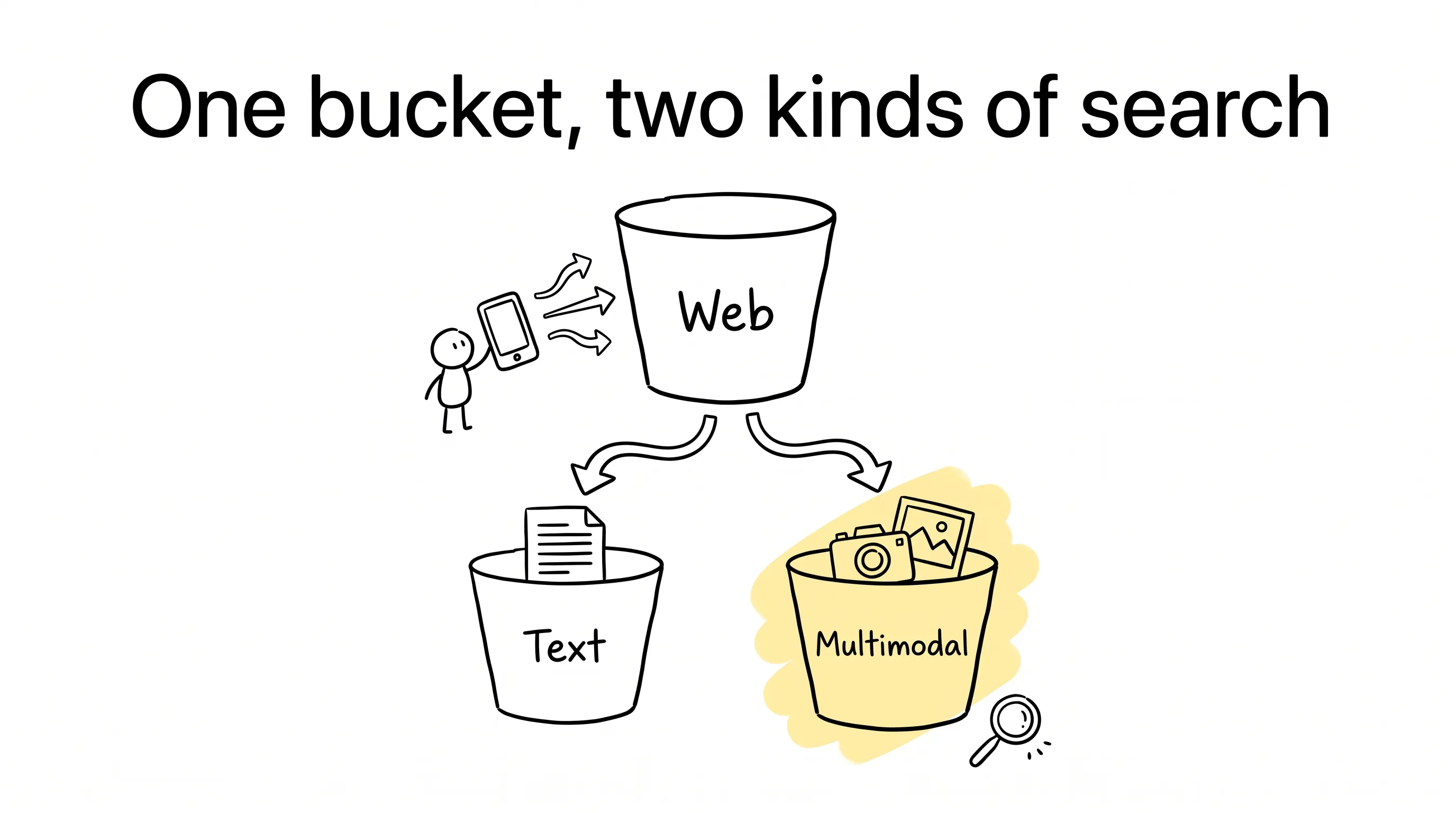
He said, in Google Search Console's Performance report, a new item called "Multimodal" had suddenly appeared under "Web."
I said, oh, that one. That's interesting.
Why interesting? Let me explain from the beginning.
What Is Multimodal Search?
So what is multimodal search?
Simply put: when someone searches, instead of typing, they use a picture.
You spot a pair of shoes at the mall, snap a photo, and search it with Google Lens. On an Android phone, you long-press the screen and use Circle to Search to circle a poster. You drag a screenshot into the search box. In Chrome, you right-click an image and choose "Search this image."
This traffic used to be a black box in your reports. The system knew someone had come in, but it had no idea which bucket to put them in.
Now Google has given them a bucket of their own. In the Performance report in Search Console, there's a new search type: multimodal. The update is rolling out globally, gradually.
What's in This Bucket?
Open the Performance report and look under the "Web" search type: it now splits into two parts — one called text traffic, for what people type; one called multimodal, for what people search with images.
By Google's official wording, multimodal covers the traffic where "images were part of the search process within web search results."
Note one detail: this data only shows up for sites that actually get this kind of traffic. If no one has ever image-searched their way to your site, the option may never appear at all.
This update also feeds multimodal data into another report: the generative AI performance report. When that report fully rolled out at the end of August, I warned about this: it counts impressions only, not clicks. The two reports use different measurement standards — don't mix them up.
Traffic, but No Words
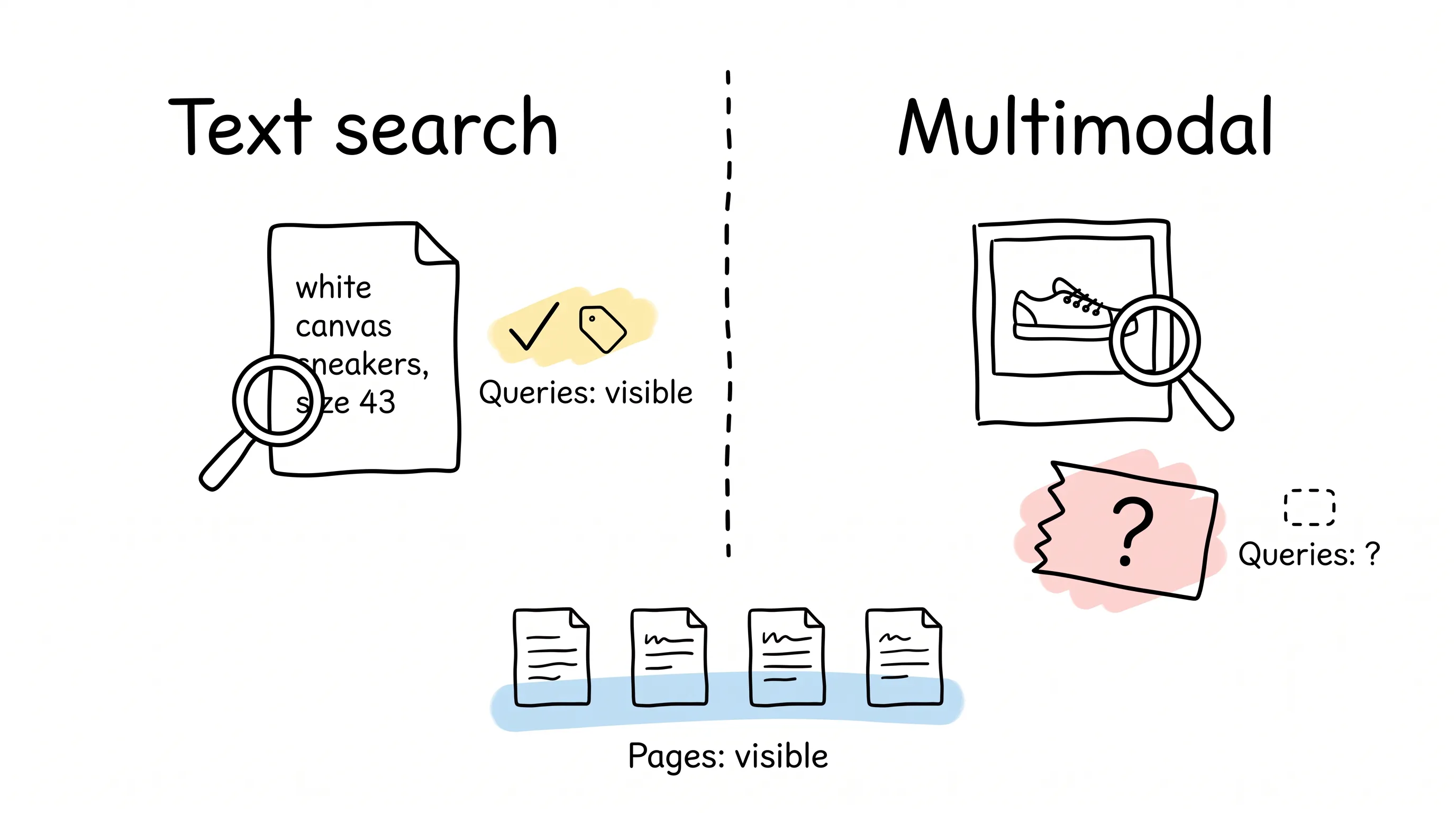
But this new bucket is missing one thing: the queries.
When someone searches by text — "white canvas sneakers, size 43" — Search Console will faithfully tell you someone searched for it. When someone searches with a photo, what does it tell you?
Nothing at all.
Why? Google's help documentation is blunt: because multimodal search relies mainly on images rather than text, this traffic doesn't come with specific text query data.
When you select "Multimodal" in the Performance report, the Queries tab disappears. Every other dimension is still there for now.
This is the most delicate part of the whole story:
You can see the pages — but not the words.
What Does This Mean for E-commerce?
It means you can finally answer a question you never could before: when users arrive holding a picture, which of my pages are they clicking?
Say you sell shoes. Open the Performance report, select multimodal, and view by page. You find that one product's detail page gets especially heavy multimodal clicks. Then slice by country and device, and put it side by side with your text-search traffic.
Which products are "built to be found by image," and which are strong on text but weak on image — one comparison shows it all.
Before, this was pure guesswork.
Of course, one question still can't be answered: which image was it? A photo the user took themselves, or the main image on your product page? Unknown. The report only tells you that image-search traffic came in, and which page it landed on.
If you want to export this data for deeper analysis, for now the only option is the Export button inside the report. On the Search Analytics API side, the API documentation updated in August still lists only the old values for the type parameter — no multimodal. So we wait.
Two Reminders for the Early Days
Finally, two reminders.
One: this filter is still rolling out globally. If the option isn't in your dashboard yet, don't panic — wait a little longer.
Two: Google hasn't made two things clear. Will historical image-search data from before this update be backfilled? Will the new split change your original "Web" totals? Both are still open questions.
Once the option shows up in your dashboard, I suggest one thing: pull the complete "Web" total for a full day, and reconcile it against the new split numbers.
Then you'll know where you stand.
How people search has shifted from typing to snapping photos. Now, your reports have finally caught up with the first step of that shift.
And may this help you see, sooner, the customers who arrive phone-in-hand, hunting for you by picture.
Continue reading
Related articles

Cross-Border Business: Time to Upgrade Your AI Toolbox
A learn article explaining how AI tools help cross-border e-commerce sellers clear five hurdles: language, regulation, logistics, payments, and fraud. It outlines a five-compartment toolbox, a five-step adoption path, and metrics such as conversion rate and CLV, while cautioning against over-reliance on AI.

AI Is Taking Over the Dirty Work of Social Media Marketing, One Task at a Time
This learn article outlines four social media marketing tasks AI can handle — audience analytics, content drafting and design, ad targeting and creative testing, and spam moderation — and cautions that taste, judgment, and data security remain human responsibilities.

AI Is Already This Good — Why Is Your Social Media Marketing Still Pure Manpower?
An overview of 18 AI tools for social media marketing, organized into six categories covering audience research, content creation, scheduling, comment and DM handling, ad management, and visual production, plus notes on personalization, prediction, and emerging trends.