
6 Days to Black Friday: These 5 Meta Ads Changes — Learn to Tell Real Growth from Report Growth
A pre-Black Friday walkthrough of five November Meta ads changes: on-device attribution, placement automation, in-app product browsing, paused terms, and per-creative breakdown reporting. It stresses reconciling platform reports against order data before judging performance.
A couple of days ago, I saw someone celebrating in a media-buying group chat.
"Guys, conversions are up! ROAS is flying too!"
Someone underneath replied: "Maybe go check whether your order database went up first."
He never said another word.
Why am I telling this story? Because with this round of Meta ads updates in November, this is the easiest thing to misread: a number going up on the platform's report does not mean the business is going up.
Today is November 21. Black Friday lands on the 27th, Cyber Monday on the 30th — six full days left, by the most generous count. Time to reconcile what needs reconciling, shut off what needs shutting off, and test what needs testing. That's all the time there is. Over the past two weeks, Meta touched five things:
- How conversions get counted — on-device attribution, live November 12
- Where ads get placed — manual placement control is being phased out
- Where users go after clicking — in-app product browsing, default-on since October 28
- How the terms get signed — the new terms scheduled to take effect November 20 have been paused
- How creatives get scored — per-creative breakdown reporting
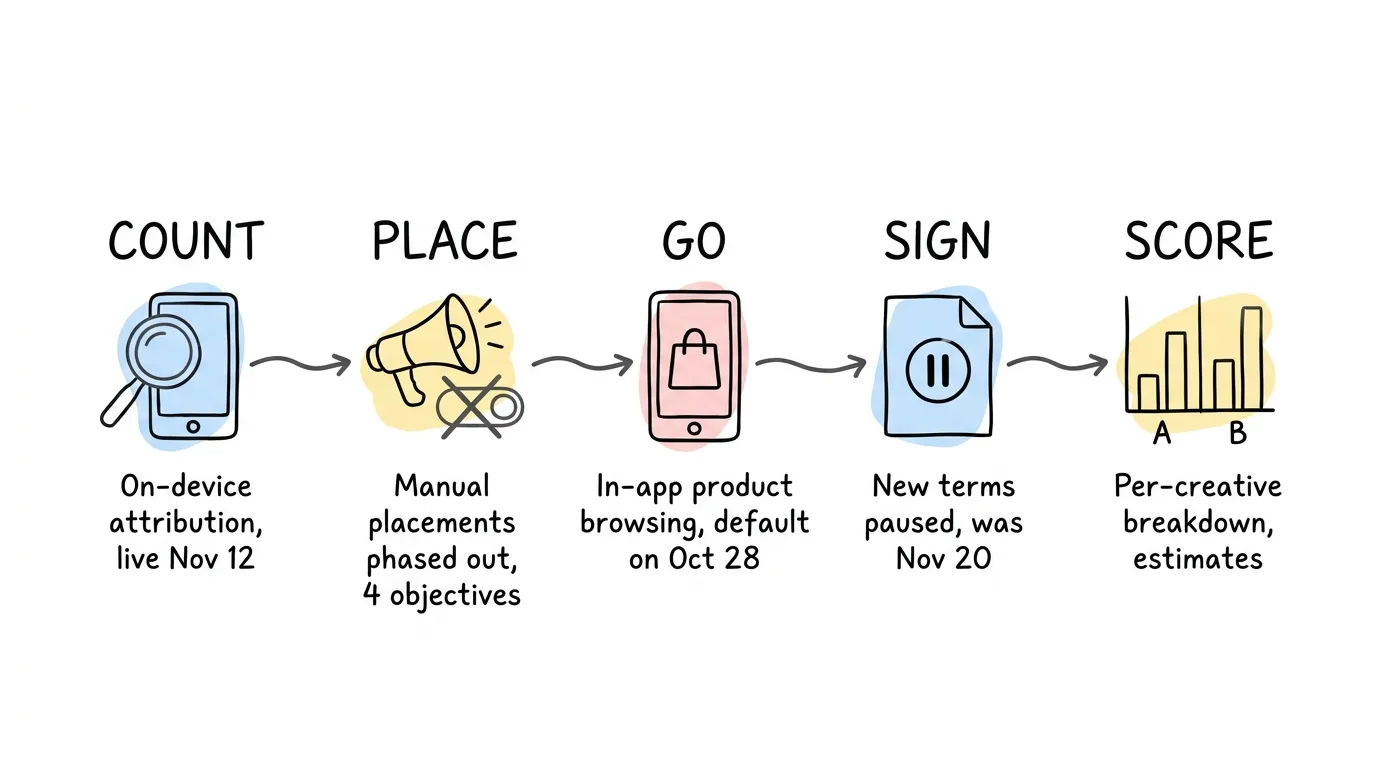
Let's take them one at a time.
One. The measuring stick moved: what is "on-device attribution"?
Start with the one that stings the most.
Starting November 12, Meta enabled a new setting for a batch of eligible accounts: Measure conversions on customer devices. You'll see it in Events Manager. For eligible Pixels it's on by default, and there's a switch if you want it off.
What is on-device attribution?
Think about your own shopping path. On Monday you scroll past a pair of shoes on Instagram, don't buy, and keep scrolling. On Thursday you remember, pick up your phone, log in, and order. The merchant books the sale — but under the old setup, Meta's servers couldn't necessarily connect "Thursday's purchase" with "Monday's click."
Now, that matching can happen on your phone.
Using the email or phone number you left with that website before, plus a set of temporary device identifiers, the match is completed on your device. Meta says the identity information doesn't leave your device — only two things get sent back: a conversion happened, and which campaign it's attributed to.
Sounds good? Hold on. There are three gates:
- Users in the EU and UK are not covered
- The website must require login — email or phone number. Stores that support guest checkout basically won't benefit
- The Pixel must sit directly on the page. Wrapped in an iframe, or just an image pixel — no
And note this: it does not replace the Pixel, and it does not replace Conversions API. It's a third lane running alongside them. Attribution windows and attribution models don't change.
So the obvious question: once this goes live, what will you see?
You may see conversions "go up."
Let's run the numbers. Say your store sells a steady 100 orders a day, 40 of them attributable to ads. After November 12, the new matching mechanism also finds the 15 orders that never used to match. The report now shows 55, and ROAS jumps 37%.
Did your business get better?
No. Still 100 orders a day. Only the measuring stick changed.
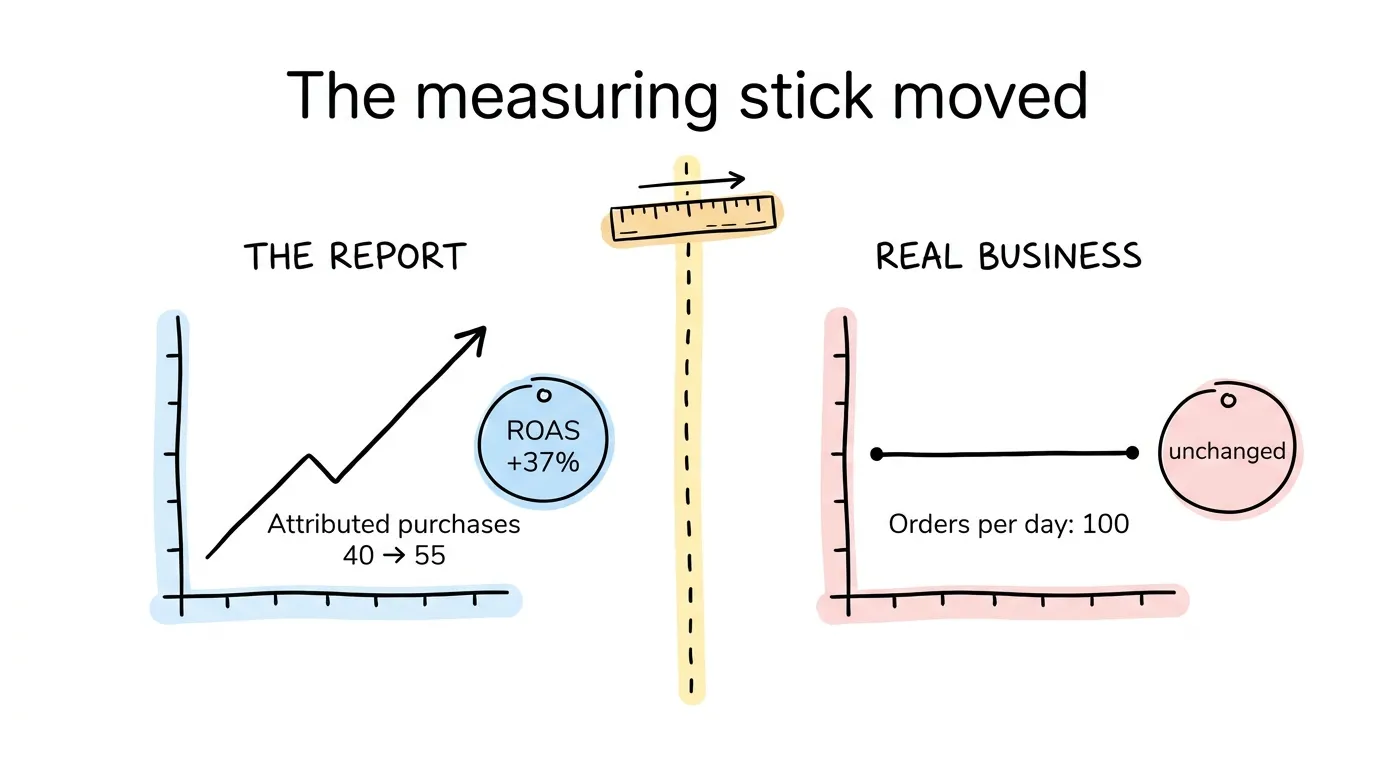
Attribution going up is not the same as business going up.
Say that to yourself once before you look at any report dated after mid-November.
How do you verify? In Events Manager, confirm which datasets are eligible, save a copy of your historical reports as a baseline, then take Meta's attributed purchase count and reconcile it against your own order database or CRM. Where the numbers disagree, it isn't necessarily broken tracking — attribution windows, refunds, one user hit by multiple ads repeatedly — all of it creates differences. But if the gap suddenly widens, you need to know where to look.
Two. Placements taken away: who decides where ads run?
The second change is quieter, but worth watching.
Until now, you could manually choose placements at the ad set level: this one to Feed, that one to Stories, your own arrangement. Now Meta is gradually taking that switch away.
Which objectives are affected? Four: Sales, Leads, Engagement, App promotion. Awareness and Traffic can still be chosen manually, for now.
One detail that trips people up: eligibility follows the campaign objective, not your optimization event. Two campaigns that look like they optimize on nearly the same metric — one may still have manual placements, the other may have already lost them. Don't assume.
Meta says this is a gradual rollout. The switch still being in your account doesn't mean it will stay there.
Can you still manage placements? Yes — but somewhere else:
- Account-level placement exclusions, configurable per objective
- Placement value rules, to adjust the value of certain placements
- Creative customization, different assets for different placements
But keep one distinction straight: adjusting value is not the same as banning delivery. Turn a placement's value down and it still gets traffic — just cheaper. To actually stop it from running, you need account-level exclusion.
Underneath, this is one direction: Meta is pulling delivery decisions into the Advantage+ automation playbook. Fewer configurations — and paradoxically a higher bar for the media buyer, because you have to audit the machine with business metrics. A cheap click isn't necessarily a good customer; a placement with a pricier acquisition cost may bring in more valuable purchases.
Change your yardstick: stop asking which placement has cheap clicks, ask which placement brings qualified leads, real purchases, repeat customers. And if your team has strict delivery requirements, go over your exclusion rules before the automation reaches your account.
Three. Where the click leads: in-app product browsing
The third change matters most to anyone running e-commerce.
Before, when a user clicked your ad, they went to the landing page you specified. Not necessarily anymore.
Meta has plugged in the "product browsing" experience: after clicking an ad, the user can browse product details and personalized recommendations right inside Facebook or Instagram, wander around a bit, and only then decide whether to visit your site.
Since October 28, this experience has been on by default for existing ads. Meta announced it through an advertiser notification — no launch event. If you don't want it, go turn it off in Advantage+ Creative and Destination settings.
For merchants, this gives your product data a second job. Images, catalog descriptions, price, and inventory used to serve only the ad itself; now they also have to hold up this in-app browsing page. When price, catalog, and inventory don't line up across the three places — the user sees 99 in the app, clicks through, and it's 129 — that's where the friction comes from.
How well does it work? Meta offered one experiment: 117,700 advertisers, compared August 6 through 21; merchants using product browsing averaged 3% more conversions, and Meta says the result is statistically significant.
3% — how should you read that?
Here's the thing about an average: it blends 117,700 completely different accounts into one number. Your category, your order value, your catalog quality, your landing page experience — none of them will match the average. It's a reference point, not a promise.
And don't forget two other things. First, there's now a browsing page in the middle, so the traffic structure of your landing page will shift — what users look at first and what they look at next are no longer fully under your control. Second, the official notice doesn't enumerate every applicable ad format, objective, or placement. Don't assume all ads are the same — go check your own account, one by one.
Four. Terms paused: what happened on November 20?
The fourth change is a bit special: it's a change that didn't happen.
Four sets of agreements were scheduled to take effect November 20: the commercial terms, the commerce catalog terms, the self-serve ads terms, and the ads creative generative AI terms. On November 5, Meta confirmed they were paused.
Why paused?
The heart of the dispute is the authorization in these new terms for the platform to automatically crawl business websites' content. The earlier wording raised a fear: could my website content be used to train AI? Meta later revised some of the wording, saying the use is mainly for ads and commercial products — but the concern didn't go away. Legal challenges appeared in Norway and Brazil, US lawmakers asked questions, and the UK's Competition and Markets Authority (CMA) began reviewing the relevant terms.
For advertisers, this isn't just a news-industry story. The product materials, original research, product photography, and website content you spend serious money on — you also have the right to know how the platform can access and use them.
Two important things to say.
First, a pause is not a resolution. Negotiations are still ongoing.
Second, the existing terms remain in force. The new terms never took effect, but the old ones weren't struck down either. Don't read the word "paused" and assume the crawling authorization is all gone — go look up which set of agreements actually applies to your account right now.
Five. Creatives can be split apart now: but those are "estimates"
The fifth one is for the creative folks.
Delivery systems are getting more automated — one ad stuffed with several images, several videos, several copy variants, and the system picks. The aggregate numbers look fine, but you can't tell which image actually did the work, so you can't make creative-rotation decisions.
Since late October, Ads Manager has filled this gap: in supported reporting views, use the Breakdown feature to split image, video, and text variants apart and see how Meta estimates each one performed.
For finding direction, this is genuinely useful. Among a set of product images, which ones deserve a deeper look — now you have a handle.
But two things need saying.
One: coverage is incomplete. Some multi-image formats — parts of collection and carousel, for instance — don't support the split, some custom conversion events can't be split either, and not every account sees it. Confirm in your own backend.
Two, and more important: breakdown reports give you estimates, not experimental conclusions.
The delivery system was never even-handed to begin with. Based on predicted performance, it assigns more traffic to certain creatives, audiences, placements. Image A logs more conversions possibly only because it was handed more impressions. That is not evidence that "under equal conditions, image A is stronger."
Observation, not causation.
So the correct use is: take the breakdown report to generate hypotheses and set priorities, then validate with controlled experiments. Don't swap out your entire creative library the day after one image's estimated numbers look good.
Before Black Friday, do these five things
Five changes covered. You may have noticed their common thread: they all change "how you see" — not all of them change "how you sell."
Time is short. Here's a no-drama checklist:
- Reconcile. November 12 has passed; on-device attribution is live everywhere it's going to be. Do it now: report purchase count against the order database — how big is the gap, and from what date.
- Name your source of truth. E-commerce looks at the order database, lead-gen looks at the CRM. If the report is up, first ask whether the source of truth agrees.
- Go over placements and product browsing. Are manual placements still there for the four objectives; if product browsing is on, do price, inventory, and catalog match your site.
- Don't get impulsive with creatives. Breakdown reports are for hypotheses, experiments are for conclusions. Two different things.
- Watch cost and revenue together. Acquisition cost dropping doesn't necessarily mean business is better. You can't do that math when the measuring stick changed.
Back to that group chat at the start.
"Conversions are up" — nothing wrong with that sentence itself. The mistake was only looking at it inside Ads Manager.
One distinction is enough to remember: automation changes delivery, measurement changes reports, and only experiments can prove business.
Wishing you a Black Friday where the report goes up — and the order database goes up too.
Continue reading
Related articles
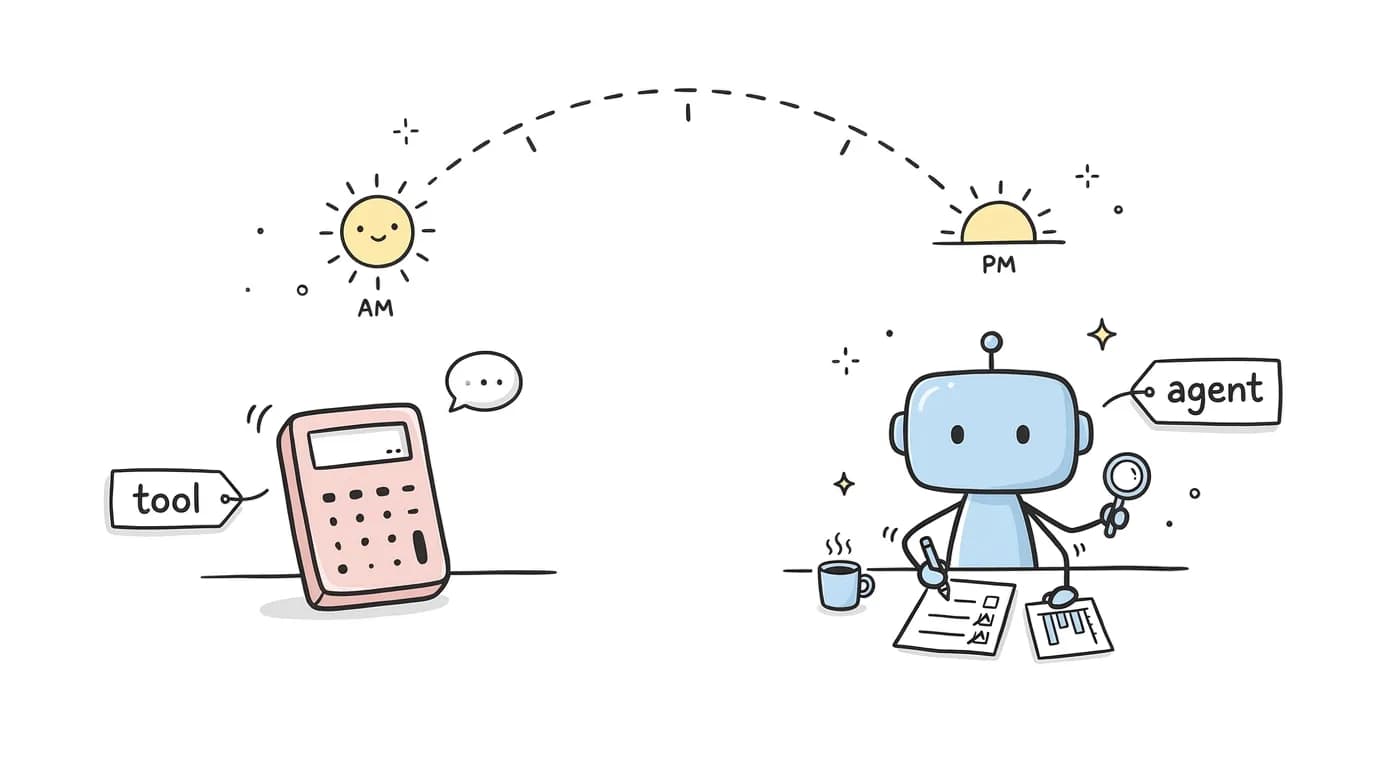
It's 2026: Stop "Buying" AI Tools for Your Marketing Team — Start "Hiring" AI Agents
This learn article explains how AI agents differ from standalone AI tools in marketing, outlines three agent categories — build-your-own platforms, CRM-native agents, and vertical tools — and covers use cases across SEO, social media, advertising, and reporting, plus criteria for choosing one.
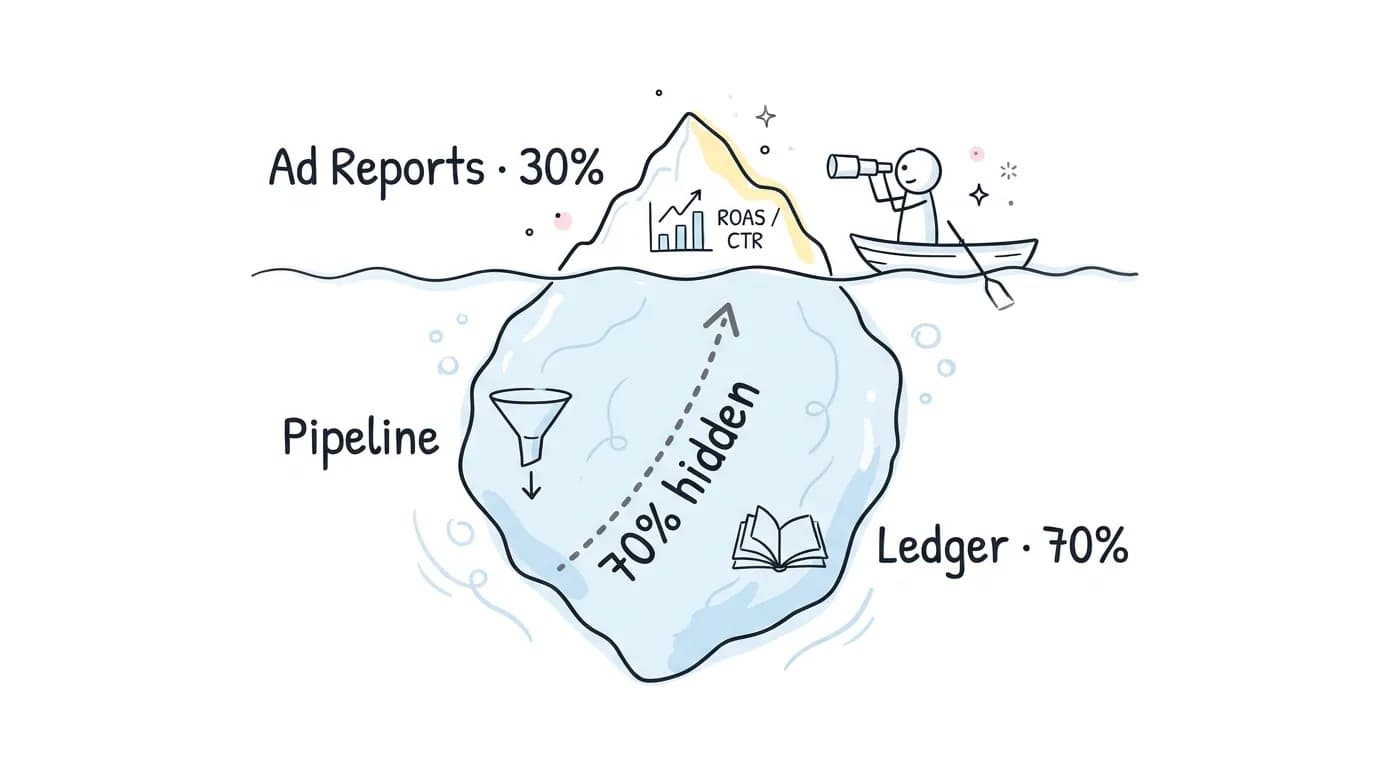
Did the Money You Spent on AI Marketing Ever Come Back?
A guide to measuring AI marketing ROI across three layers: ad reports, sales pipeline, and the financial ledger. Covers metrics such as ROAS and CPA, eight dashboard metrics, industry benchmarks, and common measurement mistakes.
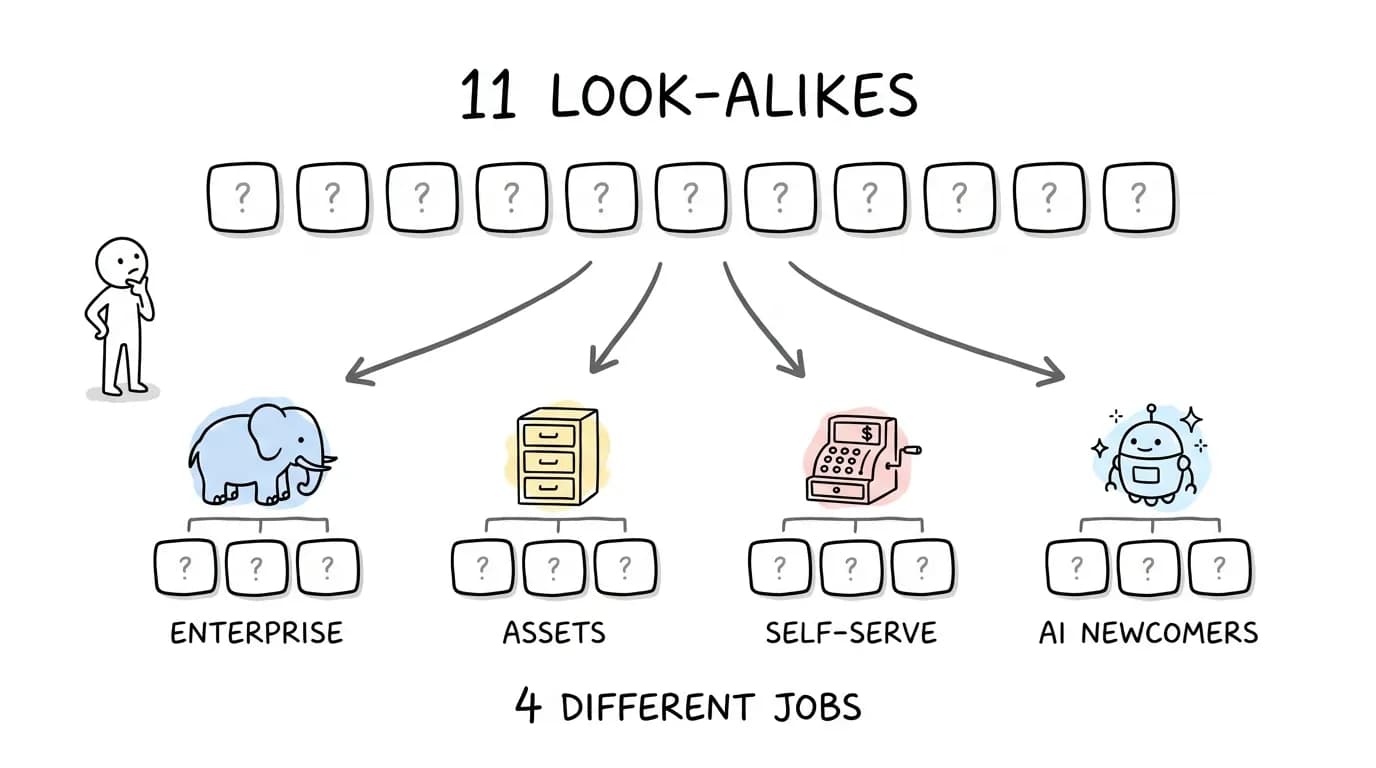
How to Pick a Creative Automation Platform: First, Figure Out What These Eleven Actually Do
A learn article sorts eleven creative automation platforms — including Bannerflow, Celtra, Smartly.io, and Storyteq — into four functional groups and proposes five evaluation questions covering publishing reach, automation depth, ease of adoption, team fit, and verifiable evidence.