
11 AI CRMs, Side by Side: Which Ones Actually Do the Work, and Which Just Changed the Sign on the Door
A side-by-side review of 11 customer-service CRMs, grouped into ecosystem, conversation, e-commerce, and relationship approaches, evaluated against six criteria including unified timelines, AI-drafted replies, forecasting, and sentiment analysis, plus five steps to take before purchasing.
A while back, a friend of mine who runs a cross-border e-commerce business invited me out for tea, and the whole conversation was about customer service.
His team is a dozen or so people, and each of them keeps a row of windows open on screen: one for the ticketing system, one for the order backend, one for the chat tool, another for finance reconciliation. When a customer asks "Where's my package?", the agent has to dig through four systems just to piece together an answer.
Last year, the company gritted its teeth and bought a CRM that was billed as "AI-powered."
I asked him: is it any good?
He gave a bitter smile. There is AI, he said—it's just that nobody uses it. Three months in, everyone had gone around it and returned to the old manual routine.
Think about it: real money went into that system, and what did it end up as? Something people work around.
Why? Because the phrase "AI-powered" has suffered serious inflation. Rename a few auto-reply rules and you can call it AI. Systems that genuinely understand your business and get smarter on their own are few and far between.
So recently I went through the 11 mainstream customer-service CRMs one by one, from Salesforce and Microsoft all the way down to Zoho. I wanted to settle one question: whose AI is actually doing the work, and whose AI lives only on the marketing page.
Here's the conclusion up front: there is only one kind of good AI CRM—the kind your team will genuinely use every day.
What Counts as an AI CRM?
Let's get the concepts straight first.
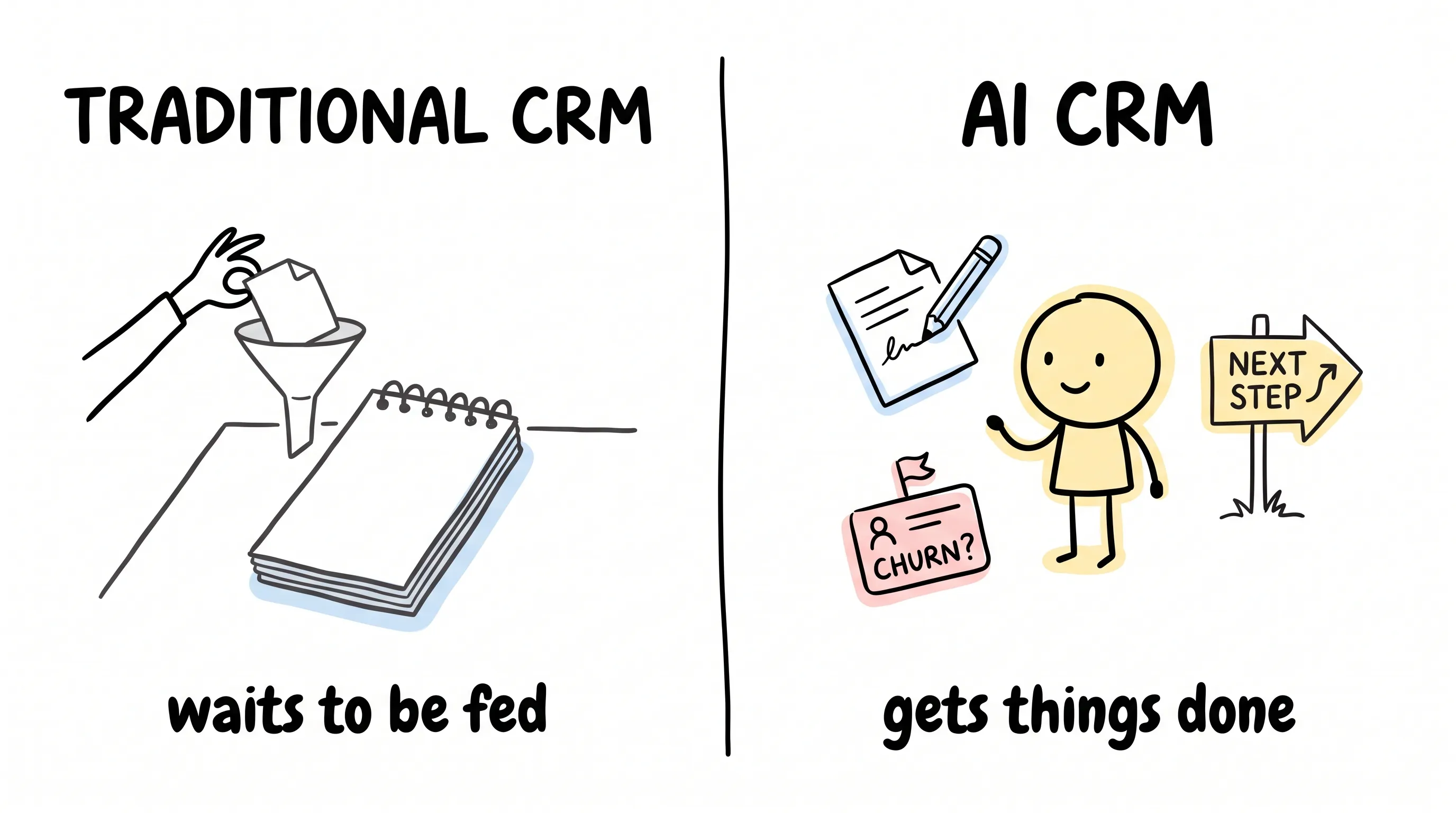
What is a traditional CRM? Frankly, a notepad. Customer information sits inside it, and you have to update it by hand, search it by hand, tally it up by hand. However much it remembers, it will never speak to you first.
What is an AI CRM? An assistant. The notepad handles "storing"; the assistant handles "doing": drafting replies for you, spotting which customer is about to churn, mapping out exactly how you should follow up on the next deal.
In one sentence: a notepad waits to be fed; an assistant gets things done.
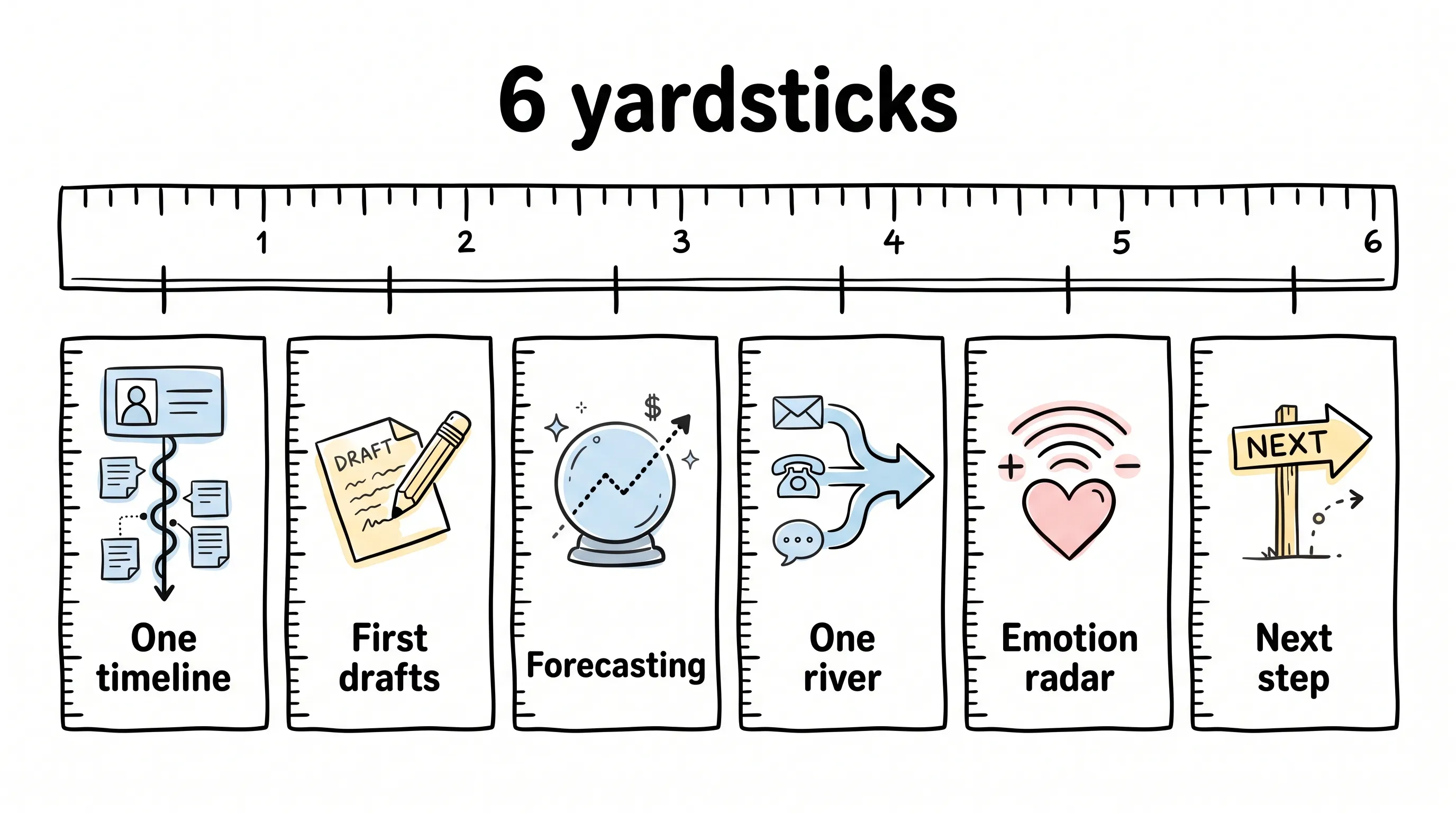
But "getting things done" comes in grades. I set myself six yardsticks—measure every product against them, and you'll mostly steer clear of bad buys.
First, the customer profile. When an agent opens a customer, do the conversations, orders, payments, and complaints all land on one timeline? Here's an analogy: the worst part of going to the hospital is having to re-explain your medical history from scratch every time you switch departments. A good CRM is the complete medical chart that follows the patient everywhere.
Second, first drafts. Agents burn a huge share of every day writing follow-up emails and routine replies. This is exactly the draft work generative AI should do: write a first version based on the customer's situation, and the agent fixes it up with a couple of quick edits and sends. If the draft automatically pulls in the pain points the customer has mentioned and the products they've looked at, the AI is genuinely working.
Third, forecasting. Using historical data to look ahead: will inquiry volume spike next month? Which accounts are at risk of churning? Forecast well, and you can schedule staff early and step in before customers leave. Ideally it also forecasts in layers—by individual, by team, by region—so you can model what happens if you add two people or average order value rises ten percent.
Fourth, channels. Email, SMS, phone, WhatsApp, web chat, social DMs—the channels can be many, but the water has to end up in the same river. If a customer emailed yesterday and calls today, the agent should see one continuous story, not two strangers who have never met.
Fifth, emotion. A customer types "OK, thanks" and may already be fuming inside. Sentiment analysis reads that anger in real time, pushing the tickets about to explode to the front of the queue and escalating early the ones headed for a blowup. Those few seconds of warning are often the entire difference between keeping a customer and losing one.
Sixth, the next step. Agents often know a case needs following up but have no idea what to actually do. A good recommendation isn't "remember to check back"; it's "email this customer, mention last week's complaint, the current progress, and what happens next."
Those six yardsticks are how I measured the 11 products. Vendor by vendor, below.
11 Vendors, Four Ways of Working
After going through all 11, I found that they really fall into four distinct plays.
The Ecosystem Play: All-in-One Suites Win
Salesforce Customer 360 sits at the top of this category. It fuses sales, service, marketing, and commerce data into a single thread, with its own Einstein AI woven into every link: managing leads in Sales Cloud, intelligently routing cases in Service Cloud, optimizing journeys in Marketing Cloud, and personalizing recommendations in Commerce Cloud. Sales can see a customer's case history, support can look up purchase records—no window-switching.
The cost is equally plain. Some users say outright that integration, data modeling, and getting the AI running demand upfront time and staffing you can't avoid. But others rave about its zero-copy data access: the data never moves and you can still use it, which makes analytics and model training far easier—users single this feature out again and again. On price, the entry suite runs $25 per user per month, the Pro suite $100, and Einstein is a separate conversation with sales. It suits large enterprises already deeply bound to Salesforce: the deeper the ecosystem tie, the sweeter it gets.
Microsoft Dynamics 365 Customer Service follows the same logic, betting on the Microsoft suite. Its Copilot sits right inside the agent workspace: drafting emails, compressing dozens of pages of history into three sentences, translating across languages, recommending knowledge base articles—even pulling in SharePoint documents and Teams chats on the fly, so agents never leave the workspace. It starts at $50 per agent per month, up to $195 at the high end. User feedback is refreshingly concrete: the charts are great; but the search box is slow to respond, and lookups only match from the very first letter of a word—infuriating.
HubSpot Service Hub targets growing companies. Its biggest strength is having sales, marketing, and service data in one system: an agent can see how many marketing emails this customer actually engaged with and which product features they've used. Its AI is called Breeze, and it compresses lengthy ticket conversations into summaries and suggests replies. You can start on the free plan, Professional is $90 per seat per month, and Enterprise is $150. The complaints cluster around customization: users who want to push views and workflows hard will find the ceiling a bit low.
Zoho Desk is the value pick of the all-in-one crowd. It starts at $7 per user per month, and the top tier is only $40—pocket change a day. If your company already runs Zoho's CRM, finance, and marketing tools, Desk plugs in and spins up almost seamlessly. Its Zia assistant auto-assigns tickets by content and expertise, spots customers in a bad mood and moves them up the queue, and drafts replies based on the knowledge base and historical tickets. Users do caution: it's feature-complete, but next to the specialists certain constraints appear, and it takes a bit of patience to get comfortable.
The Conversation Play: Chat as the Main Business
Zendesk is the veteran that grew from a ticketing system into a CRM. Support handles tickets, Sell handles the sales pipeline, Sunshine handles unified customer data, and the capabilities collectively known as Zendesk AI handle intelligent routing, recommending talking points based on ticket content, and spotting impatient customers so they jump the queue. Users praise how fast it is to pick up and how clearly everything is arranged; the complaints are just as consistent. Advanced settings are buried deep, and costs climb fast as you add features and people: the suite starts at $55 per seat per month and runs up to $169, with the AI copilot adding another $50. For small teams, the bill slips out of control before you know it.
Intercom has simply made the whole product one ongoing conversation: a unified chat entry point, with support, pre-sales, and product guidance all inside it. Its claim to fame is Fin, an autonomous resolution bot that handles complete requests end to end, and also reads intent and sentiment to push angry customers to the front. One user's comment stuck with me: with a well-written prompt, Fin is like a genuinely new human agent on the team. Which is saying something. But watch how it bills: per-resolution pricing at $0.99 per resolution, plus suite fees starting at $29 per seat per month—the bigger your volume, the harder the bill is to predict, and finance will dread budget season.
Freshworks' customer service suite is a strong mid-market player: Freshdesk handles tickets, Freshchat handles live conversations, and Freddy AI underpins it all—routing by urgency, answering common questions, forecasting inquiry volume, and riding along as the agent's copilot, summarizing conversations, drafting replies, and translating in real time. It starts at $19 per agent per month, topping out at $89. Users call it clean and simple without too many gimmicks; if you want WhatsApp, you'll need a third-party tool, which is a bit of a hassle.
Dixa is built around "threading by person": phone, email, chat, and social DMs come into one interface, and all exchanges with the same customer automatically string into one line—yesterday's email, today's call, one continuous story for the agent. Its AI agent Mim handles intelligent routing, matching the right conversation to the right person based on customer history, priority, and agent availability. It starts at $89 per agent per month. Users praise its skills-based routing as fast and accurate; they're harsher about the contract: one-year minimum, plus three months' notice to terminate. One reviewer put it bluntly: this contracting model belongs to another era.
The E-commerce Play: Support Plugged Straight into Orders
Gorgias is a support CRM built specifically for e-commerce brands, woven deep into Shopify, BigCommerce, and Magento. When a customer asks "Where's my order?", its Automate pulls up live shipping data and answers on the spot, down to whether the item is in stock. Refunds, exchanges, address changes, all handled mid-conversation. Its reports speak the boss's language, too: how much money retention saved this month, how many orders support nudged through, what the refund rate is. Support's contribution can finally be counted in dollars. Pricing is by ticket volume, from $10 a month (50 tickets) to $750 a month (5,000 tickets). If you run a Shopify business, it's hard to steer clear of it; some users gripe that its phone integration with Aircall has friction—the features feel like they're fighting each other.
The Relationship Play: A Customer Is Not a Case
Gladly simply overturns the ticket system: each customer has one lifelong conversation thread. A phone call this year, an email next year, a chat the year after—all continue on the same thread, with no new case numbers opened. Its Sidekick AI digs out the historical context and recommends personalized replies based on customer preferences, and phone calls are embedded right in the same timeline. Starting at $180 a month, it's positioned at the high end. Users love it and hate it loudly: some say it freed the whole team from "ticket thinking"; others complain there's no dedicated account manager, no built-in satisfaction survey, and key metrics still have to be computed by hand.
Kustomer has gone the furthest down this road—the concept of the ticket is simply deleted. All conversations, orders, payments, subscriptions, and historical behavior converge into one customer timeline that updates in real time. A customer returns after six months, having switched channels three times in between; the agent opens the profile and the whole story is there from the first line, ready to pick up mid-sentence.
Its newly launched assistant Envoy gets to work the moment a conversation enters the queue: who this customer is, what went wrong last time, what has been tried, where the problem probably sits, which policy applies. By the time that prep is done, a reply draft is ready too; the agent tweaks it and sends. Transfers don't reset anything either: the summary travels with the conversation, the next agent picks up where the last left off, and the customer never has to restate everything from the start. There's also a no-code workspace, so teams that can't write code can train their own AI support agent. For the support profession, this amounts to taking away the most draining repetitive work, so people can put their energy into the things that truly require thinking.
The user voices are strikingly consistent. The head of customer experience at furniture brand Nathan James says having the customer's entire history on one timeline, with no switching back and forth, was a turning point for them. The VP of growth at insurance company Kin says the whole company now uses it, claims team included. The head of experience at travel platform Hopper calls it something that holds up at scale while fitting the needs of modern service teams. Clothing brand Everlane says it is an important technology partner in building world-class customer experiences.
As for the entry bar, it asks the team to change how they think: people used to "open a case and file it away" have to re-learn what it means to have no case number.
Before You Spend, Do Five Things First
The list is done; now it's your call. Buying a CRM is a decision you'll live with for years. Choose right, and things go smoothly for the team and the customers; choose wrong, and you've paid for features for nothing, only to tear it all down and start over eighteen months later.
First, find the most painful point. Is it replies being too slow, agents bouncing between systems, or sales lacking context? Different pains call for completely different AI: if it's slow, you want aggressive automation and intelligent routing; if context is missing, you want a unified view and integrations; if nobody loves using it, then whether the interface feels good comes first.
Second, write out the integration list. However smart the AI, without access to data it's blind. Your orders sit in Shopify, your transactions in Stripe, your internal comms in Slack—can it open all of them in real time, both directions? Pay attention to the words "real time, both directions": a connection that syncs overnight is next to useless.
Third, gauge how much change your team can digest. Salesforce is deep and powerful but needs a dedicated administrator to keep it fed; tools like Kustomer and Freshworks have much gentler curves. If the team lives in email, don't force a pure-chat switch; if they're used to tickets, give them plenty of buffer.
Fourth, count the whole bill. The sticker price is often just the entry fee: AI costs extra, integrations cost extra, and enterprise-grade implementation adds data migration, configuration, training—together these can match the price of the software itself. One more thing: a plan that's a great deal at 20 people can be outrageously expensive at 100. Per-head pricing and per-conversation pricing are completely different economic models—run the numbers for your future size, not today's.
Fifth, define your metrics before you open your wallet. Before launch, decide exactly which numbers you'll watch: first response time, resolution time, human-handoff rate, satisfaction—or churn rate and repeat purchases. Without those numbers, you'll never tell whether the AI actually improved results or just moved the work from the left side of the desk to the right. During selection, write down the five to ten scenarios your team genuinely handles every day and make every vendor demo them on the spot. Any scenario missing from the demo is your pothole after launch.
People often ask me: should a small company adopt an AI CRM?
Yes. And small companies may need one more than big ones: with no spare hands for data cleaning, no spare hands for building processes, a dependable AI is an operations hire you get for free, letting three to five people do the work of a dozen. The key is picking the tool that subtracts, not the one that adds homework.
A Few Last Words
When I finished this piece, I sent the list to that friend from the beginning.
Whether he'll switch, and to which one, I don't know. But I do know that the next time he sits in a conference room listening to a vendor talk about AI, he'll at least know which five questions to ask and which six yardsticks to pull out.
After going through these 11, what really stayed in my head is a divide in thinking: most systems treat customers as isolated cases—numbered, opened, archived—while a few systems treat the customer as a person with a story, and remember where they came from.
Remember the customer's story, and you never have to make them start from the beginning every time they open their mouth.
Your customers deserve to be remembered, and your support team deserves five fewer windows.
Here's hoping your next system is the kind people scramble to use.
Continue reading
Related articles

Cross-Border Business: Time to Upgrade Your AI Toolbox
A learn article explaining how AI tools help cross-border e-commerce sellers clear five hurdles: language, regulation, logistics, payments, and fraud. It outlines a five-compartment toolbox, a five-step adoption path, and metrics such as conversion rate and CLV, while cautioning against over-reliance on AI.

AI Is Taking Over the Dirty Work of Social Media Marketing, One Task at a Time
This learn article outlines four social media marketing tasks AI can handle — audience analytics, content drafting and design, ad targeting and creative testing, and spam moderation — and cautions that taste, judgment, and data security remain human responsibilities.

AI Is Already This Good — Why Is Your Social Media Marketing Still Pure Manpower?
An overview of 18 AI tools for social media marketing, organized into six categories covering audience research, content creation, scheduling, comment and DM handling, ad management, and visual production, plus notes on personalization, prediction, and emerging trends.