
It's 2026 — Which AI Tools Should You Actually Adopt as an E-commerce Seller?
A learn article walking e-commerce sellers through eight AI tool areas — customer service, email and SMS, copy, product images, inventory, pricing, on-site search, and analytics — and advising adoption one or two areas at a time, starting where the most time is lost.
A few days ago, a friend who runs an e-commerce business invited me to dinner. Halfway through the meal, he started venting.
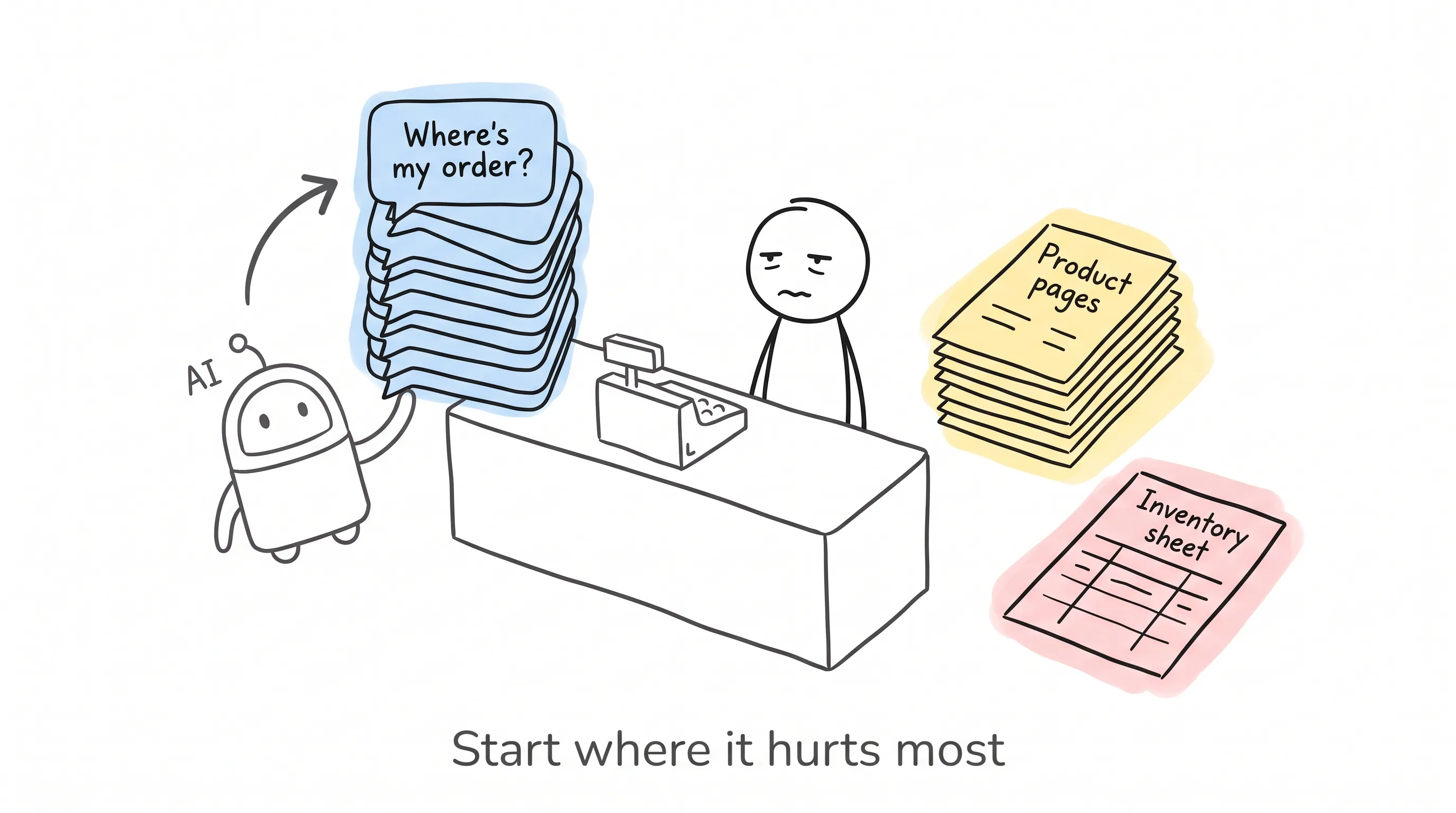
Every morning he'd wake up to two hundred-plus customer service messages — all "Where's my order?" and "Is this size still in stock?" In the afternoon he had to write product pages for new arrivals, and at night he'd stare at his inventory spreadsheets, afraid of a bestseller stocking out, equally afraid of slow-moving stock piling up in the warehouse.
I told him: it's 2026 — most of these jobs have AI that can do them for you.
He paused. "Really? Aren't those tools all hype?"
I get it. The AI tool roundups out there list dozens at a time, and after reading you remember nothing but the anxiety. So I'm not doing that today. I want to make one thing clear: If you're a growing e-commerce seller, find the part of your operation that eats the most of your time, and use AI to kill that part first.
Let's go through them one by one.
First, Do the Math
Some people say: I don't want to chase new things. Can't I just keep selling the old-fashioned way?
Sure, you can. But your competitors won't be standing still.
Gartner has a prediction: by the end of 2026, over 75% of e-commerce businesses will be using AI automation in at least one core area. IDC has run the numbers too: global spending on AI systems will exceed $301 billion this year. McKinsey's data is more direct: companies that use AI automation can raise operational efficiency by up to 30%.
What does that mean? You're filling in spreadsheets by hand; your competitors are taking shortcuts with machines.
With AI, the contest is over who gets it working first.
Area #1: Customer Service — The Highest-Return Place to Start
Guess how many brands using conversational AI apply it to customer service?
96%.
Why? Because customer service is the most repetitive, least creative work in e-commerce, yet it takes up a large chunk of your time. "Where's my order?" "How do I return or exchange?" "Is it in stock?" — these questions come in two hundred times a day, and every one of them deserves a good answer.
What's interesting is that consumers aren't resistant at all. Triple Whale's compiled retail AI statistics include two numbers: 75% of consumers say that for simple questions like order status or return policies, they'd rather deal with an AI agent; and every dollar put into AI customer service brings back an average of $3.50.
Whether it's money well spent — do the math yourself.
For tools, Tidio comes first. Its Lyro AI chatbot runs on Anthropic's Claude: it answers common questions, recommends products based on chat context, and can execute after-sales actions directly — checking order status, sending shipping updates, doing post-purchase follow-ups — the whole way without a human stepping in. It connects directly to Shopify, so it can handle store matters on its own.
The pricing is straightforward too: the free plan gives 50 conversations a month, the paid plan is $29 a month, and Lyro is a $39 add-on. If you spend 10 to 15 hours a week replying to those repetitive questions, this tool essentially hands that time back to you untouched.
Area #2: Email and SMS — Stop Blasting One Template to Your Whole List
What is AI email marketing?
Plainly put: no more sending the same letter to the entire list every Friday afternoon. Instead, the system watches each person's behavior and decides who to send to, what to send, and when to send it.
Klaviyo does exactly this. New subscribers get a welcome flow matched to where they came in; what they bought triggers the corresponding post-purchase sequence; someone silent for three months gets a win-back message written to their taste. Even better, it can predict "this person is about to leave" before the customer actually churns, and step in early. Which subject line gets higher open rates, what exact time to send — it tests those too.
And the return? Nucleus Research ran the numbers on marketing automation platforms: every $1 invested returns an average of $5.40.
My reaction was one word: powerful.
Email and SMS are still the highest-return channels in e-commerce today. If your email marketing is still manual blasts, this is probably the biggest pile of revenue sitting untouched in your store.
Areas #3 and #4: Copy and Images — Your Shelves Can Cost a Lot Less
E-commerce has an inescapable grunt job: content.
A few hundred SKUs, each needing a product page. After the copy comes the photography — photographer, studio, lighting, retouching, not one of them optional.
Copy first. Shopify Magic lives right inside the Shopify admin: it can generate product descriptions, collection pages, email subject lines, store copy — merchants don't pay an extra cent.
But remember, it's only a first-draft generator. The strongest product pages still need a human touch: the brand's voice, concrete details, the words only you understand about your customers. My advice is to treat it as a tool that "cuts content time by 60% to 70%", not a one-click button to check out entirely.
Sellers not on Shopify: Jasper and Copy.ai do the same work, and they connect to even more platforms.
Now images. Pebblely goes even further: give it one product photo and it generates studio-grade shots — lifestyle scenes, seasonal themes, plus the sizes every platform wants, all there. A product image that used to cost $50 to $200 to outsource now costs under $1.
A brand with 200 SKUs and several colorways per style used to count photo shoots in weeks; now it counts in hours.
The cost of content for your shelves has collapsed — to nearly zero.
Area #5: Inventory — The Two Most Expensive Pains in E-commerce
What is AI demand forecasting?
It's letting the machine read your historical sales, seasonal swings, and promo calendar, combine them with supplier lead times, and work out which SKU, when, and how much to restock.
Prediko is built specifically for Shopify merchants and produces forecasts at SKU level. It factors in your current inventory, supplier lead times, scheduled promotions, and historical sell-through rates, and hands you purchase-order recommendations directly.
Anyone who has run e-commerce knows the two most expensive pains: a hit product stocking out in peak season while you watch orders slip away; a batch of inventory sitting dead in the warehouse for six months. Forecasting attacks exactly this root.
This isn't some bleeding-edge experiment anymore. 53% of retailers are already using AI for demand forecasting, personalization, or inventory optimization. More than half, my friend.
Area #6: Pricing — Your Competitor Changes Prices Several Times a Day. How Often Do You Check?
Pricing is one of the highest-leverage decisions in e-commerce, yet most sellers still set it by gut and never touch it again.
What Prisync does is watch competitors' prices across platforms and adjust automatically by your rules: follow the lowest price, hold a gross-margin floor, or sit a percentage below the top sellers. You make the rules.
This matters especially on marketplaces like Amazon. There, prices change several times a day, and no human can keep up watching them. AI tracks in real time and executes instantly — protecting your Buy Box (the featured "Add to Cart" spot on a product listing) and your margin at the same time.
Even if you run your own store and don't fight platform prices, dynamic pricing still applies to promo rhythm and bundle pricing. Go by demand signals, not by feeling.
Area #7: On-Site Search — High-Intent Shoppers Are Getting Lost in Your Store
There's a number many people don't know: buyers who use on-site search convert at 2 to 3 times the rate of people just browsing.
Two to three times. These people came ready to spend money.
But what is search like at most stores? The customer searches "nightgown," your catalog calls it "loungewear dress" — nothing comes back. The customer misspells one letter, and the result is "no results found." High-intent customers get lost in your store this way, then go to a competitor.
AI search tools like Searchspring use machine learning to understand what customers are really looking for — misspelled words and non-standard names, all caught. Along the way, they also handle personalized recommendations, merchandising rules, and collection page optimization.
There's an even bigger backdrop. Adobe Digital Insights tracked that, as of mid-2025, traffic to US retail websites from generative AI grew 4,700% year over year. The way customers find products is being rewritten by AI — your own store's search can't still be stuck ten years in the past.
Area #8: Data — The Money Is Spent. But Do You Really Know It Went to the Right Place?
The last area is the most valuable, and the easiest to get fooled on: analytics.
You're spending money on Google, Meta, TikTok, email — so which channel is actually making money?
Triple Whale pulls ad platforms, Shopify, email, and attribution data into one dashboard, and lets AI produce insights on top: which channel truly drives revenue, not just which got the last click; which data looks abnormal; which opportunities you'd never spot in a spreadsheet yourself.
For sellers advertising everywhere, unified attribution is the wall between "scaling with profit" and "burning money blindfolded."
Run It Back
Customer service: Tidio. Email and SMS: Klaviyo. Copy and images: Shopify Magic and Pebblely (plus Jasper and Copy.ai if you're not on Shopify). Inventory: Prediko. Pricing: Prisync. Search: Searchspring. Analytics: Triple Whale. Prediko and Searchspring quote by store size; the others all have cheap entry tiers.
Eight tools, eight areas — not one of them is for "looking trendy by using it." Every one is for "saving time or making more money."
But. There's One Thing AI Can't Do for You
After all that praise, some fairness is due.
AI is good at the digital world: processing data, generating content, automating repetitive actions, making predictions. But the goods in your store still need someone to receive them, stack them neatly, pick them one by one, pack them well, and hand them to the courier.
Your AI can predict the hit product — the hit product still needs someone to pack and ship it. Pick one wrong item, wrap one layer thin, ship one day late, and the customer's bad review won't care how advanced your back-end algorithm is.
I once saw a seller's write-up that captured this perfectly. He automated marketing, customer service, and inventory planning with AI, and efficiency visibly improved. But the real unlock came when he later brought on a reliable 3PL (third-party logistics) fulfillment partner. Because AI had pushed order volume up, someone in the physical world had to catch it.
AI brings the customers in. Fulfillment keeps them.
How to Start? Don't Bite Off More Than You Can Chew
The most common way to fail: finish reading an article like this, get fired up, and install eight tools in one go. They fight each other, the data doesn't line up, and in the end everything gets deleted.
The right way: first pick the one or two areas that cost you the most hours each week. Drowning in repetitive support messages every day — start with Tidio. Email still manual blasts — start with Klaviyo. Writing product pages word by word — use Shopify Magic or Jasper. Photos expensive and slow — use Pebblely. Always stocking out or overstocked — go find Prediko.
Once it's on, run it 30 to 60 days and watch the data. Works? Add the next one. Doesn't? Swap it out.
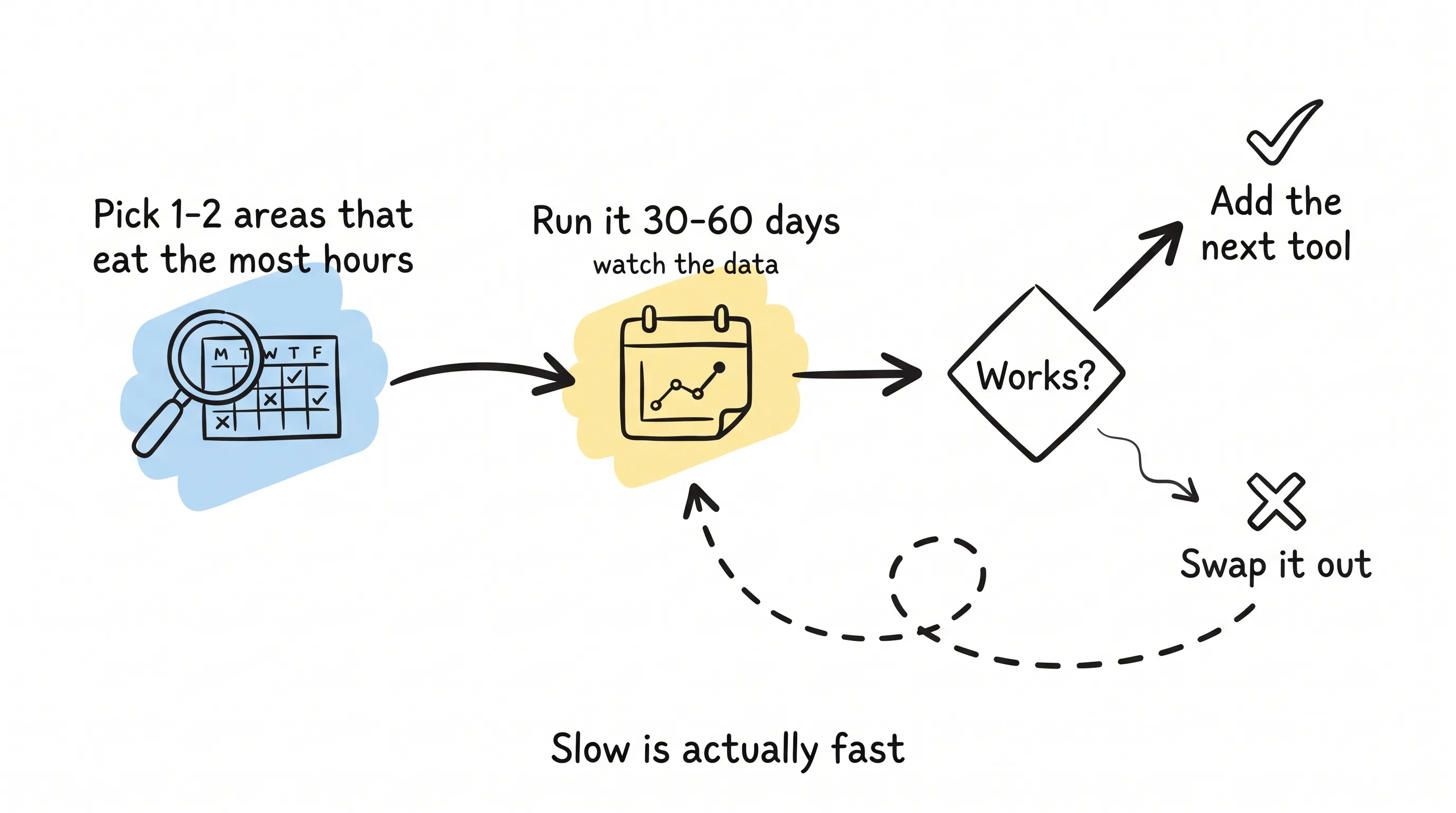
AI compounds. The time each tool saves and the data it accumulates make the next tool work even better. Slow is actually fast.
One Last Thing
Look back at that friend at the dinner table. He later handed customer service to AI first, and a month later told me he now frees up three hours every afternoon to review new product samples.
That's the right way to use AI tools. They won't run your store for you; they pull you out of the repetitive grind so you can do the things only you can do.
It's 2026. These tools stopped being expensive long ago, they're quick to pick up, and every one of them has numbers you can run. The question isn't "whether to use them" — it's "which one to start with."
My advice is always the same: start where it hurts most.
May more and more customers find your store. And may you spend the time you saved on the things only you can do.
Continue reading
Related articles

73% Call AI a Priority — Only 28% Actually Use It
Just after lunch, I opened up an industry report and couldn't put it down.

AI Is Erasing the "Hard" in Cross-Border E-Commerce, One Stroke at a Time
A learn article explaining how AI helps cross-border e-commerce sellers tackle language and cultural localization, logistics and customs costs, policy compliance, and fraud control, with brand and platform examples plus a step-by-step rollout approach focused on ROI.

TikTok puts ad buying on autopilot
A friend of mine who places ad campaigns stopped by the other day to vent.